This week’s cool tool recommendation is ClicheFinder – a tool to help you eliminate overused clichés from your writing.
This free tool finds and highlights words, expressions, and phrases that are trite, stale, or overused to help you improve your copy. To use simply copy and paste your text and click the button marked ‘Find Clichés’.
This headline analyzer is a free tool from the Advanced Marketing Institute that you can use to calculate the EMV of your own headlines. It scores the EMV of your headline with a breakdown of why it scored that value. A perfect score would be 100%, but don’t despair if yours doesn’t match up. According to the Institute, “most professional copywriters’ headlines will have 30%-40% EMV Words in their headlines, while the most gifted copywriters will have 50%-75% EMV words in headlines.”
Here’s how it works.
Enter your headline in the space provided and choose the industry you are targeting your message to.
Click Submit.
Here’s my score:
While the score is low on EMV, I am still happy with it, as it fulfills my aim of arousing curiosity in the reader.
Your headline carries words that predominantly appeal to most people’s intellectual sphere. Intellectual impact words are especially effective when your goal is to arouse curiosity.
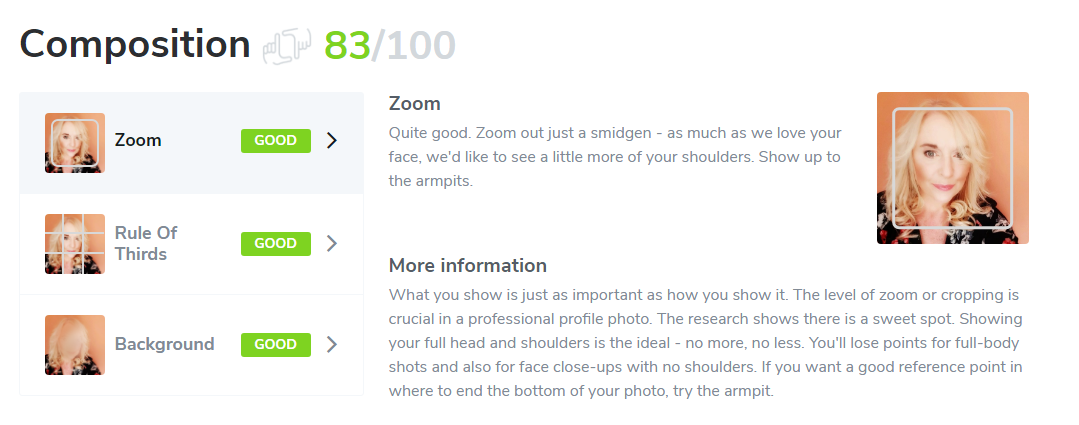
This week’s cool tool recommendation is Snappr’s Photo Analyzer – a tool that uses machine learning technologies to determine how well your photo will perform on LinkedIn.
After it’s analyzed your LinkedIn profile picture, the tool gives you a score on parameters from composition to editing and gives you plenty of actionable tips to improve your score.
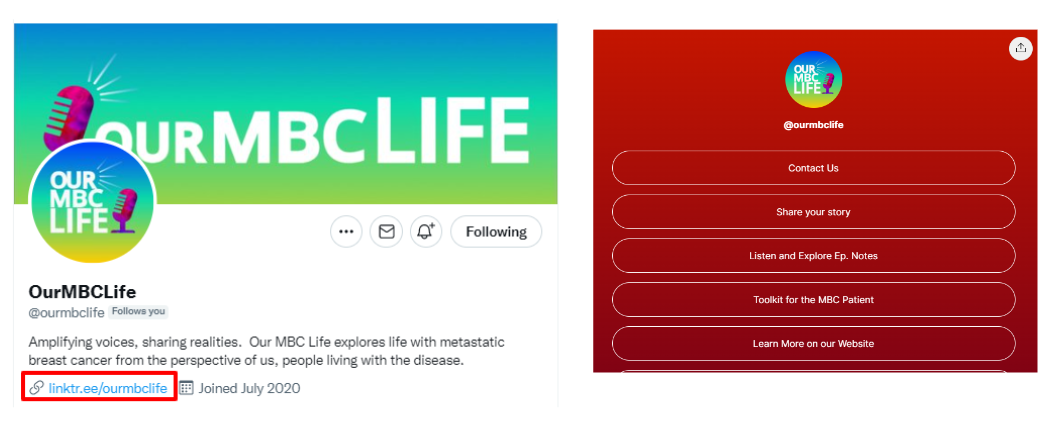
This week’s cool tool recommendation is Linktree – a landing page tool that houses links to your social sites.
When you sign up, you receive a unique Linktree URL that you can add to your bio on any social media platform, in your email signature, etc., so your followers and visitors can choose which of your content they want to see.
If you use Instagram, you already know that you can’t have more than one link on the website portion of your profile. This is where Linktree comes in. With Linktree, you can create a landing page with as many links as you like.
See this example from podcasters, Our MBC Life, to see how it looks in practice.
Pricing
You can sign up for free to get unlimited links and a customizable Linktree. For more customisation, there are paid plans.
I love learning about new tools to make social media marketing more creative and effective, so I’ve decided to share some of my favourite tools with you at the start of each week.
This week’s cool tool recommendation is video app – Loom.
Combining face and screen video recording with audio, Loom makes it easy to create quick, personal videos ready for sharing via email, social media, YouTube, or as an embedded video on your website.
Check out this video which walks you through the desktop version (you can also use it as a Chrome extension or download iOS app).
The basic version is free and allows you to record up to 25 videos.
This week’s cool tool recommendation is stock image site Pexels.
Pexels provides over 3,800 high-resolution photos, collated from other free image sites — making it one of the largest free image directories. Pexels has also added a large library of stock videos to its site also under the CC0 license. Use the site’s list of popular searches to find the most in-demand stock video.
This week I’m recommending Dr. Link Check– a tool to help you identify broken links on your website and fix them.
Did you know that broken links on your website are sending signals to Google that your website is old and outdated and perhaps even untrustworthy?
Broken links or dead links are hyperlinks on a webpage that are no longer functional. They can negatively impact your SEO by impacting bounce rate (the percentage of visitors that navigate away from a particular site after viewing only one page) and time on site, two factors that directly affect SEO.
Finding broken links is the first step to fixing them. This can be done in a number of ways. One is to use a tool like Dr. Link Checker.
It’s very simple to use. Simply type in the url of your site and let the link checker go to work.
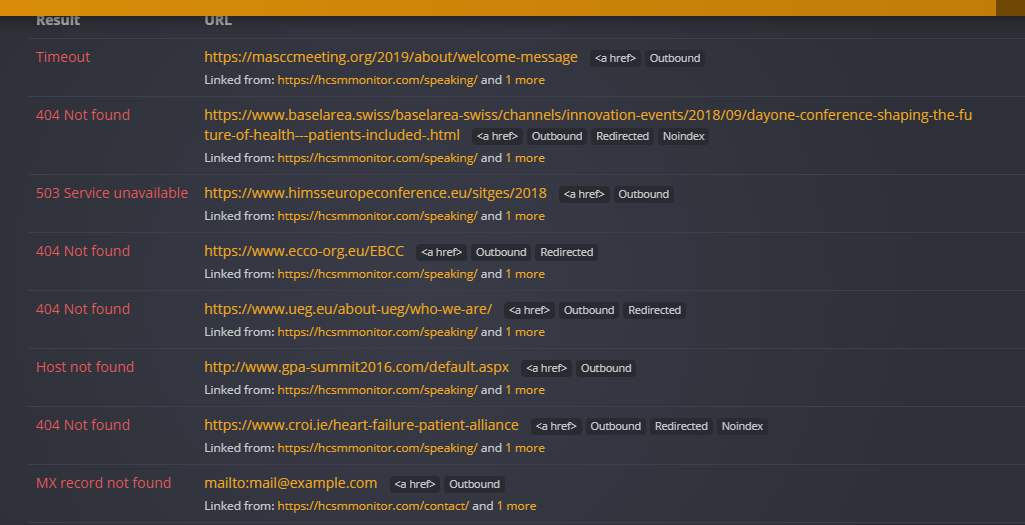
This shows me a list of the broken links on my own website that I need to fix. A majority of these link to dead external sites. This makes sense since I originally linked out to speaking engagements and the conference and meeting sites have been taken down. In this case, I have no choice but to delete the hyperlink since I have no control over external links.
When it comes to internal links, I have control over them, and it’s good SEO practice to review content and correct broken links immediately.
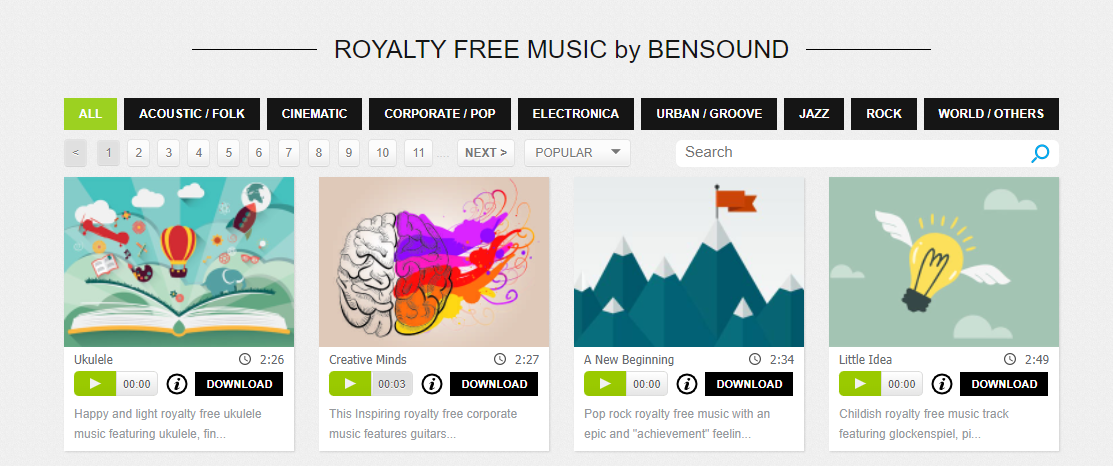
This week I’m recommending Bensound – a useful source of royalty-free music.
You can use Bensound’s music available under Free License in your multimedia project (online videos, websites, animations, etc.) for free as long as you credit Bensound.
If you need high-quality files (mp3 and wav) choose “Premium” tracks or you can buy a Bensound Pro License.
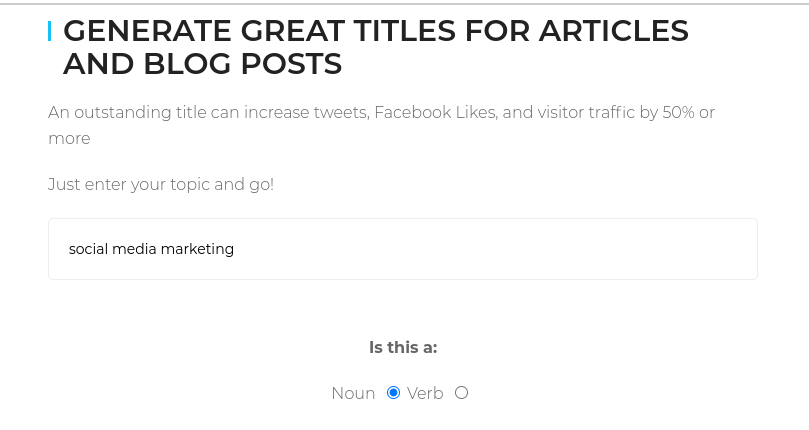
This week’s cool tool recommendation is headline generator tool – Title Generator.
This automated tool can help inspire titles for your content, but it can also throw up a lot of suggestions that are borderline click-bait – so use with a pinch of salt.
How to use it
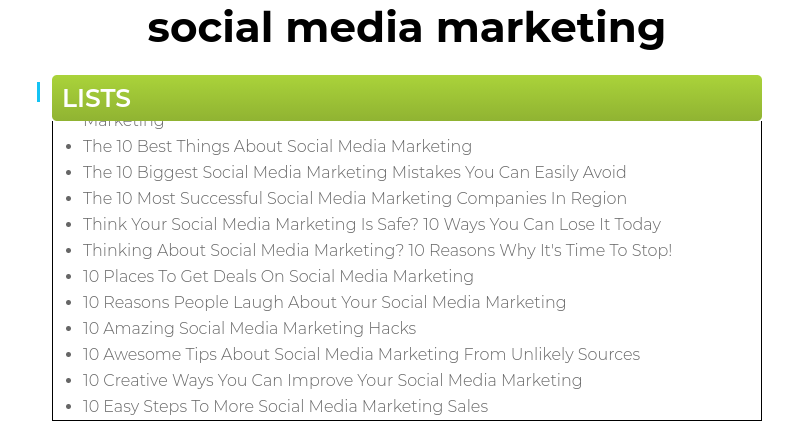
Simply take your main topic idea, let the tool know whether it’s a noun or a verb and within seconds it will generate a list of headlines/titles you can use for online content, newsletter subject lines, and even book titles.






 Health Care Social Media