Posted in Cool Tool

Monday Morning Cool Tool: Glasp AI YouTube Summarizer

This week’s cool tool recommendation is Glasp AI YouTube Summarizer a free Chrome extension to generate summaries and give you the full transcript of any YouTube video.

Key Features

  • Pulls up transcripts of YouTube videos in multiple languages and summarizes them.
  • Summary can be generated via ChatGPT, Claude, Mistral AI, Gemini.
  • You can set how long or detailed the summary should be.
  • Summaries can include timestamps so you can navigate to specific parts of video.
  • You can highlight parts of the transcript, add notes, and export highlights/notes to tools like Obsidian, Notion, etc., in formats like Markdown, HTML, CSV, JSON.
  • Get the transcript of the video in multiple languages. Watch the video with the transcript on the side and get the content quickly or simply copy the transcript.

How it works:

  1. Install the extension.
  2. Open a YouTube video.
  3. Click the Glasp “Transcript & Summary” bar on the top right.
  4. Copy the transcript with one click.
  5. Paste it into your doc.

Limitations / Considerations

  • You’ll need an internet-connected browser that supports the extension.
  • Accuracy depends on the quality of the video’s transcript and AI summarization.
  • Complex or nuance-heavy videos may lose depth if the summary is too short.

Posted in Cool Tool

Monday Morning Cool Tool: Adobe Podcast

This week’s cool tool recommendation is Adobe Podcast — a browser-based audio recording, editing, and enhancement tool.

What It Does

Adobe Podcast packs in several features designed to simplify audio workflows:

  • Record & Edit in Browser – No need for complex local DAWs. You can record directly in the browser, edit your audio, manage speaker tracks, and even convert to video if needed.
  • Enhance Speech & Clean-up – Tools for removing background noise, reducing echo, improving clarity. If you don’t have a perfect setup (mic, acoustics, etc.), this helps a lot.
  • Mic Check – A diagnostic tool to test your mic and environment, giving feedback so you can optimise your setup before recording.
  • Transcription & Captions – Automatically generate transcripts or captions from your audio/video. Great for accessibility or social media snippets.
  • Royalty-Free Music & Sound Effects – Built-in library so you can add intros, backgrounds, and effects without hunting down licensing issues.

Best Use Cases

  • Recording remote interviews, podcasts, or voiceovers without a full studio setup.
  • Repurposing audio into social media content (videos, captions, audiograms) quickly.
  • Educators or health professionals who want to share audio content but need accessible tools.
  • Anyone looking for high-quality voice recordings without incurring significant expenses on hardware or software.

Pricing

The free plan includes:

  • Enhance Speech (audio only) — remove background noise & echo
  • Mic Check — evaluate your mic & setup using AI to detect issues.
  • Studio (browser-record/edit/enhance) with some limits: you can download projects up to 30 minutes, but with limits on how many per day. Files over a certain size/duration / original recordings may not be downloadable.

The free plan is sufficient for small projects, short podcast episodes, or testing out new ideas. Upgrading to the paid plan unlocks additional features.


Note: If you’re interested in exploring similar tools, consider comparing Descript, Audacity (a free, desktop-based option), or Riverside.fm (for remote interviews/video and audio).

Posted in Cool Tool

Monday Morning Cool Tool: SkyReels

This week’s cool tool recommendation is SkyReels AI Studio, an AI-powered video creation platform.

SkyReels AI Studio enables anyone to create dynamic videos through intuitive, end-to-end workflows from scriptwriting and storyboarding to AI voice-overs, lip-syncing, music, and video editing.

Key Features

Video Tools

  • Import Storyboards & Clips — Import your own storyboards or short clips to jumpstart the creative process and save production time.
  • AI Video Generator — With one click, convert text to video or image to video. Instantly turn ideas into personalised, high-quality videos.
  • AI Image and Video Generator — Generate dynamic sequences from simple text prompts, powered by advanced AI synthesis.
  • Video Editing Tools — Fine-tune every frame, transition, and effect to ensure your video aligns with your creative vision.
  • Video Cutter — Trim, split, crop, resize, compress, or rotate videos effortlessly. Create polished, professional clips in SkyReels’ all-in-one video editor.

Image Tools

  • Image Generator — Create customised AI images from text or reference images with diverse models and art styles. The generator maintains character consistency for a cohesive look across your project.

Audio Tools

  • Text to Speech — Convert text to lifelike speech in seconds with a library of emotive, natural-sounding voices.
  • Lip Sync — Upload a video or image and generate accurate lip-synced results automatically, bringing stills and clips to life with custom voices.
  • AI Sound Effects — Instantly create professional sound effects tailored to your project—no more trawling through stock libraries or worrying about licensing.
  • Music Generator — Produce the perfect soundtrack or song to match your video’s mood. Generate music on demand for shorts, ads, presentations, or creative projects.

Why this tool is a valuable addition to your content creation toolkit

SkyReels stands out by streamlining the video creation process into a few simple steps—all within a single platform. The magic lies in its AI-driven capabilities:

  • End-to-end automation: No hopping between script, visuals, and audio tools.
  • Creative consistency: Maintains character look, motion, and audio styling across scenes.
  • Time-saving: Accelerates content production, particularly for short-form formats like Reels and Shorts.

Pricing

SkyReels is free to try. You get 300 credits upfront plus 50 daily credits to experiment.

If you need more, paid plans start at $7.90/month (Basic), with Standard ($28) and Pro ($76) tiers offering higher credit limits, faster queues, and extra features.

It’s flexible enough that you can dip your toe in without commitment, then scale up if you find it fits your workflow.

Posted in Cool Tool

Monday Morning Cool Tool: Text Optimizer

This week’s cool tool recommendation is Text Optimizer – a tool to help you optimize your content to rank better on SERPs (Search Engine Results Pages)

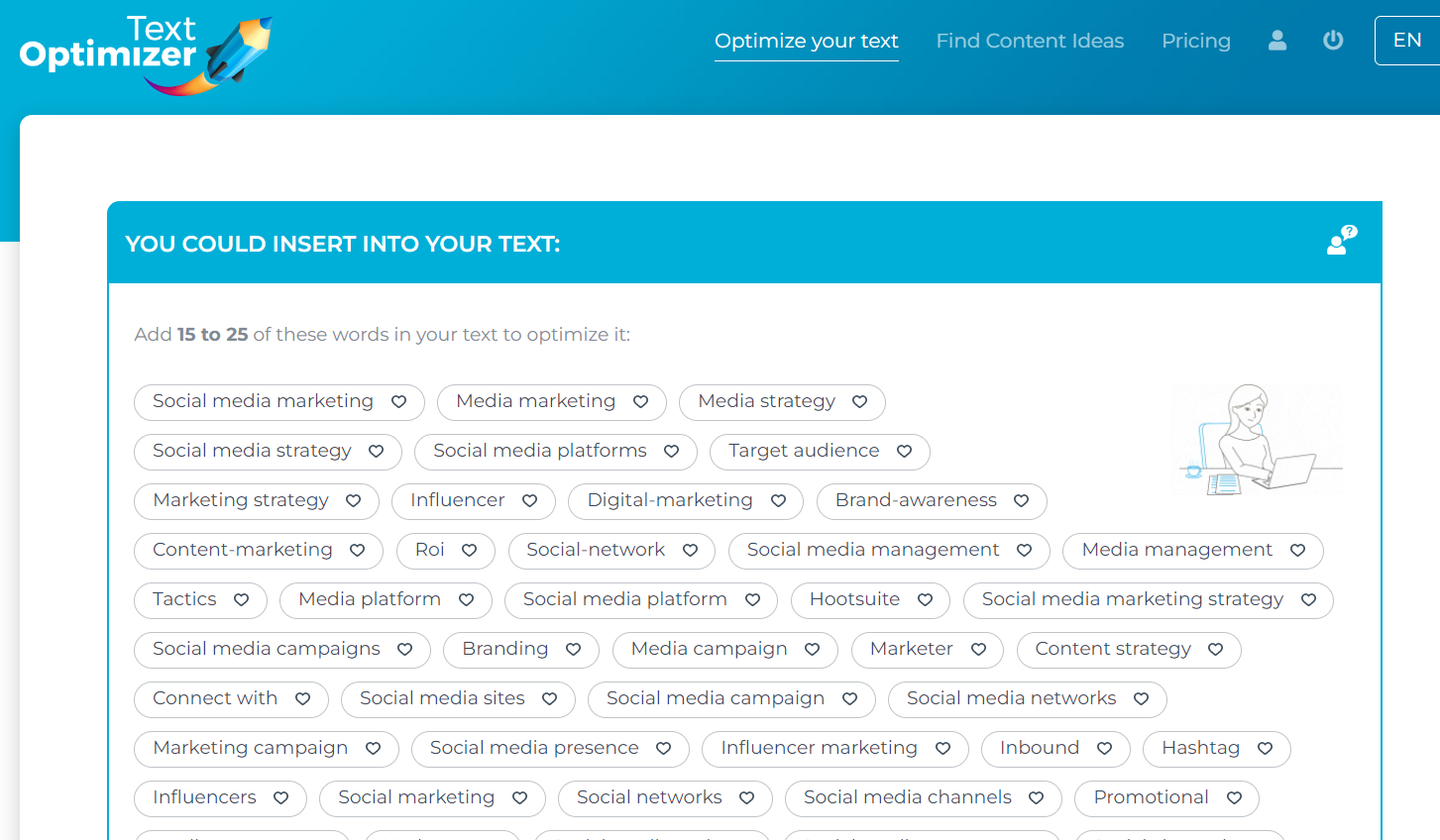
Text Optimizer extracts terms and concepts from search engine results pages (SERPs) and analyzes their semantics to generate a list of questions for inclusion in your articles.

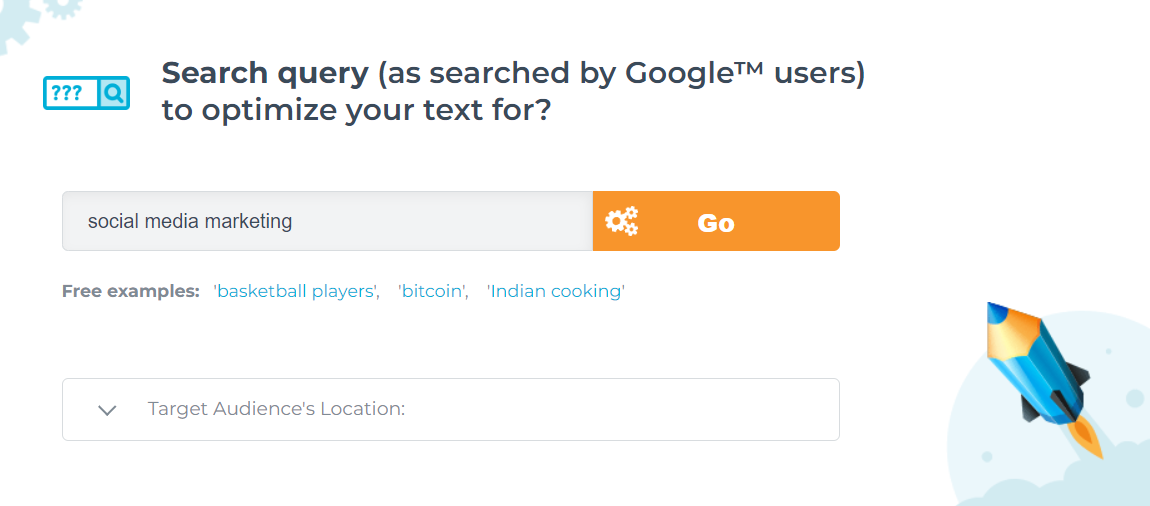
Choose the search engine you wish to optimize for, input the desired search terms, select a target location, and either paste your text or provide a link to your existing content.

And here are just some of my results – the tool returns many more suggestions.

You can use the tool to compare your existing text to the snippets Google returns for that query if you already have a page you want to rank. After scoring your text, it will suggest adding some of those suggested terms to your content.

Why this tool is a valuable addition to your online content strategy

Google generates its search snippets based on which sentences from ranked pages best answer the query. In other words, the search snippets are Google’s best (in its opinion) summary of the topic of the query. The semantic analysis of these snippets and the extraction of related terms and topics will give you a better understanding of what you need to include in your content.

Posted in Cool Tool

Monday Morning Cool Tool: Ideogram

Made with Ideogram

This week’s featured creative tool is Ideogram.ai — a text‑to‑image generator.

What You Can Do on Ideogram.ai

Generate image sets: Ideogram produces four unique interpretations per prompt (e.g. “modern poster with stylized typography and pastel gradient”).

Fine‑tune text: Unlike most AIs, it reliably places readable labels, product names, or slogans with correct spelling—especially useful for logos, t‑shirts, banners, and diagrams.

Customize styles: Pick from styles including Design, Realistic, 3D, and Anime. Each is tailored for different use‑cases.

Pricing

Free version – up to 40 images/day – 1024p download in .JPG – Paid from $8/mo

Posted in Cool Tool

Monday Morning Cool Tool: Clyp.it

This week’s featured creative tool is Clyp.it—a web-based audio recorder and file-sharing service that allows you to record, upload, and share short voice clips online.

Clyp.it offers a streamlined solution with its online voice recorder—a browser-based tool perfect for quick audio notes, voice messages, or digital storytelling.

How it works

  • Click the button to start recording.

  • You’ll need to grant microphone access in a compatible modern browser (Chrome or Firefox, desktop only — mobile and older browsers may not support recording)

  • There’s a 60-second limit per recording — if you exceed that, the clip may not upload properly and could be lost.

  • After recording, you can listen, discard, or upload it. Uploaded clips generate a shareable direct link and embeddable player code

Additional features

  • You can also upload existing audio files instead of recording live.
  • No account required for basic use, but creating one unlocks additional features like longer uploads, lossless quality, and custom branding.
  • Clyp offers embed widgets so you can integrate audio recording or playback directly into your own website or blog.

Use Cases

  • Create short podcast snippets or trailers
  • Add a personal voice intro to your newsletter
  • Share voice messages on social media

Things to Keep in Mind

  • 60-second limit on recordings
  • Desktop only – some mobile browsers may not support the recorder
  • No editing tools – recordings are raw and unfiltered
  • Public sharing by default – be mindful of sensitive content

You can create a free account to manage uploads, but it’s optional.

Posted in Cool Tool

Monday Morning Cool Tool: Adobe Firefly

This week’s cool tool recommendation is Adobe Firefly – a suite of generative AI tools used for creating images, videos, audio, text effects, and vector graphics based on text prompts.

One of Firefly’s most impressive features is the level of creative control it gives—without overwhelming you. You can specify not just the art style but also the camera angle (think macro, wide-angle, or close-up), depth of field, colour tone (pastel, monochrome, muted, and more), and even apply playful special effects.

Once you click Generate, Firefly produces four unique images, each with its own variation on your prompt. A handy drop-down menu beneath each image lets you generate similar versions, use it as a style reference for a new prompt, or jump straight into Adobe Express—Adobe’s Canva-style editor—for quick customisation.

Pricing

While the web version is free (with 25 monthly generative credits and watermarking), paid plans start at just $9.99/month for heavier use or watermark-free assets.

Posted in Cool Tool

Monday Morning Cool Tool: StoryArt

This week I’m recommending StoryArt, a freemium app for more creative Instagram Stories and Reels.

StoryArt is an Instagram story editor app that offers over 3,000 customizable collage and animated story templates for Instagram Stories and Reels.  In addition, you can access  500+ post templates for feed posts and 500+ highlight cover templates to beautify your profile.

The app is free but if you want access to extra tools, filters, and layouts, there is a monthly fee of  $2.99 or a full-year subscription for $9.99. 

StoryArt is available for both iOS and Android.

Posted in AI, Cool Tool

Monday Morning Cool Tool: OpenArt.ai

This week I’m recommending OpenArt.ai – an AI-powered art platform that allows users to create, edit, and enhance images using artificial intelligence.

Key Features

AI Image Generation
Create images from text prompts using a range of advanced models, including DALL·E 3 and Stable Diffusion. You can also generate visuals without prompts, offering boundary-free creative exploration.

Advanced Image Editing Tools
OpenArt includes a robust suite of AI editing capabilities to refine your work, such as:

  • Inpainting & Outpainting – Add, remove, or expand elements in your image beyond its original frame.
  • Upscaling – Improve image resolution to produce crisp, detailed artwork.
  • Background Removal & Replacement – Effortlessly swap or eliminate image backgrounds.
  • Find & Replace – Replace specific objects using simple text prompts.
  • Consistent Characters – Generate the same character in multiple poses, styles, and scenes—ideal for storytelling or brand consistency.
  • Facial Editing – Adjust expressions, eye color, or hairstyles for fine-tuned control.

Customization & Creative Control
You can train custom models to reflect your unique style and use “Image Guidance” to steer outputs based on reference images (pose, style, composition, etc.).

Community & Learning Resources
Access a vibrant community feed, Discord support, tutorials, and prompt books to help you get the most from the platform.

Image to Video Tool
Transform static images into dynamic videos in just a few clicks.

Pricing

OpenArt offers a free trial with limited credits for new users. For ongoing or professional use, there are several paid plans—Essential, Advanced, Infinite, and Team—each offering increasing credits, features, and simultaneous generations. Costs vary based on the tools and AI models you use.

Posted in AI, Cool Tool

Monday Morning Cool Tool: The Urlist

This week I’m recommending The Urlist – a simple way to share multiple links with a single URL.

How it works

Just paste in the links you want to share, and The Urlist automatically pulls in titles and descriptions using Open Graph metadata. You can rearrange the order, customise the URL if you like, and hit publish. You now have a single link to a curated list of resources.

Use it for:

  • Post-event resource lists
  • Email footers with curated reading
  • Link collections for students or patients
  • Collaborative planning (e.g., shared articles for discussion)

Pricing

Completely free. No sign-up is needed unless you want to save and edit lists later (in which case you can log in using your X/Twitter account).

Try it here: https://www.theurlist.com