Posted in Cool Tool

Monday Morning Cool Tool: Flaticon

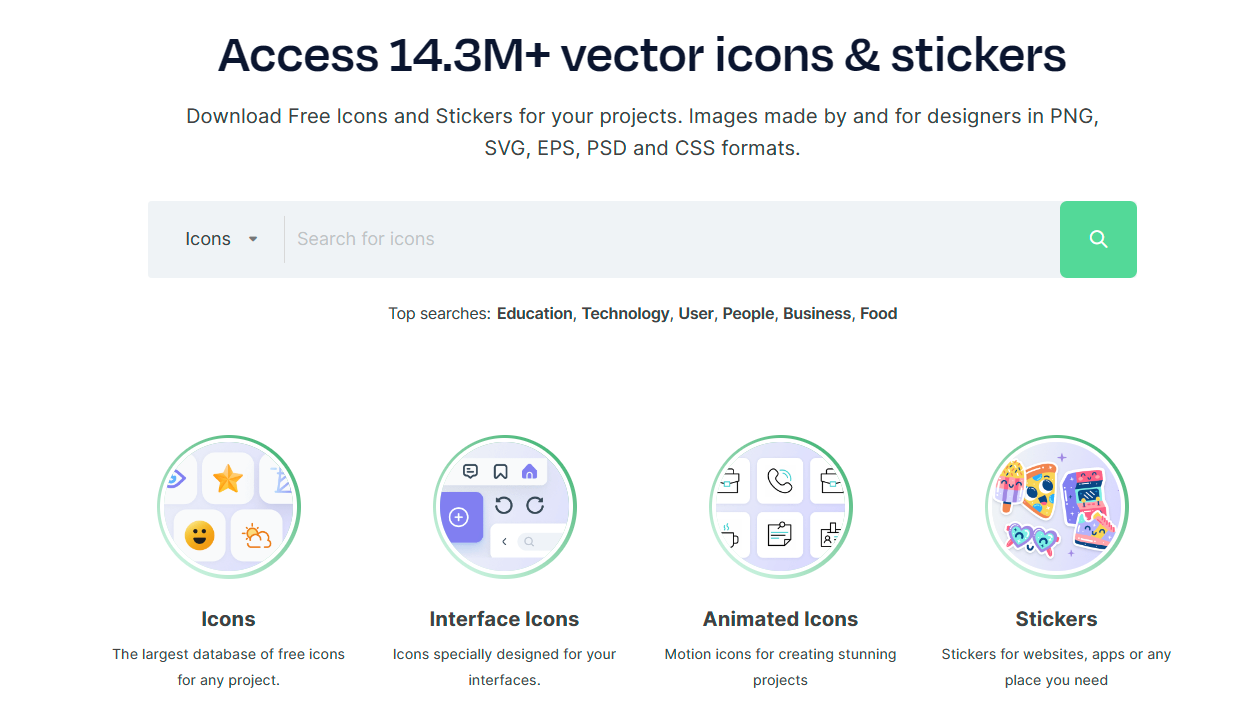
This week’s cool tool recommendation is Flaticon – a website that offers a large collection of free and premium icons.

There are numerous categories of icons available from Flaticon, including business, technology, nature, and many others. The icons are available in a variety of formats, such as PNG, SVG, EPS, and more. With the platform’s powerful search and filter options, users can quickly find specific icons or narrow down their choices based on styles, colors, and categories.

Pricing

Flaticon offers a generous free tier with a vast selection of icons available for use with attribution. For unlimited access and attribution-free downloads, consider upgrading to a premium subscription.

Posted in Cool Tool

Monday Morning Cool Tool: Snipclip

This week’s cool tool recommendation is Snipclip – a versatile browser-based screen recorder.

With Snipclip you get a straightforward and feature-rich recording experience, free of any watermarks and barriers (like sign-up or installation). After the recording is complete, Snipclip saves the recording in the .webm format, which ensures seamless playback across any device and platform you choose to use.

Posted in Cool Tool

Monday Morning Cool Tool: Sharethrough Headline Analyzer

This week I’m recommending the Sharethrough headline analyzer tool.

This tool analyzes headlines to predict their performance and engagement. It uses a combination of natural language processing and machine learning, trained on a massive dataset of real-world headlines and their performance data.

How it works

It evaluates your headline based on several factors, including:

  • Engagement: How likely people are to click, read, and share.
  • Impression: How strong and memorable your headline is.
  • Clarity: How easily people can understand your headline.
  • Relevance: How well your headline aligns with current trends and interests.

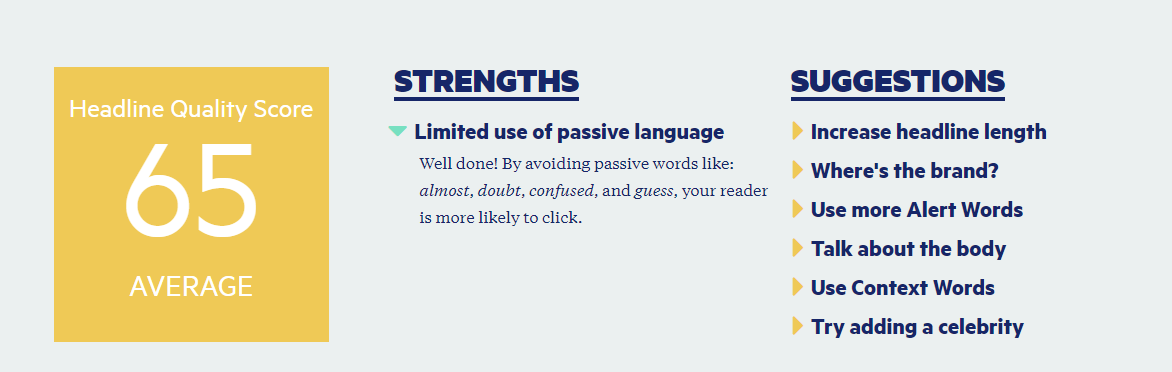
In the example below I typed the following headline and achieved a score of 65% with suggestions on how to improve and gain a higher score. Try it with your own headlines and let me know how you find the tool.

download - 2019-12-23T153308.644.png

While the headline quality score (out of 100) provides a quick snapshot of your headline’s effectiveness, delve deeper into the analysis. The tool identifies strengths and weaknesses, offering specific suggestions for improvement. It also provides insights into how your headline resonates with readers on an emotional level.

1a1922bd-eb4a-45b9-832a-1ab73209b133

Related Reading

Write Better Headlines With These 9 Winning Formulas 

Posted in Cool Tool

Monday Morning Cool Tool: Zoomerang

This week’s cool tool recommendation is music video editor tool – Zoomerang

Zoomerang is a video creator designed for iPhone. No sign up or account required. Share it on TikTok, Instagram, Snapchat or other platforms right from the app, or save your video to your camera roll to share later.

Cool features include lots of step by step tutorials and templates, transtions and effects to enhance your video creation.

The app is free with the option to upgrade to Pro account after a free trial period. 


Posted in Cool Tool

Monday Morning Cool Tool: RiteTag

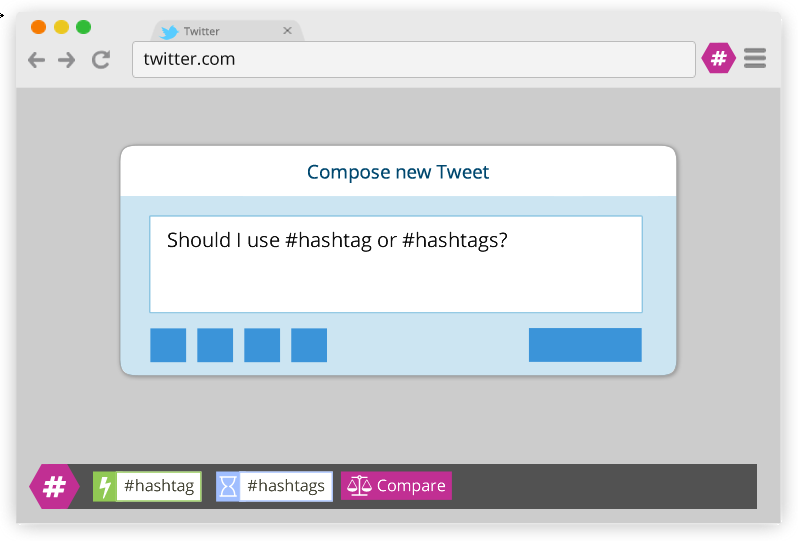
This week’s cool tool recommendation is RiteTag, a useful Chrome extension which gives you instant feedback on your hashtag choices as you type them.

ritetag-instant-feedback.png

How It Works 

RiteTag shows you how hashtags are performing on Twitter and Facebook before you post content. Once you log in to RiteTag using your Twitter or Facebook credentials, it checks the hashtags you begin typing in real time and color codes them:

  • If your hashtag is green, it means the hashtag will help your content be seen now.
  • If your hashtag is blue, it means the hashtag will help your content be seen over time.
  • If your hashtag is gray, you should select a new hashtag because it has low levels of engagement.
  • If your hashtag is red, you should select a new hashtag because it’s so popular, your content will disappear into the crowd.

RiteTag is available as a Chrome Extension. Download it here. 

Posted in Cool Tool

Monday Morning Cool Tool: Keyword Surfer

This week I’m recommending Keyword Surfer –  a free Chrome extension that gives you keyword search volume in Google search results.

This intuitive tool seamlessly integrates with Google Search, providing real-time data without disrupting the user’s workflow. By simply typing a query, users can instantly access estimated monthly search volumes, so you can instantly check if a keyword is a good fit.

Key Features and Benefits

  • Real-time Search Volume Data: Keyword Surfer displays estimated search volumes directly within Google Search results, eliminating the need for separate keyword research tools.
  • Related Keyword Suggestions: The extension provides a list of related keywords with corresponding search volumes, enabling users to discover new content opportunities and expand their keyword portfolio.
  • Traffic Estimates for Top-Ranking Pages: Keyword Surfer offers insights into the estimated organic traffic of high-ranking pages, allowing users to gauge potential content performance and set realistic goals.
  • Content Optimization Guidelines: By analyzing top-ranking content, Keyword Surfer provides data-driven recommendations on optimal word count, keyword density, and related keyword integration, enhancing on-page optimization efforts.
  • Global Data Coverage: With support for 70 countries, Keyword Surfer facilitates international SEO strategies by providing location-specific keyword data.7

Considerations

While Keyword Surfer offers valuable insights, it is essential to acknowledge that the data provided are estimates. For comprehensive analysis and competitive intelligence, utilizing additional keyword research tools is recommended.

Watch the short video below to learn more.


Posted in Cool Tool

Monday Morning Cool Tool: LunaPic

This week’s cool tool recommendation is LunaPic – a free online photo editor.

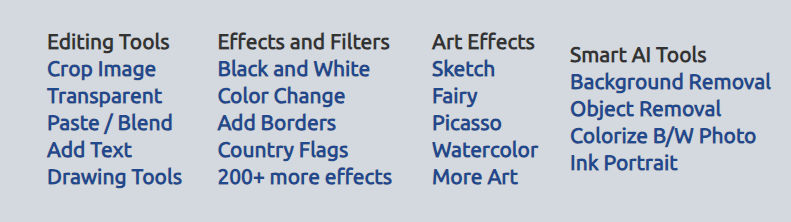
LunaPic offers a wide variety of tools for editing, adjusting, and creating images. It’s a popular choice for quick and easy image editing without needing to download or install any software.

Additionally, it provides filters and effects, including animating images, that can enhance your creativity.

If you’re looking for a quick and convenient way to edit your photos online, LunaPic is definitely worth checking out.

Posted in Cool Tool

Monday Morning Cool Tool: Adobe Color

This week’s cool tool recommendation is Adobe Color – a free online tool that allows you to create and explore color palettes.

Here are some of the things you can do with Adobe Color:

  • Create color palettes based on color theory: Use the color wheel to create palettes that are harmonious and pleasing to the eye. You can also use different color harmonies, such as complementary, analogous, and triadic.
  • Extract themes from images: Upload an image and Adobe Color will extract a color palette from it. This is a great way to create a palette that matches the colors in an image you like.
  • Explore pre-made themes: Browse thousands of user-created color palettes for inspiration. You can search by keyword, mood, or even specific color.
  • Accessibility tools: Adobe Color helps you create accessible themes that are usable for people with color blindness.
  • Integration with Adobe products: Once you’ve created a palette, you can easily use it in other Adobe products like Photoshop, Illustrator, and InDesign.

Website: https://color.adobe.com/

Posted in Cool Tool

Monday Morning Cool Tool: ClipChamp

This week’s cool tool recommendation is Clipchamp a free video editor.

Here are some of the things you can do with Clipchamp

  • Edit your videos: Trim, split, and combine video clips, add transitions, and adjust the speed and volume.  
  • Enhance your videos: Add text, filters, effects, and music to your videos.  
  • Create videos from scratch: Use Clipchamp’s library of templates to create professional-looking videos quickly.  
  • Record your screen and webcam: Create video tutorials, presentations, or record yourself speaking directly to your audience.  
  • Use Clipchamp with Microsoft 365: If you have a Microsoft 365 subscription, you get access to even more features in Clipchamp, like premium filters and effects, and 1 TB of OneDrive cloud storage.  

Key Benefits of Clipchamp

  • Easy to use: The interface is simple and intuitive, so you can start editing videos right away.  
  • Free: Clipchamp is free to use, with no watermarks on your exported videos.  
  • Cloud-based: You can access your videos and edit them from any device with an internet connection.
  • Integrated with Windows 11: Clipchamp is built into Windows 11, so you can easily access it from the Start menu or search bar.  

Posted in Cool Tool

Monday Morning Cool Tool: Content Row Headline Generator

This week’s cool tool recommendation is a headline generator from Content Row.

An effective headline has the power to captivate readers and encourage them to delve deeper into your content. In addition to engaging readers, headlines play a crucial role in search engine optimization (SEO). Search engines rely on headlines to understand the essence of your content, and a well-crafted headline can contribute to increasing your content’s ranking in search results.

How it works

Using the term “social media” the tool provides the following suggested headlines for me. Keep in mind that as it’s an AI tool results are not an exact science, so it’s advisable to disregard clickbait titles. Once you’re logged in as a user, you have the option to filter out clickbait in your search.

Each headline is given a score, and you can click on the option to analyze it, which is a nice feature as it gives you some suggestions on how to improve it.

While these tools aren’t perfect, they can kickstart the creative thinking process when it comes to writing headlines. 

You might also like to read: