Posted in Cool Tool

Monday Morning Cool Tool: Insta Resize

This week’s cool tool recommendation is the image resizing tool – Insta Resize.

Why Use Image Resizer Tools?

Optimizing Load Times: One of the primary advantages of using image resizer tools is the ability to optimize load times on websites and digital platforms. Large images can significantly slow down webpage loading, leading to a poor user experience and potential bounce rates. Resizing images allows you to strike a balance between visual appeal and efficient loading times.

Bandwidth Conservation: For those managing websites or applications with limited bandwidth, resizing images is an important strategy for conserving resources. By reducing the file size of images, you save bandwidth and ensure a smoother experience for users with slower internet connections.

Responsive Design: Image resizer tools enable you to create versions of your images that are optimized for different screen sizes. This ensures that your visuals look impeccable on a desktop, tablet, or smartphone, providing a seamless experience across devices.

Search Engine Optimization (SEO): Search engines consider website speed as a ranking factor. Large image files can negatively impact your site’s loading speed, affecting its SEO performance. By using image resizer tools, you contribute to a faster-loading website, potentially improving your search engine rankings.

Social Media Optimization: Social media platforms have specific size requirements for images. Image resizer tools make it easy to adapt your visuals to meet these guidelines, ensuring that your content looks polished and professional across various social media channels.

Other Popular Image Resizer Tools

Adobe Photoshop: A powerful and widely used tool that offers comprehensive image editing capabilities, including resizing.

GIMP (GNU Image Manipulation Program): An open-source alternative to Photoshop, GIMP provides a range of features, including image resizing.

Canva: Known for its user-friendly interface, Canva allows users to resize images effortlessly, making it an excellent choice for non-designers.

ImageOptim: Specifically designed for compression and optimization, ImageOptim is ideal for those focused on web performance.

Bulk Resize Photos: As the name suggests, this tool is perfect for resizing multiple images simultaneously, streamlining the process.

Posted in Cool Tool

Monday Morning Cool Tool: BeFunky

I love learning about new tools to make social media marketing more creative and effective, so I’ve decided to share some of my favourite tools with you at the start of each week. This week’s cool tool recommendation is photo-editing tool BeFunky.

There is so much you can do with this tool to enhance your visual marketing assets, including creating collages, adding “one-click” photo effects (there are over 300 photo effects and filters to choose from) and an array of graphics (eg speech bubbles). The basic account is free to use and provides users with access to a library of 125 digital effects.

Try it out for yourself at www.befunky.com

Posted in Cool Tool

Monday Morning Cool Tool: Website Planet Image Compressor

This week’s cool tool recommendation is an image compressor tool from Website Planet.

Why Image Compression Matters

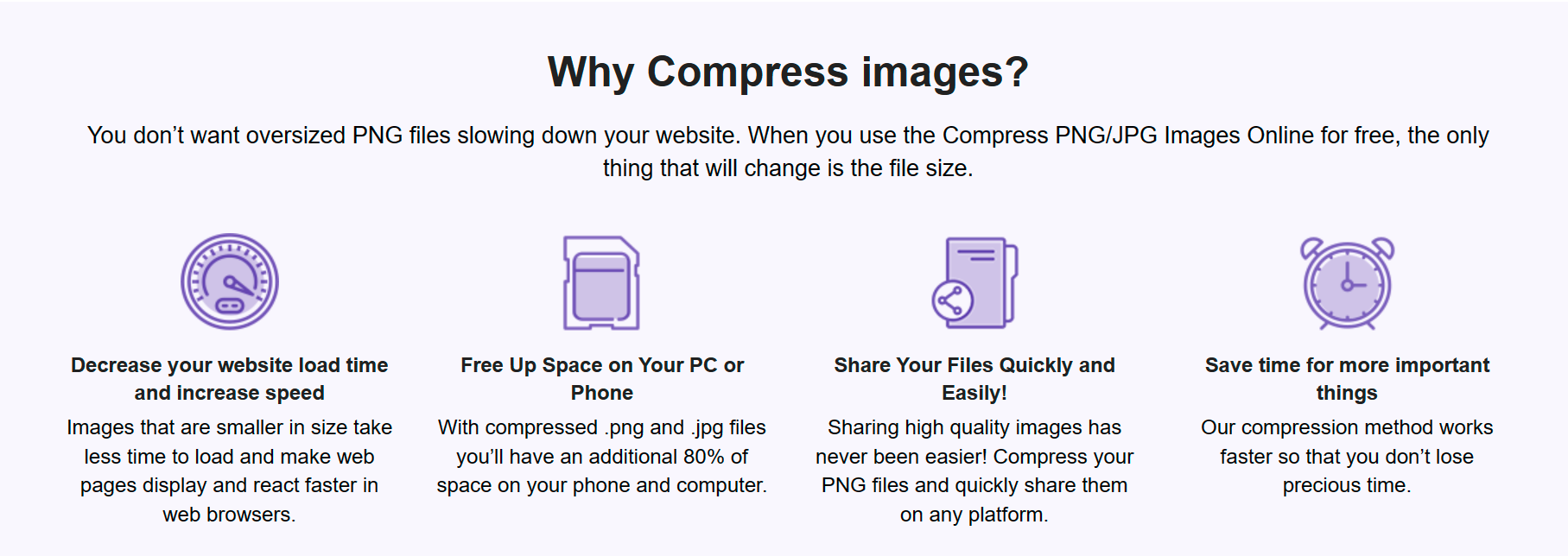
Large image files can significantly slow down page load times, affecting user experience and search engine rankings. That’s where a reliable image compressor becomes essential.

Website Planet’s Image Compressor tool offers a user-friendly interface that simplifies the image compression process. It allows you to compress PNG and JPG files effortlessly while maintaining the quality of your images.

Two other image compression tools worth checking out are: Squoosh, and Picsart.

Posted in Cool Tool

Monday Morning Cool Tool: Storrito

This week’s cool tool recommendation is Storrito. 

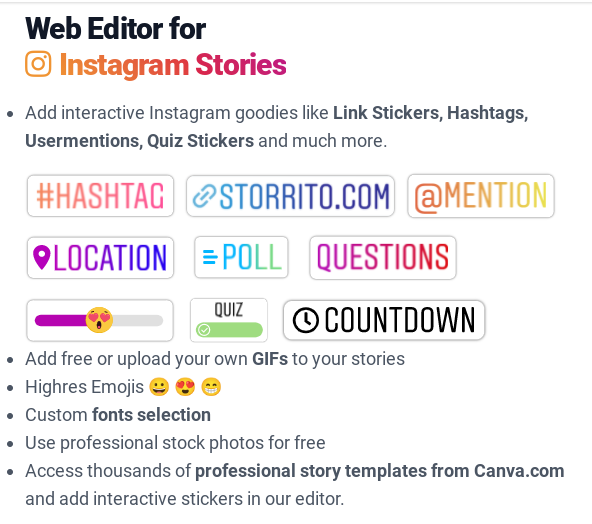
Storrito enables users to create Instagram and Facebook Stories on desktop/laptop computers.

Features include:

  • Add free or upload your own GIFs to your stories
  • Highres Emojis 😀 😍 😁
  • Custom fonts selection
  • Use professional stock photos for free

Pricing

Storrito charges $25 per Instagram account per month. You can try for free for 7 days. 

Posted in Cool Tool

Monday Morning Cool Tool: Statista

This week I’m recommending Statista an online portal for statistics that provides access to a wide range of data from various sources.

One of Statista’s key strengths is its user-friendly interface. Navigating the platform is intuitive, allowing users to quickly find the data they need. The site’s layout is clean and organized, with a focus on presenting information in a visually appealing manner. Users can explore charts, graphs, and infographics that distill complex data into easily digestible visual representations.

Here are some social media usage statistics gleaned from the website.

Cost

While some basic information is available for free, Statista offers additional premium features that require a subscription or one-time payment. Premium access unlocks more in-depth data, advanced search functionalities, and the ability to download statistics in various formats.

.

Posted in Cool Tool

Monday Morning Cool Tool: Headline Studio

Improve your headlines quickly and easily with this week’s cool tool recommendation – Headline Studio.

David Ogilvy, the original Mad Man of advertising, once famously said, “On the average, five times as many people read the headline as read the body copy. When you have written your headline, you have spent eighty cents out of your dollar.”

Ogilvy’s remark reminds us never to underestimate the power of the humble headline. Even in this digital age, headlines count.

A good headline can grab the attention of the reader and make them want to read more. A bad headline, on the other hand, can turn people away and cause them to lose interest in your content. This is especially true in the online world, where people have short attention spans and are bombarded with a constant stream of information.

Headlines also serve an important SEO (search engine optimization) purpose. Search engines use the headline to understand what your content is about, and a good headline can help your content rank higher in search results.

Headline Studio will rate your headlines allowing you to identify any weaknesses and address them. Additionally, it contains word banks that can assist you in overcoming writing blocks and creating more compelling headlines.

How it works

Just click the Headline Studio button on any website where you want to analyze a headline, such as your WordPress blog post. Headline Studio will open directly in your browser, allowing you to write and analyze headlines simultaneously.

Recommended Reading

.

Posted in Cool Tool

Monday Morning Cool Tool: Runway

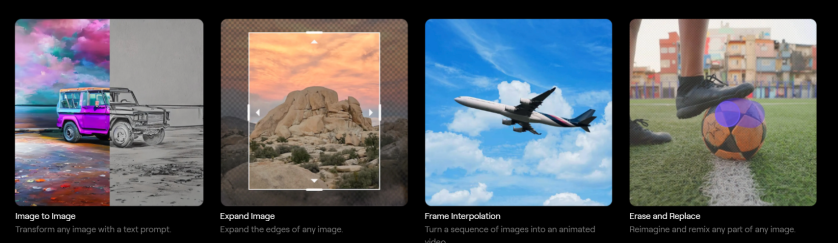
This week I’m recommending Runway – an AI-powered tool that offers user-friendly tools to generate and edit images, videos, text, and even audio.

How To Use Runway

  • Generate Images: Create unique visuals from text prompts or by manipulating existing images.  
  • Edit Videos: Perform complex video editing tasks, such as background removal, style transfer, and motion tracking, with just a few clicks.  
  • Generate Text: Craft compelling copy, generate scripts, or even create entire articles with AI assistance.
  • Generate and Edit Audio: Produce and modify audio content, from sound effects to music, using AI-driven tools.  

Key Features and Benefits:

  • User-Friendly Interface: Runway is designed to be accessible to users of all skill levels. Its intuitive interface makes it easy to navigate and utilize its powerful features.  
  • AI-Powered Efficiency: Automate tedious tasks and streamline your workflow, freeing up time to focus on the creative aspects of your projects.  
  • Versatility: Runway supports a wide range of media types, making it a versatile tool for various creative endeavors.  
  • Collaboration: Runway allows for seamless collaboration, enabling teams to work together on projects in real-time.  
  • Constant Innovation: The platform is continuously updated with new features and improvements, ensuring that users always have access to the latest AI advancements.  

How to Use Runway:

Getting started with Runway is simple:

Collaborate and Share: Share your creations with others and collaborate on projects.  

Create an Account: Sign up for a free or paid account on the Runway website.  

Explore the Tools: Browse the extensive library of AI tools and select the ones that suit your needs.

Experiment and Create: Start experimenting with different prompts and settings to see what you can create.

Pricing


Posted in Cool Tool

Monday Morning Cool Tool: Librestock

This week’s cool tool recommendation is Librestock– a website that provides a free search engine for finding high-quality stock photos from various sources across the internet.

It’s essentially a platform that aggregates and indexes images from multiple stock photo websites, making it easier for users to search for and discover images for their creative projects.

Enter keywords or phrases to search for specific types of images, and Librestock will display results from a range of stock photo providers, allowing you to click through to the source website to download or license the images they need.

Posted in Cool Tool

Monday Morning Cool Tool: SnapWidget

I love learning about new tools to make social media marketing more creative and effective, so I am sharing some of my favourite tools with you at the start of each week.

This week’s cool tool recommendation is SnapWidget – a tool that allows you to display your Facebook, Twitter, and Instagram photos in collage format on your website or blog.

When you post photos and videos to Instagram, Twitter, Facebook or YouTube, the widget on your website or blog automatically updates with new content.

Pricing

You can start with a free plan and if you find you need more features, you can try out a paid plan for free for 14 days.

Posted in Cool Tool

Monday Morning Cool Tool: Fotor

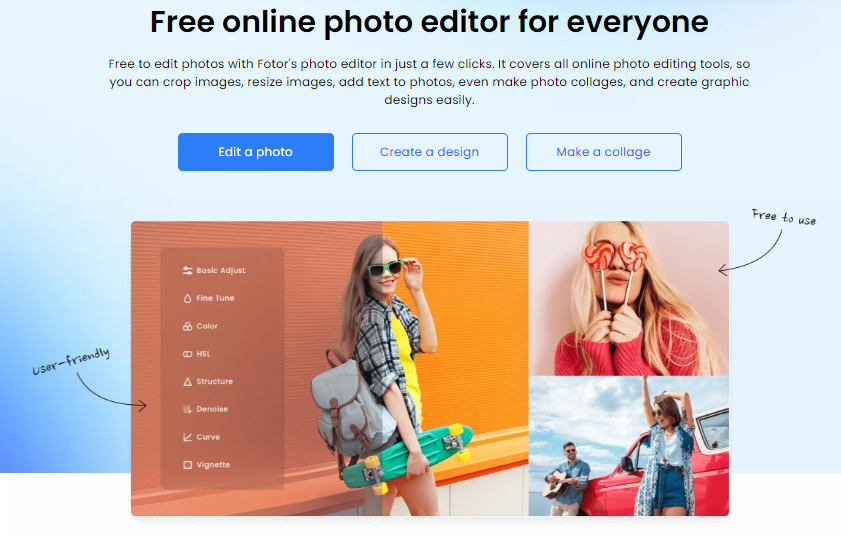
This week I’m recommending Fotor, a free image editing tool and design maker for PC and mobile.

You can use it to create a variety of images, including photo collages for social media, making as many edits as you need from an extensive menu of edits. Fotor even provides an area where you can experiment to the side of your canvas. It includes ready-to-go graphics, icons, and studio-quality video templates.   One of my favorite Fotor features is the  LinkedIn banner design and the logo maker. 

A paid version is available that contains more features and is ad-free. 

Visit www.Fotor.com and try it for yourself.