This week’s cool tool recommendation is Cutt.ly – a URL shortening tool.
What is a URL Shortener?
A URL (Uniform Resource Locator) is the address you type to access a website on the Internet. A URL shortener (also called a link shortener) makes it easy to manage long URLs. By using a URL shortener, you can reduce the length of your URL, which makes them more shareable and memorable.
In addition, long URLs with letters, numbers, backslashes, and question marks can appear suspicious. As a result, people may be reluctant to click on the link.
There are several URL shorteners on the market, and today I am going to share one of those with you – Cutt.ly.
Let’s see it in action.
As well as shortening your URL, Cutt.ly lets you create QR codes and customize your link to match your brand name or indicate what it is about (this is available on the paid plan). Furthermore, you can find out who clicks on them, where they are, and when they do so you can assess their effectiveness.
This week’s cool tool recommendation isAnswer the Public – a free keyword research tool.
Answer the Public is a fantastic resource for anyone looking to optimize their website or create compelling content. This powerful tool provides you with valuable insights and data to help you understand what people are searching for online. It offers a unique visual representation of keyword search suggestions, presenting them in an appealing and interactive manner.
When you enter a keyword or phrase into Answer the Public, it generates a range of content ideas based on real searches made by users. It presents these ideas as a web of questions, prepositions, and comparisons related to your chosen keyword. This gives you a clear overview of the most common queries and concerns people have about the topic, allowing you to tailor your content to precisely match their needs and interests.
Answer the Public is particularly valuable for generating long-tail keywords – specific phrases that may have lower search volumes but can be highly relevant to a particular niche or audience. These long-tail keywords can help websites rank better in search results and attract more targeted traffic.
Not only does the tool provide you with a wealth of content ideas, but it also helps you understand the intent behind these searches. By analyzing the different types of questions that arise, you can determine whether people are looking for information, solutions, or opinions. This invaluable insight enables you to create content that addresses these intentions effectively, increasing the relevance and usefulness of your website.
Additionally, Answer the Public allows you to download the generated keyword suggestions as a CSV file (paid feature) making it easier to organize and analyze the data. With this information at your fingertips, you can optimize your website’s SEO by strategically incorporating the most relevant keywords into your content.
Pricing
You get 3 free searches per day; paid subscriptions start at $9 per month
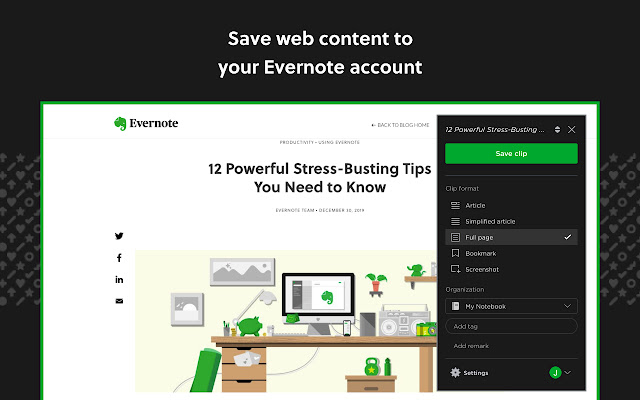
This week’s cool tool recommendation is Evernote Web Clipper – a useful browser extension for saving and organizing web content.
Imagine having a vast library of curated knowledge at your fingertips. With Evernote’s browser extension, you can not only save individual snippets but also capture entire webpages, complete with images and formatting. This is particularly useful when you come across a webpage that you want to reference later, even if its content changes over time. By saving a snapshot of the entire webpage, you can preserve it exactly as you saw it, ensuring that you have a reliable reference point whenever you need it.
If you already use the Evernote tool, this is a handy browser extension to pair with the tool. Once installed, you can click the extension’s icon in your browser to quickly and seamlessly clip the current webpage or select specific text and images to save. With just a few clicks, you can capture and save relevant content from online articles, blog posts, recipes, research papers, and more. Clipped content is automatically saved to your Evernote account, eliminating the need to manually copy and paste information.
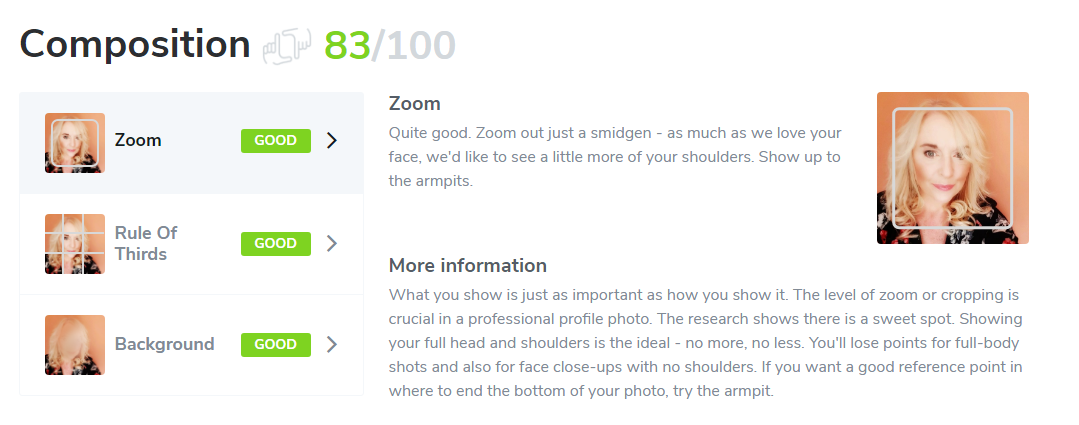
This week’s cool tool recommendation is Snappr’s Photo Analyzer – a tool that uses machine learning technologies to determine how well your photo will perform on LinkedIn.
After it’s analyzed your LinkedIn profile picture, the tool gives you a score on parameters from composition to editing and gives you plenty of actionable tips to improve your score.
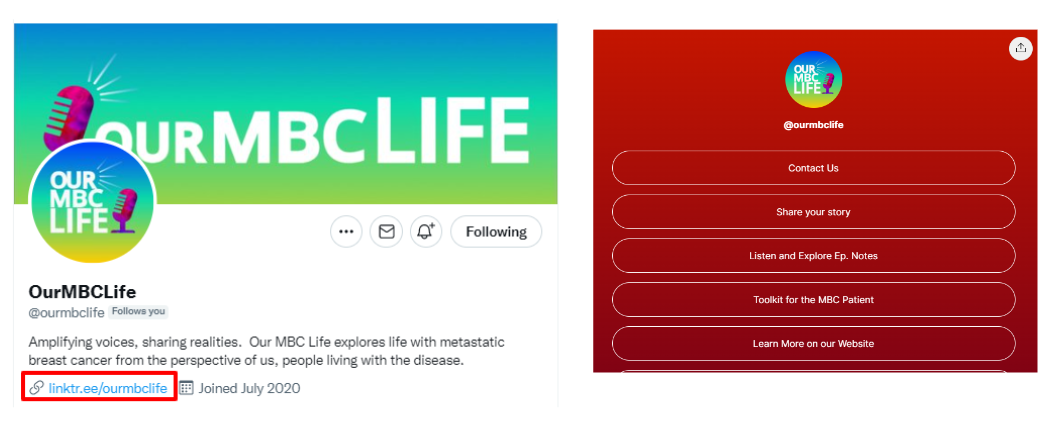
This week’s cool tool recommendation is Linktree – a landing page tool that houses links to your social sites.
When you sign up, you receive a unique Linktree URL that you can add to your bio on any social media platform, in your email signature, etc., so your followers and visitors can choose which of your content they want to see.
If you use Instagram, you already know that you can’t have more than one link on the website portion of your profile. This is where Linktree comes in. With Linktree, you can create a landing page with as many links as you like.
See this example from podcasters, Our MBC Life, to see how it looks in practice.
Pricing
You can sign up for free to get unlimited links and a customizable Linktree. For more customisation, there are paid plans.
I love learning about new tools to make social media marketing more creative and effective, so I’ve decided to share some of my favourite tools with you at the start of each week.
This week’s cool tool recommendation is video app – Loom.
Combining face and screen video recording with audio, Loom makes it easy to create quick, personal videos ready for sharing via email, social media, YouTube, or as an embedded video on your website.
Check out this video which walks you through the desktop version (you can also use it as a Chrome extension or download iOS app).
The basic version is free and allows you to record up to 25 videos.
This week I’m recommending a new video tool – with a twist.
Beatleap offers a new, powerful video editing experience, allowing you to create and edit videos by automatically matching songs with your video clips.
The app uses machine learning to automatically match songs to your video, then gives you a number of editing tools such as special effects, filters, and overlays to make your clips unique.
Features include:
20 editing tools and effects as well as 50 filters to choose from
A library of over 1,000 professional songs to synchronize with the user’s video
Automatic trimming, cutting, and mixing of clips according to the beat of a selected track
Stunning video effects which are automatically placed at the perfect timing
Trendy filters and overlays to give users complete control over the look and feel of their videos
It’s perfect for TikTok, but you can use it for any social platform.
Note: This app is available only on the App Store for iPhone and iPad.
I love learning about new tools to make social media marketing more creative and effective, so I’ve decided to share some of my favourite tools with you at the start of each week.
This week’s cool tool recommendation is PhotoScape X– an all in one photo editing software tool.
It has a ton of features – too numerous to list here.
Its editing platform is easy to use and you can see your edits appear in real-time directly on your image.You can even create animated GIFs.
This week I’m recommending MailerLitean email marketing tool that makes it easy to create landing pages, opt-in forms, and emails.
With the explosion of social media marketing in recent years, the traditional email format may appear outdated. But nothing could be further from the truth. Even with the pervasiveness of new technology, email still remains a persuasive digital marketing channel for building awareness, boosting acquisition, and increasing conversion.
One of the best ways to build your list of subscribers is to offer something of value up front. This email incentive known as an “opt-in offer” or “lead magnet” is something you are willing to give away for free which requires people to provide an email address to download. This is where a tool like MailerLite is helpful.
MailerLite is free for up to 1,000 subscribers.
The free plan enables you to build landing pages and start mailing your first 1,000 subscribers, but excludes live chat support, free newsletter templates, and certain other features.
Premium plans start at $10/mo for up to 1,000 subscribers, rising in increments per subscribers. Premium plans offer additional features and unlimited emails per month.
I love learning about new tools to make social media marketing more creative and effective, so I’ve decided to share some of my favourite tools with you at the start of each week.
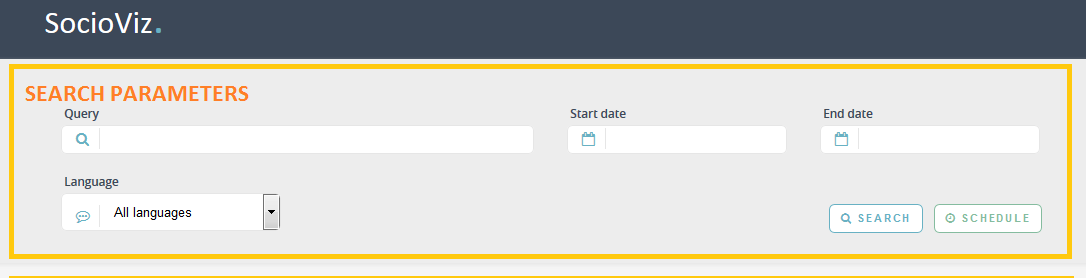
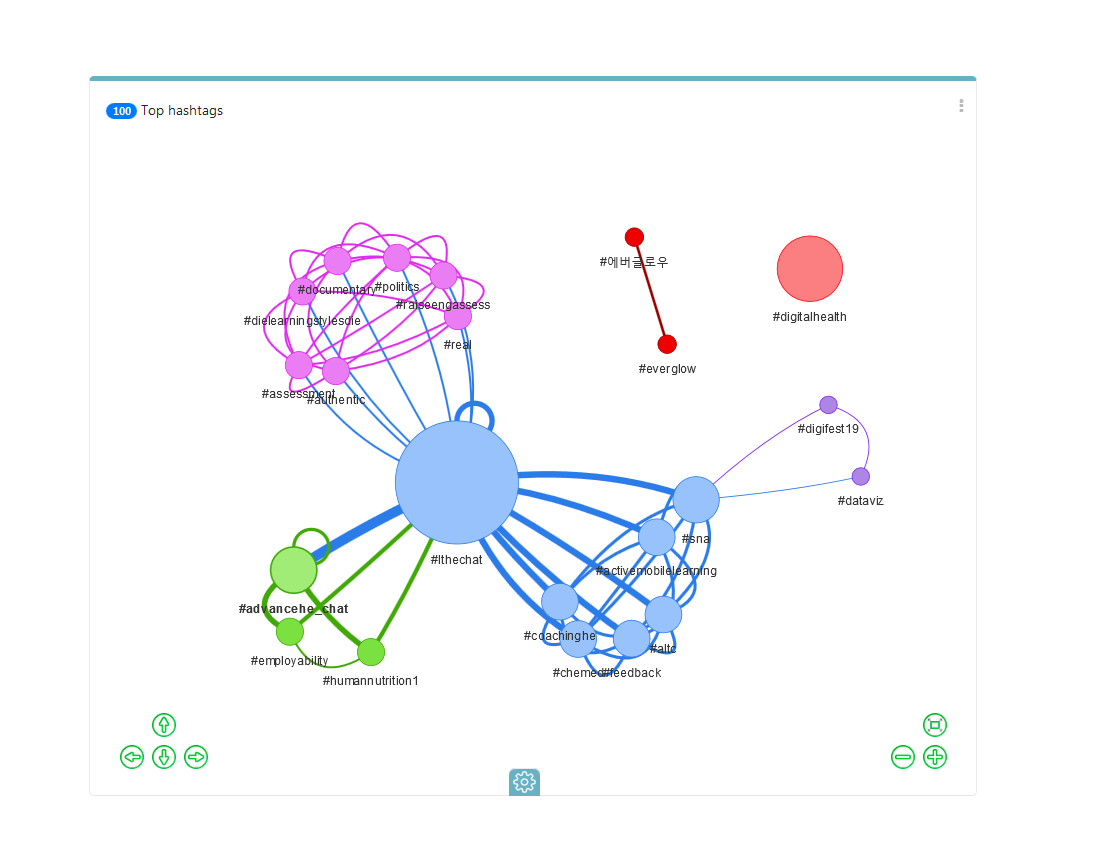
This week’s cool tool recommendation is SocioViz – a web-based Twitter analytics platform.
Use it to:
search for any keyword, hashtag, emoji or user mention filtering by date, location and language. Setup your historical searches or collect posts in real-time.
Identify conversation peaks, hashtags, words and emoji most used, most active and influential users.
Analyze conversation to hear what people are saying about your brand, competitors, and industry.
It’s a very detailed tool and best of all it’s free to sign up for an account. This short video gives you an overview of what you can do with it.





 Health Care Social Media