Posted in Cool Tool

Monday Morning Cool Tool: Adobe Color

This week’s cool tool recommendation is Adobe Color – a free online tool that allows you to create and explore color palettes.

Here are some of the things you can do with Adobe Color:

  • Create color palettes based on color theory: Use the color wheel to create palettes that are harmonious and pleasing to the eye. You can also use different color harmonies, such as complementary, analogous, and triadic.
  • Extract themes from images: Upload an image and Adobe Color will extract a color palette from it. This is a great way to create a palette that matches the colors in an image you like.
  • Explore pre-made themes: Browse thousands of user-created color palettes for inspiration. You can search by keyword, mood, or even specific color.
  • Accessibility tools: Adobe Color helps you create accessible themes that are usable for people with color blindness.
  • Integration with Adobe products: Once you’ve created a palette, you can easily use it in other Adobe products like Photoshop, Illustrator, and InDesign.

Website: https://color.adobe.com/

Posted in Cool Tool

Monday Morning Cool Tool:WordSwag

I love learning about new tools to make social media marketing more creative and effective, so I’ve decided to share some of my favourite tools with you at the start of each week. This week I’m recommending WordSwag – a free mobile application that turns your ideas, quotes, and content into attractive graphics that can be shared on social media.

Here’s how it works

1. Select your picture (Word Swag also includes 590,000+ free backgrounds!)
2. Edit your text (you can also choose from hundreds of captions and quotes)
3. Select one of 48 text styles.
5. Save or share your creative design on Instagram, Twitter & Facebook.

Posted in Cool Tool

Monday Morning Cool Tool: Pixaloop

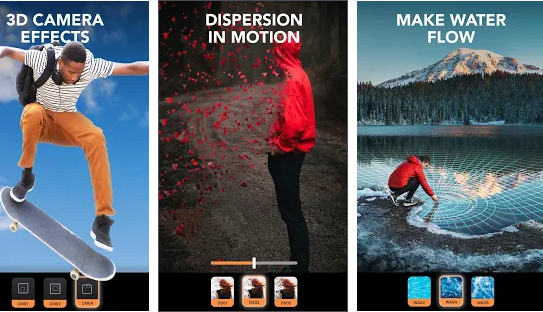
I love learning about new tools to make social media marketing more creative and effective, so I’ve decided to share some of my favourite tools with you at the start of each week. This week I’m recommending photo animation app – Pixaloop.

This animation creator lets you create and edit moving photos with easy and powerful editing tools, bringing life to images, creating animation picture effects and cinemagraphs.   Animate photos and add picture effects to watch your image come to life as incredible videos that boomerang back and forth or flow like a GIF.

download - 2020-07-13T143716.478


The app is free to download from Gooogle Play and the Apple Store. 

Posted in Cool Tool

Monday Morning Cool Tool: MockoFUN

I love learning about new tools to make social media marketing more creative and effective, so I’ve decided to share some of my favourite tools with you at the start of each week. This week I’m recommending browser-based graphic designer tool MockoFUN.

The_Best_Online_Graphic_Design_Tool_MockoFUN

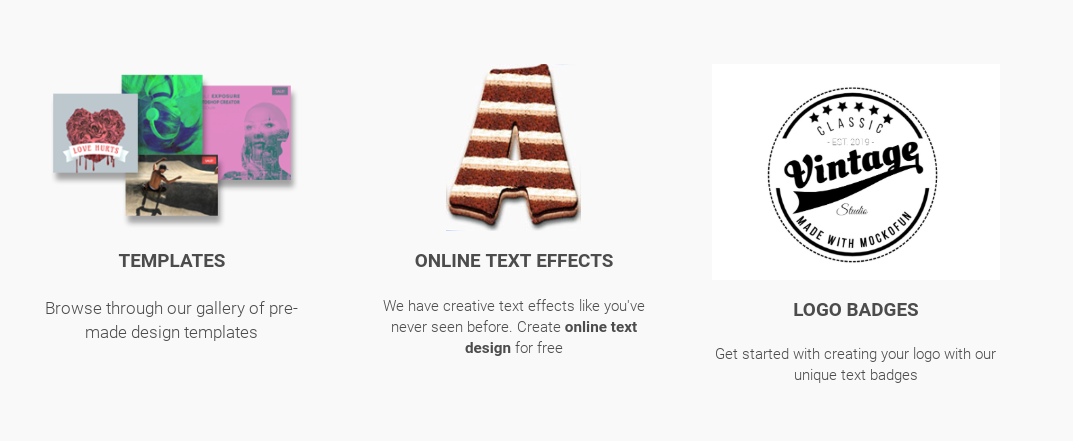
An intuitive drag and drop online graphic design tool, you can easily use and customize hundreds of pre-made mockups and templates to edit text and photo and create logos.

You can use MockoFUN for free or you can also upgrade to premium or access to extra resources and unlimited access to all templates and mockups.