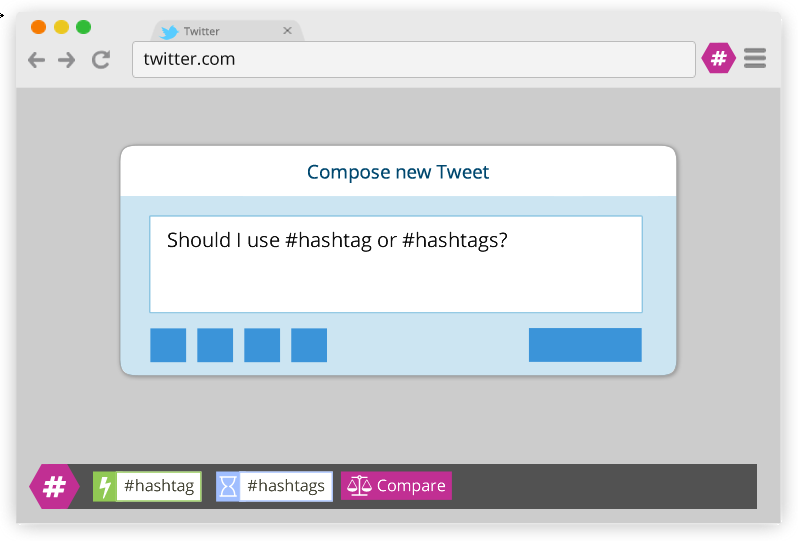
This week’s cool tool recommendation is RiteTag, a useful Chrome extension which gives you instant feedback on your hashtag choices as you type them.
How It Works
RiteTag shows you how hashtags are performing on Twitter and Facebook before you post content. Once you log in to RiteTag using your Twitter or Facebook credentials, it checks the hashtags you begin typing in real time and color codes them:
If your hashtag is green, it means the hashtag will help your content be seen now.
If your hashtag is blue, it means the hashtag will help your content be seen over time.
If your hashtag is gray, you should select a new hashtag because it has low levels of engagement.
If your hashtag is red, you should select a new hashtag because it’s so popular, your content will disappear into the crowd.
I love learning about new tools to make social media marketing more creative and effective, so I share some of my favourite tools with you at the start of each week. This week I’m recommending Google Mobile Friendly Test.
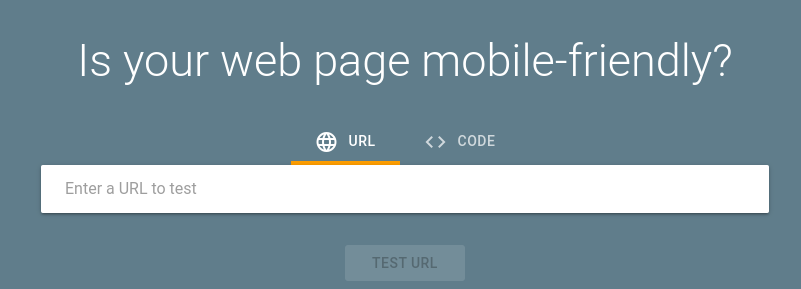
Use Google Mobile-Friendly Test to see how easily a visitor can use your page on a mobile device. Just enter a page URL to see how your page scores.
Having a mobile-responsive site (ie one that automatically changes its layout and placements of certain menus and buttons automatically) is important because firstly, not only are over half of patients searching online for health information on their smartphone, but secondly, Google now gives ranking priority to those sites that are mobile friendly. In fact, Google has stated that it will penalize websites that aren’t mobile-responsive, so if your site isn’t optimized for mobile devices, you’ll likely lose out significantly in the organic search rankings.
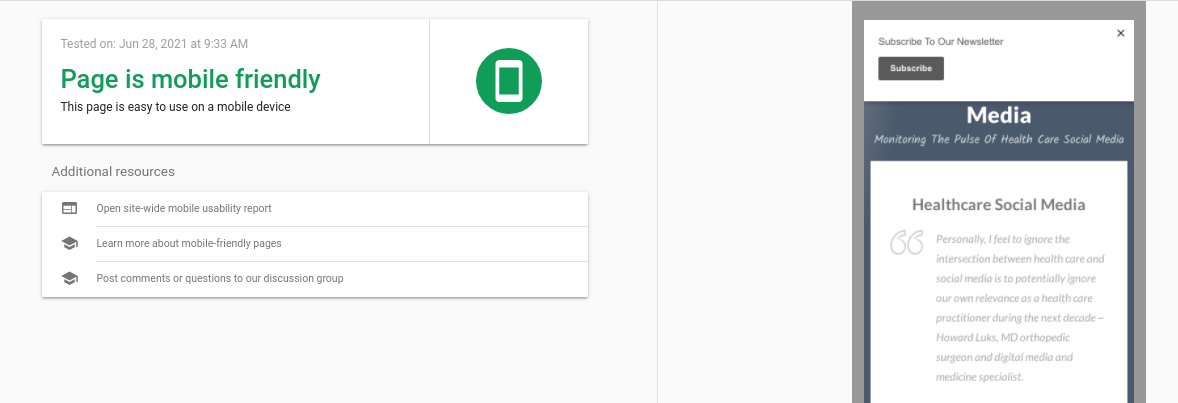
To check if your site’s design is responsive, enter its URL into thisGoogle tool.
Here are the results I get for my website.
It only takes a few seconds to do and it’s an important element of your website optimisation.
I love learning about new tools to make social media marketing more creative and effective, so I’ve decided to share some of my favourite tools with you at the start of each week. This week I’m recommending CopyChar.CC – a simple tool to copy symbols.
If you’ve ever found yourself hunting around to find a particular symbol, currency sign or emoji then this tool is great – allowing you to find what you’re looking for at a glance. I just discovered it a couple of days ago and already I’ve added it to my list of time-saving tools. I think you’ll do the same once you’ve tried it for yourself!
I love learning about new tools to make social media marketing more creative and effective, so I’ve decided to share some of my favourite tools with you at the start of each week.
This week I’m recommending Quuu – a hand-curated content suggestion platform that connects to your scheduling tool of choice.
Here’s how it works
Sign up, connect your account and choose from over 300 interest categories to receive suggestions that matter to you and your audience.
With the free account, you can choose up to 5 interest categories, get suggestions automatically sent to your connected accounts two times a day (six for a paid account).
Relevant suggestions will be queued to your scheduling too where you can choose to manually curate posts yourself or Quuu will post for you.
I love learning about new tools to make social media marketing more creative and effective, so I share some of my favourite tools with you at the start of each week. This week I’m recommending iOS Twitter tool – Tweeps Map
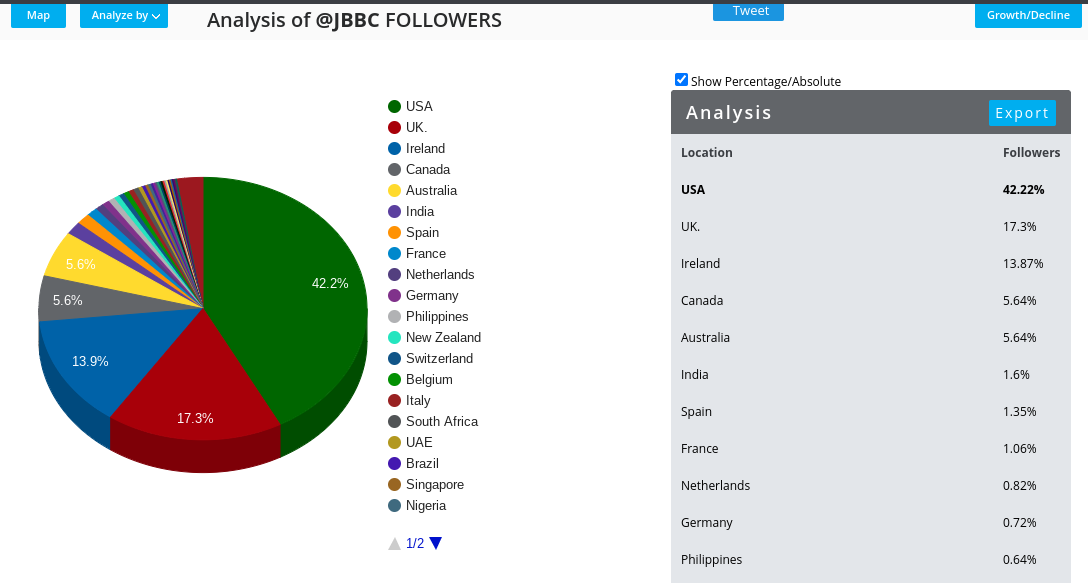
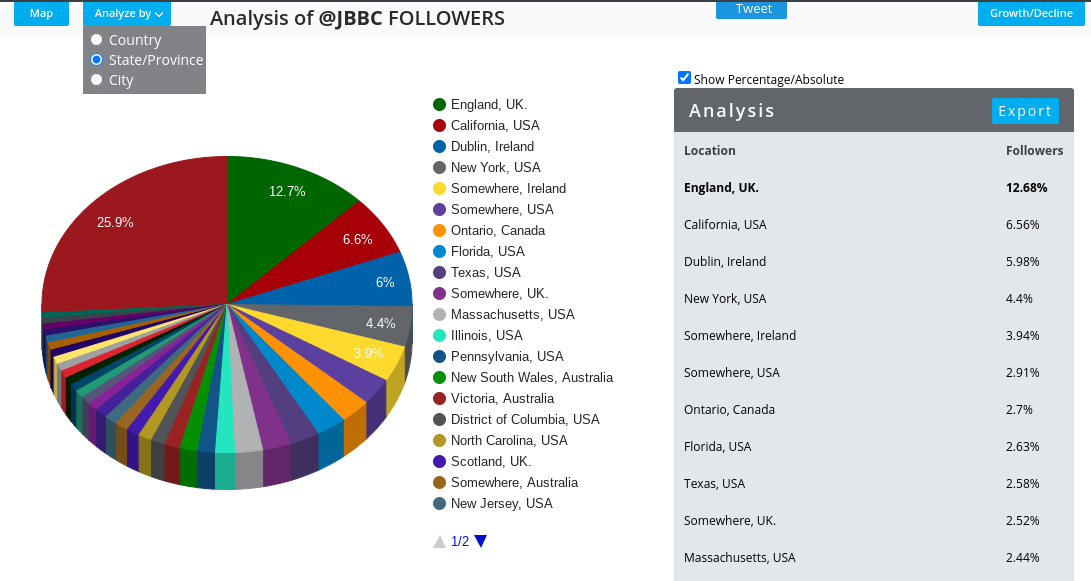
The free version of this tool is limited to a visual representation of where your Twitter followers are based geographically.
This can be useful to determine whether the content and the language and references you are using are actually relevant to where your followers are living. In my case, although I live in Ireland, the majority of my followers are based in the USA.
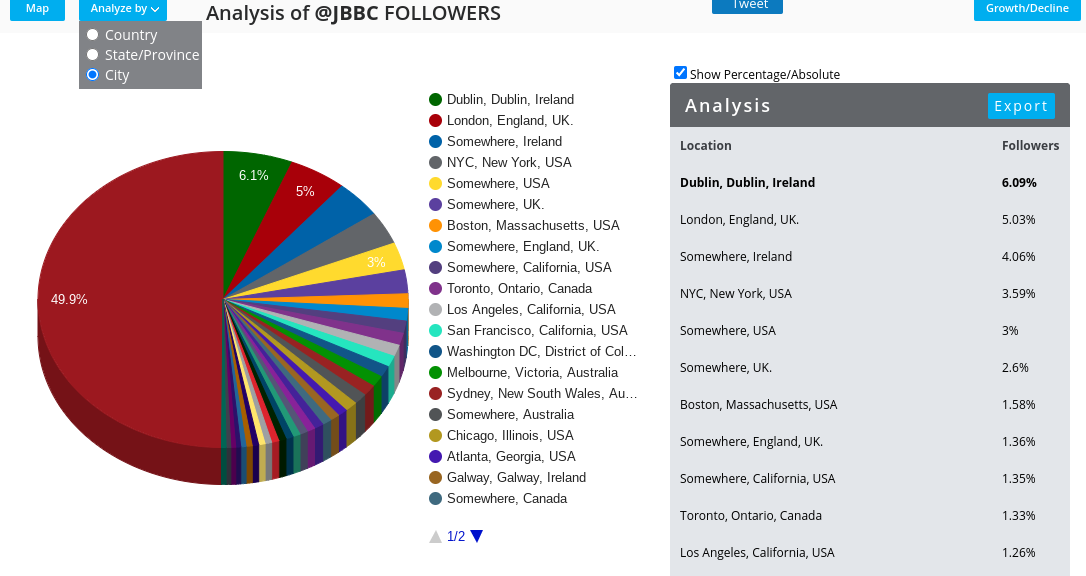
I can further break this down to State and Province
And City
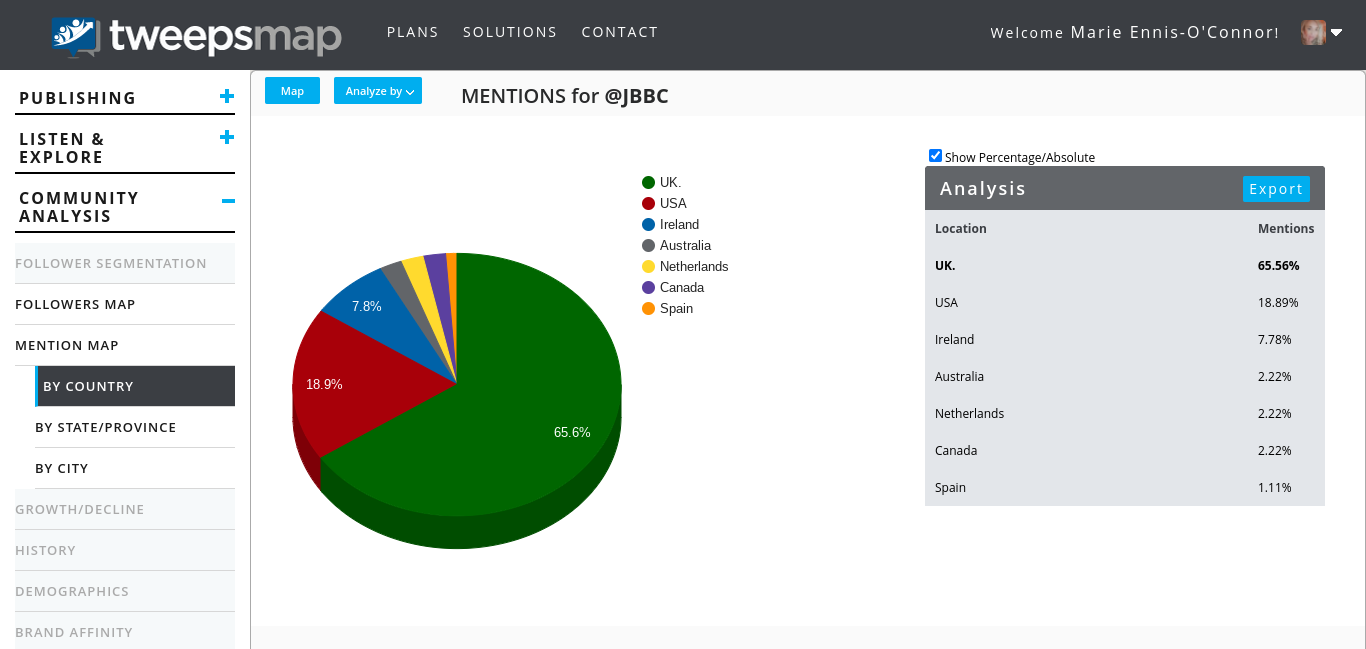
I can also track which follower geographic locations mention my Twitter account most.
The free plan will allow you to also track top unfollowers and inactive accounts.
I love learning about new tools to make social media marketing more creative and effective, so I’ve decided to share some of my favourite tools with you at the start of each week. This week I’m recommendingWordSwag – a free mobile application that turns your ideas, quotes, and content into attractive graphics that can be shared on social media.
Here’s how it works
1. Select your picture (Word Swag also includes 590,000+ free backgrounds!) 2. Edit your text (you can also choose from hundreds of captions and quotes) 3. Select one of 48 text styles. 5. Save or share your creative design on Instagram, Twitter & Facebook.
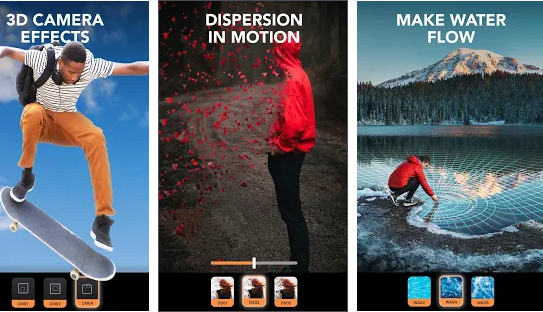
I love learning about new tools to make social media marketing more creative and effective, so I’ve decided to share some of my favourite tools with you at the start of each week. This week I’m recommending photo animation app – Pixaloop.
This animation creator lets you create and edit moving photos with easy and powerful editing tools, bringing life to images, creating animation picture effects and cinemagraphs. Animate photos and add picture effects to watch your image come to life as incredible videos that boomerang back and forth or flow like a GIF.
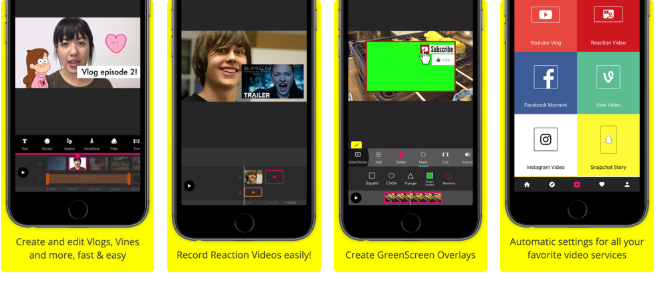
I love learning about new tools to make social media marketing more creative and effective, so I share some of my favourite tools with you at the start of each week. This week I’m recommending iOS video editing app PocketVideo.
With PocketVideo you can create, shoot and edit your videos easily. The app supports any kind of video format: Horizontal (Landscape), Vertical (Portrait) or Square videos.
Features include:
Video Overlaying, Green Screen overlays and Picture in Picture.
Animated Doodle Tool to draw on top or your videos, synchronized with the playback.
Easy to use, one-tap “Reaction Cam” Feature for easy creation of reaction videos.
Commercial-free music library
Animated text titles
Stickers, GIFs and PNGs
If you want to create compelling and professional looking Youtube Vlogs, Snapchat Memories, Instagram Stories, Facebook Videos and more, then check out this app.





 Health Care Social Media