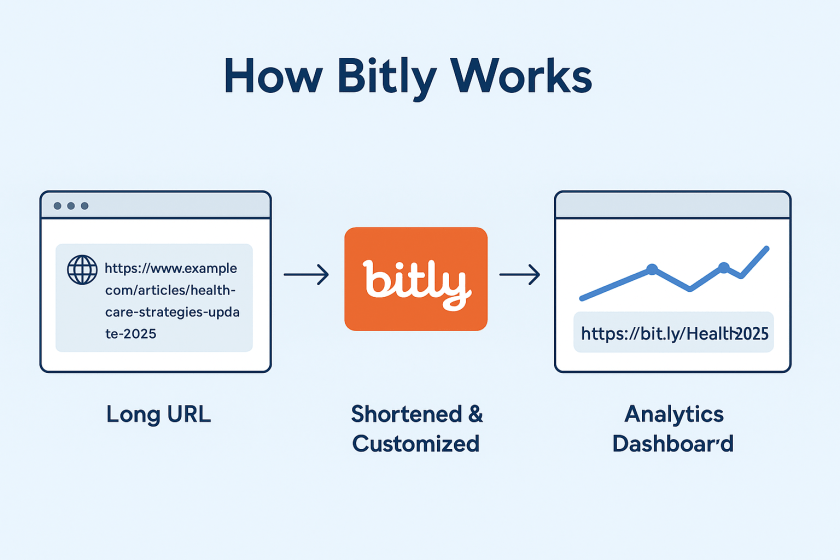
This week, I’m recommending Bitly – a handy URL shortener tool.
How we share information in healthcare is just as important as what we share. The link itself is part of the message, whether it’s an educational resource, a campaign sign-up link, or an event registration page. Here’s where Bitly comes in.
What Is Bitly?
Bitly is a platform that takes long, often unwieldy URLs and shortens them into compact links that are easier to share and track. It’s one of the most widely used URL shorteners in the world and is trusted by organisations ranging from global brands to local nonprofits.
Let’s say you’re running a digital campaign for epilepsy awareness. You’ve created a resource page that lives at: https://yourorg.org/programmes/epilepsy-awareness-week-2025/download-resourcesThat’s a lot to include in a tweet, an Instagram bio, or a printed flyer. With Bitly, you could shorten it to: https://bit.ly/epilepsyweek2025Much better, right?
But more importantly, you can track how that link performs. How many people clicked it? Where were they located? Did one social platform drive more traffic than another?
What Else Can You Do with Bitly?
Once you’re inside the platform, you’ll find several additional features that make Bitly especially powerful for healthcare communication and outreach.
🔹 Link Customisation
You can edit the end of a Bitly link to make it more descriptive or branded, like:bit.ly/CaregiverGuide2025
This improves trust and helps people understand what they’re clicking on.
🔹 Analytics Dashboard
Bitly provides real-time data on link performance, including:
- Click volume
- Geographic location of users
- Referral sources (e.g., Twitter, email, WhatsApp)
🔹 Branded Domains (Paid)
With a paid plan, you can use your own short domain (like yourclinic.org/guide) to create even more trust and continuity in your communications.
🔹 Link Management Tools
You can organise links into folders, label them by campaign, and even set expiration dates for time-sensitive URLs (paid feature)
🔹 QR Codes
Every time you shorten a link with Bitly, you also have the option to create a QR code with a single click. That means you can easily place your link on:
- Clinic posters
- Flyers and leaflets
- Event banners
- Conference slides
- Prescription inserts or appointment cards
QR codes make it effortless for patients, staff, or the public to scan and access information using just their phone – no typing required. For example, a hospital running a flu vaccination campaign uses a Bitly link to direct patients to the booking form. They place the QR code version of that link on posters in waiting rooms, allowing patients to scan and schedule right from their seats.
Is Bitly Free?
Yes—and no. Bitly offers a free plan that allows basic link shortening, custom back-halves, and limited analytics. For more advanced features like branded domains, deeper analytics, and team collaboration, they offer tiered paid plans.
For small teams or individual professionals, the free plan is often enough. For hospitals, health systems, or nonprofits running large campaigns, the paid options can be well worth the investment.
Discover more from Health Care Social Media
Subscribe to get the latest posts sent to your email.

 Health Care Social Media