Articles

Posted in Cool Tool

Monday Morning Cool Tool: Twodio

I love learning about new tools to make social media marketing more creative and effective, so I’ve decided to share some of my favorite tools with you at the start of each week. This week I’m recommending Twodio – a free iOS app that allows you to tweet recorded audio.

twodio

Here’s how to use it

To use the app, you first need to authorize it to use Twitter. Then you simply hold down a button to record up to 30 seconds of audio. When Twodio tweets your recording, it appears as a waveform.

I really like this tool to add variety to your Twitter activity. The moving waveform is eye-catching and encourages people to stop and check out your tweet.

Check out how I used it this morning to tweet about this tool. I woke with a  sore throat but was so eager to try it out, I recorded it with a scratchy voice 😉

You might also like to read Become a Social Media Ninja With These 25 Smart Twitter Hacks

Posted in Cool Tool, Visual Marketing

Monday Morning Cool Tool: Quik

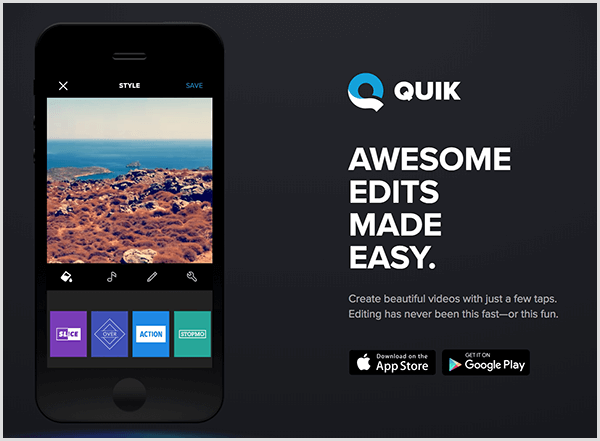
I love learning about new tools to make social media marketing more creative and effective, so I’ve decided to share some of my favorite tools with you at the start of each week. This week I’m recommending Quik for mobile – a free video-editing tool.

quick-for-mobile-automatically-creates-videos-for

This tool is easy to use and has both basic and advanced features. The basic video editing features include adding photos, videos, music, and text. You can choose a custom theme with transitions and graphics, adjust the font, filters and graphics and personalize your story with text overlays and title slides. The interface makes it easy to reorder, trim, zoom and rotate photos and video clips.

You can also add a soundtrack – choose from more than 100 free songs or import your own music. What’s really cool is that you can start your soundtrack at any point in the song and Quik automatically syncs transitions to the beat of the music.

Your videos can be saved in HD 1080p or 720p, shared to social media, or sent via a private Quik link text or email.

This really is a super tool and well worth checking out.

You might also like to read 7 Best Video Marketing Practices and Resources For 2019

Posted in Cool Tool, Visual Marketing

Monday Morning Cool Tool: CC Search

I love learning about new tools to make social media marketing more creative and effective, so I’ve decided to share some of my favorite tools with you at the start of each week. This week I’m recommending  CC Search — a tool that allows openly licensed and public domain works to be discovered and used by everyone.

download - 2019-06-03T091629.985

CC Search searches across more than 300 million images from open APIs and the Common Crawl dataset. It goes beyond simple search to aggregate results across multiple public repositories into a single catalog, and facilitates reuse through features like machine-generated tags and one-click attribution.

There are six main Creative Commons licenses you can use when you choose to publish your work under CC terms. The six CC licenses are based on four conditions. The four conditions and the six licenses are described here.

Looking for more places to find images for your marketing? Check out this list of 10 Places To Find The Best Free Images For Your Healthcare Marketing.


Posted in Cool Tool, Visual Marketing

Monday Morning Cool Tool: SocialSearcher

I love learning about new tools to make social media marketing more creative and effective, so I’ve decided to share some of my favorite tools with you at the start of each week. This week I’m recommending Real-time Social Media Monitoring tool SocialSearcher.

socialse

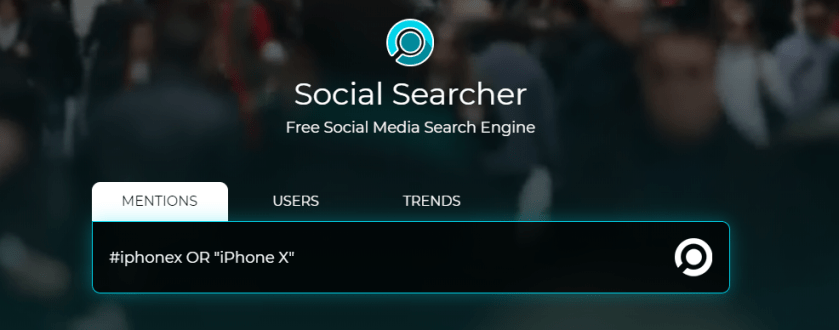
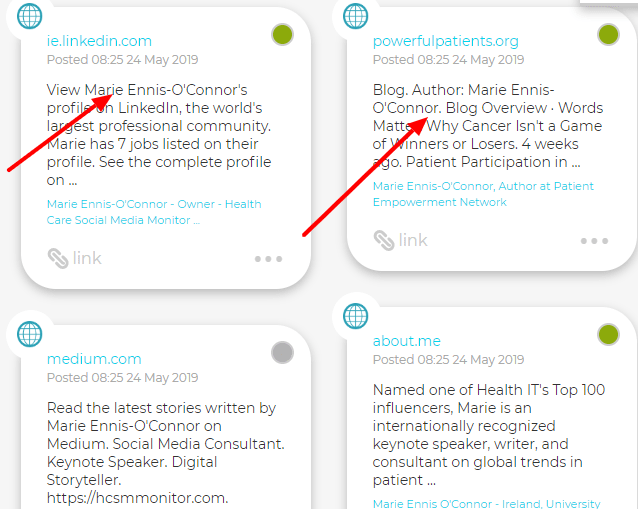
SocialSearcher allows you to monitor all public social mentions in social networks and on the web. Use it to monitor popular hashtags and trending topics. Quickly measure and track what people are saying about your company, name, product, or service in one easy to use dashboard.

1_t0MtO4Eraank84nrzOk6PA

The free account gives you a generous 110 real-time searches per day and two email alerts.

Posted in #HCSM

What Information Are Parents of Children with Cancer Looking For Online?

If you haven’t already guessed it by now, I’m a sucker for a good research study. I believe strongly that we need a  more robust evidence-base around why and how people use social media for health-related information.

The latest study* I want to share with you concerns the information seeking behaviour of parents of children with cancer.

Why this study matters

For a parent, learning their child has cancer can be overwhelming, stressful, and debilitating. After a new cancer diagnosis, parents seek social support and information from multiple sources including healthcare providers and the internet. Not surprisingly the study shows that parents of children with cancer performed health-related searches at over twice the rate performed by the general population. Online searches peaks at about one month after cancer diagnosis.

To date, little has been known about the specific information parents of children with cancer search for online.  Although it has been shown that cancer searches online correlate to cancer prevalence at a population level, little is known about the specific, granular information parents search for online.

Understanding the content of parents’ searches over time offers insight into what matters most to parents and helps to identify knowledge gaps that could inform more comprehensive approaches to family education and support.

Why do parents use the web for information?

The study authors put forward some suggestions for why parents of children with cancer search online for information. One reason may be that they don’t feel their providers shared information in appropriate depth. “Alternatively, because these types of searches require less medical sophistication to interpret, parents may feel more comfortable searching for them online compared with medical information,” the authors suggest.  Or parents may simply forget to ask questions about these topics when medical providers are present and subsequently search for supportive care information at a later time.

What kind of information are parents seeking online?

Over half of the cancer-specific searches were for cancer support, such as queries for cancer charities and inspirational quotations.

Among the overall health-related searches, 31% were for “symptoms, disease and medical information.” Supportive care and logistic-related health searches were extremely common, and health insurance searches were also present, although to a lesser extent. Other relatively common health-related search categories included “Medications” (and “Treatment and disease management.” 

How health professionals can use this information

The study authors believe the results are most applicable for family support and education.

Given the peak of internet use near the time of diagnosis, educational interventions to improve parents’ ability to navigate the internet for cancer information should be considered.

The authors highlight the need to support parents’ need for logistical information. This “represents a measurable and potentially modifiable domain through interventions such as website design and educational materials.”

Study Conclusion

Google search content offers insight into what matters to parents of cancer patients. More research is needed to explore use of Google to obtain health-related information and utilize this to inform future education, quality, and research initiatives and better understand how internet use influences healthcare decision-making.

* Charles A Phillips, Alaina Hunt, Mikaela Salvesen‐Quinn, Jorge Guerra, Marilyn M Schapira, L Charles Bailey, Raina M Merchant. Health-related Google searches performed by parents of pediatric oncology patients. Pediatric Blood and Cancer, May 9, 2019. doi: 10.1002/pbc.27795.


Related Reading 

Digital Health Checkup: 10 Signs It’s Time To Redesign Your Medical Practice Website

Do Online Health Seekers Trust Social Media? Surprising Results From A New Survey 

Posted in Cool Tool, Visual Marketing

Monday Morning Cool Tool: Woobox

I love learning about new tools to make social media marketing more creative and effective, so I’ve decided to share some of my favorite tools with you at the start of each week. This week I’m recommending Woobox a social promotion application.

download - 2019-05-13T090331.023

Woobox allows you to run sweepstakes, contests, polls, and more across Facebook, Twitter, YouTube, LinkedIn, and Pinterest.

Here are some ideas on how you can use this tool.

  1. Create a sweepstakes contest
  2. Create photo or video contests that let followers submit entries
  3. Create polls and quizzes
  4. Create a landing page or form submission offer

If you want to try Woobox for free you can use it to create up Facebook tabs (up to 100 participants) per month.


Posted in social spotlight

Social Spotlight: Karin Sieger

This week I caught up with psychotherapist, writer and radio host, Karin Sieger to learn more about how she uses social media in her work. 

I first met Karin online through our shared connection to breast cancer.  I  admire greatly Karin’s writing and her generosity in sharing her wisdom and advice to support people with life transitions, particularly the emotional impact of life-changing illnesses, such as cancer.


Hi Karin,  I’d like to start off by asking you to share something with us about your professional background and how you got started using social media.

KS: I am a psychotherapist and writer based in West London, UK, where I see clients privately and from where I also offer support globally online via Zoom and email. Prior to my training, I worked 20+ years in consumer and media research (including BBC World Service and AOL). I was first diagnosed with breast cancer in 2012 and diagnosed with a local recurrence in 2018. Since that experience a lot of what I do focuses on working with and supporting people affected by life changing illnesses, grief, anxiety, personal development and uncertainty. On many levels it has also become a watershed experience in my own life. I had to make choices about my wellbeing, future and finding purpose for the life I have. In many ways I have started finding my own voice creatively and that’s when and why my engagement with social media started.

How do you use social media in your work? Is social media the right fit for professionals in this space?

KS: At present, I use social media mostly as communication channels to share my motivational self-help articles, YouTube videos, radio programmes, quotes and raise awareness of projects I run myself, or that I am involved in. I am also using it to network.

Being on social media can be a challenge for counsellors or psychotherapists, as a lot of our training encourages us not to share our own experiences or private lives with clients. Because it may get in the way of the work and take the focus away from the client. For example, how do people who want to work with me feel about my own cancer experience? May they perhaps hold back from talking openly about their own concerns for fear of upsetting me? Things like that. I am always mindful to ask these questions at the outset, and assure people that I am ok doing what I do, despite my own experiences. In many ways I do what I do because of my own experiences. The impact of poor physical health (esp cancer) on our mental health is rarely covered in our training. I am trying to raise awareness and offer specialist support.

In our profession we have to keep boundaries and be clear about ethics. Therefore it took me a long time to take the plunge, and my activity online has evolved over the years and in many ways become more personal. I have to regularly check in with myself about it.

I really like how you’ve found that balance between your personal history and professional life. I know it’s a delicate balancing act – and not every professional can get it right. Of all the social networks we have available to us, which one do you use the most?

KS: Twitter was the first platform I used. In terms of frequency and volume, I use it most often. It’s familiar, I enjoy the interaction with the Twitter community and it’s easy to use. I have a professional (not private) presence on Facebook, LinkedIn and now also Instagram. I have tried Medium and others. But due to lack of time, I cannot keep it all going. A lot of my writing is reposted elsewhere online which creates more social media activity (via PositivelyPositive, The Mighty, Thrive Global, HuffPost).

While I enjoy social media, I also have to be careful how much and when I spend time on it.  Things have changed a lot since I have started using a scheduling software, source images via Pixabay or Unsplash and gradually use Canva to create ads for my radio programmes. Before I would literally do everything manually, with my own images. It’s not sustainable and started causing too much stress, which is just not healthy for me at this stage in my life.

I know from following you over the past 6 months, that you have a number of exciting new projects on the horizon. Can you tell us some more about them?

KS: I have launched a number of projects.

  • #CreativeDespiteCancer which supports the creative efforts of people affected by cancer. I offer to feature anyone interested for free on my website and social media network (writers, artists etc). 
  • #DearKarin is a free advice column I run on my website, where I offer support for a range of topics people are welcome to contact me with.
  • Most recently I have started contributing weekly radio programmes for a new global online Mental Health radio station PeaceWithinRadio.com The programmes are recorded on my orange houseboat in the Thames and mostly unscripted. You can catch up with previous broadcast via my YouTube channel.
  • #CancerAndYou is broadcast Wednesdays and offers support with the emotional and mental impact of cancer. Recent topics include cancer and relationships, why a cancer diagnosis is traumatic, cancer anger and more.  
  • #SoulCravings is on Saturdays – 20 minutes of down to earth talk about a whole range of topics important to us all, like how to turn hopelessness into hope, coping with grief, how to think big and much more.

Wow. You have been busy! We both share the same interest in cancer, but are there any other topics you follow on Twitter. Do you take part in any Twitter chats?

I have not yet fully participated or run twitter chats. I am very impressed by #bccww, but since it is in the evenings, it’s too late for me. Cramming everything in alongside cancer treatment and earning a living is a fine balancing act.

As far as topics are concerned, cancer is important to me. But I don’t want to be pigeon-holed, as cancer is only one part of my life. That’s why (personally) I have stopped referring to my life as a cancer journey. I feel more comfortable with life journey. I am very much into nature, self-care, embrace difficult topics and generally love to think creatively.

I let you into a secret. My first tweet of the day now tends to get generated at 06:30, when I start my morning routine by lying on an infrared mat and listen to classical music. I look at online photo galleries until an image “speaks to me” and then I turn it into a quote for Twitter and Facebook, sometimes also LinkedIn and Instagram. Whatever I come up with may or may not also reveal something about me.

Oh I love that image of you waiting for the muse to strike first thing in the morning. What a creative way to approach things. Do you have any other advice for those who are just getting started with social media?

KS: Avoid impulse responses. Don’t take things personal. Don’t derive self value from social media.

Very wise words Karin. And speaking of wisdom, I like to end these interviews with a favourite quote or saying. Do you have one you’d like to share?

Whoever you are, wherever you are, whatever has happened, positive change is possible.

What a positive note to end on. Thanks so much for taking the time to share your social media journey with us Karin.

KS: Thanks for inviting me on, Marie, all your fantastic work and exposure you give us all.


If you’d like to learn more about Karin’s work, visit her website www.karinsieger.com and follow her on Twitter @KarinSieger


This post is part of an ongoing conversation that explores how patients, healthcare professionals, and researchers use social media to communicate their work. For more interviews, click here

Posted in #HCSM

How Do Consumers Evaluate the Quality of Online Health Information?

A new study* has set out to identify criteria that consumers use to evaluate the quality of online health information, and the indicators they use to support their evaluation.

Criteria and Indicators Used To Evaluate Online Health Information

The study reports that the most widely reported criteria used by consumers were (1)  trustworthiness, (2) expertise, and (3) objectivity, followed by transparency, popularity, and understandability.

The indicators were related to (1) source (a website or the owner, creator, or sponsor of the site), (2) content, and (3) design. The most widely reported indicators were site owners/sponsors; consensus among multiple sources; characteristics of writing and language; advertisements; content authorship; and interface design.

(1) Source

Mixed attitudes were found toward some indicators representing site owners/sponsors. Firstly, most participants believed that government websites reflect high levels of expertise and good intentions; however, some consumers suspected that the information on government websites is biased due to their agendas and some, particularly younger generations, did not identify themselves with government sources, considering them “less cool” and not relatable

Secondly, people usually considered websites owned by commercial companies less objective and trusted more websites with no commercial interests; nevertheless, popular commercial websites such as WebMD.com were favored by some people for their expertise and comprehensiveness.

Individuals’ prior knowledge and experience of a source were mentioned most frequently as factors that influence quality judgment. Consumers tended to trust sites that they had experience with, because they may already know the source to be credible, have had positive experiences with it, have seen it from advertisements on other media (eg, television and magazine), or are familiar with the organization behind the source.

Trust in Social Media

Consumers had mixed attitudes toward social media sites. Some consumers favored online discussion groups, chat rooms, and listservs because they offered first-person narratives and practical information and support from peers with whom they could identify, but some disliked such sites for their lack of objectivity and expertise.

Concerning Wikipedia, some people questioned its objectivity because information can be edited by anyone on the Web, but some consumers were attracted to its encyclopedic nature and comprehensiveness.

2. Content

Content refers to the information contained in a source as well as the presentation of the information. Eight categories of content-related indicators were identified: substance, writing and language, presentation, references, authorship, audience, date/updating, and advertisements.

The most frequently reported content indicators were about consensus among sources. Content that appears in multiple sources, be it online sources, sources in other media (eg, newspaper, television, books, and academic journals), or health care professionals, is trusted by consumers.

Writing- and language-related factors were the second most frequently reported content indicators. Consumers expect high-quality information to be error-free in spelling and grammar, use straightforward language, and have a clear layout. The use of medical and technical vocabularies had mixed views. For some consumers, high-quality information was easy to understand, that is, it exhibited less use of professional medical vocabularies or provided easy-to-understand definitions of medical jargon; however, for others, the use of technical vocabularies demonstrated expertise and was highly valued

The third most frequently reported indicators were advertisements. Consumers expect quality websites to neither depend on advertisements nor seek to make a profit. Therefore, sites with advertisements were considered less objective.

3. Design

Design refers to the appearance of a website or an app and the user experience (UX) it gives. Four categories of design-related quality indicators were identified: interface design, interaction design, navigation design, and security settings.

The most frequently reported design indicators were related to interface design, mostly visual factors, including the overall appearance of a site, the graphics it includes, and font size.

Interaction design features, including links, interactive functions, and other interactive features (eg, loading time and login requirement), were the second most frequently mentioned quality indicators.

Sites with robust search capabilities (eg, easy to locate and diverse search entrance), offering useful tools (eg, self-management tools), and rendering smooth user-system interaction (eg, providing links to additional relevant sources and not having pop-ups) were perceived as high quality.

Navigation-related indicators such as navigation aids and site maps were the third most frequently mentioned quality indicators.

Key Takeaway For Healthcare Marketers and HCPs

The ability to critically evaluate the quality of health information is an important component of health literacy which is an important determinant of health.

The findings of this study have practical application for designers of online health information for patients. The authors recommend the incorporation of positive indicators (eg, offering authors’ credentials and presenting information in a clear and organized way) and avoidance of negative indicators (eg, dead links and flash media format) to offer users better information seeking experiences.

The fact that the same indicator (eg, government institutions as the source owner) can lead to different quality judgment for different people suggests that designers should also carefully investigate target users’ values and the corresponding criteria that they use to evaluate health information. This calls for active user research and user involvement in the design process.

Related Reading 

Digital Health Checkup: 10 Signs It’s Time To Redesign Your Medical Practice Website 

Evaluating the Quality of Health Information in a Changing Digital Ecosystem

Do Online Health Seekers Trust Social Media? Surprising Results From A New Survey 

What Information Are Parents of Children with Cancer Looking For Online?


* Sun Y, Zhang Y, Gwizdka J, Trace CB, Consumer Evaluation of the Quality of Online Health Information: Systematic Literature Review of Relevant Criteria and Indicators
J Med Internet Res 2019;21(5):e12522
Posted in #HCSM

How Social Media Can Enhance Supportive Cancer Care [Infographic]

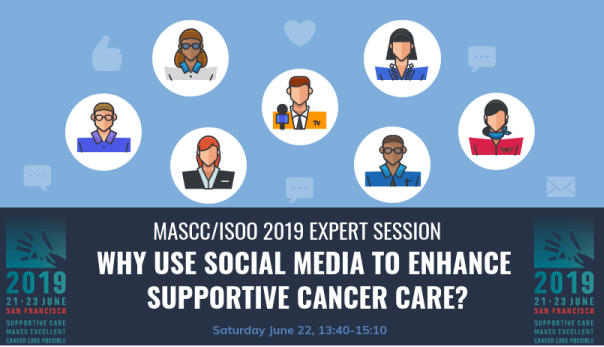
Next month, I will be presenting to attendees at the joint Annual Meeting of the Multinational Association of Supportive Care in Cancer (MASCC) and the International Society of Oral Oncology (ISOO), which will take place in San Francisco, June 21 to 23, 2019.

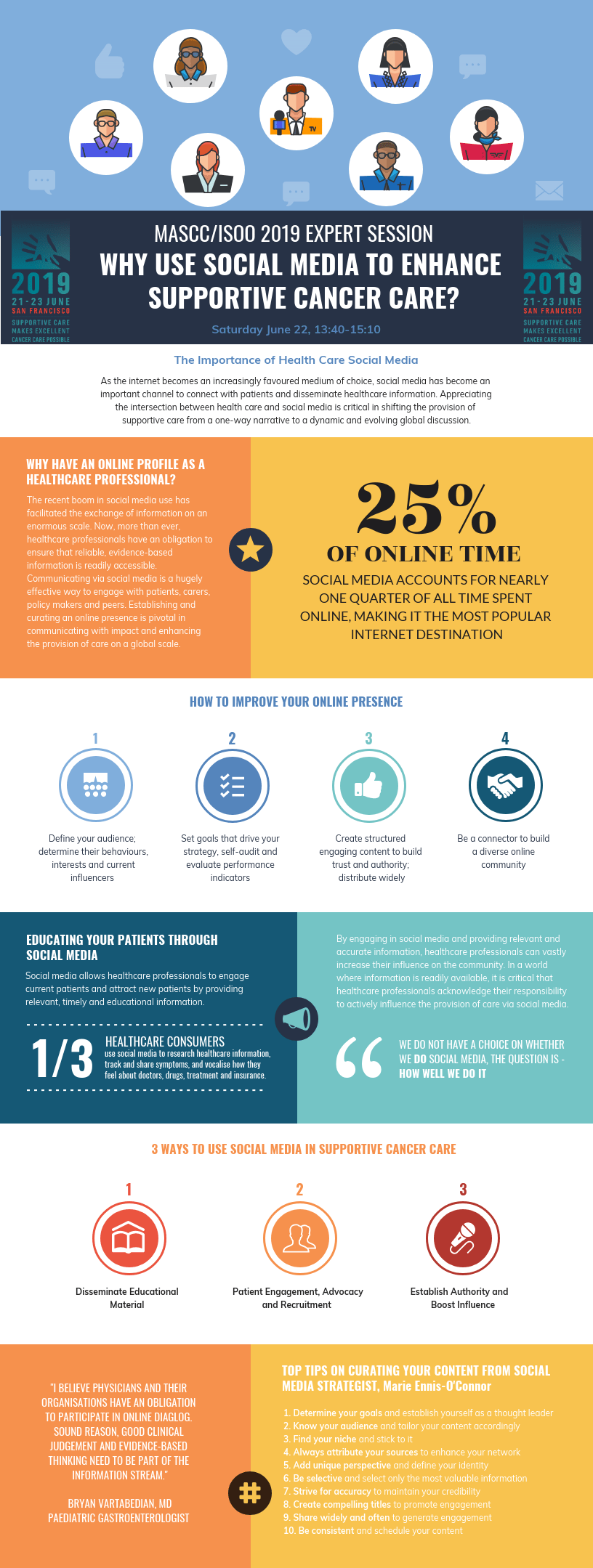
The topic will be one of my favourite things to talk about –  the role of social media in healthcare. To promote the session, MASC Ambassador, Dr Hannah Rose Wardill has produced this infographic. I wanted to share it with you today for two reasons. Firstly, it’s an awesome infographic and secondly, it’s a super promotion idea for a conference. Hannah sourced the content of the graphic from articles and posts I’ve written on this topic.

I’m really so impressed with how Hannah did this and I can already see I will be borrowing this idea next time I want to promote my speaking sessions in the future.

socialmediacancercare

Posted in Cool Tool, Visual Marketing

Monday Morning Cool Tool: Steller

I love learning about new tools to make social media marketing more creative and effective, so I’ve decided to share some of my favorite tools with you at the start of each week. This week I’m recommending a storytelling app called Steller.

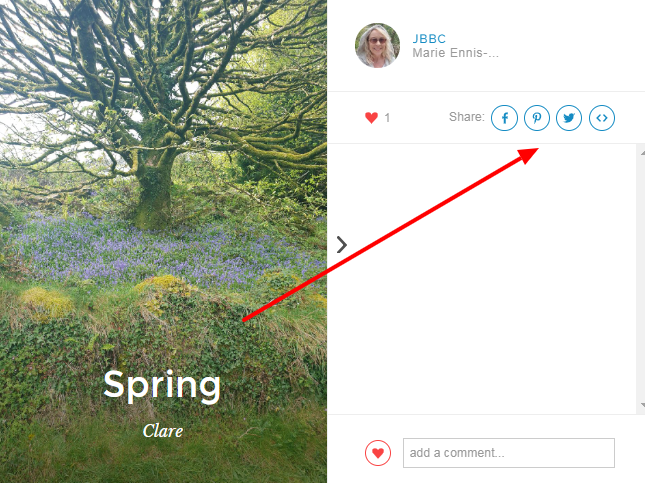
Steller is a free storytelling application which lets you create photo and video stories with an emphasis on design. – the next web. It focuses on telling a story through pictures and text. The simple, yet structured layout options allow even a beginner to produce a professional standard of work.

Once your story is done, you can publish it to your favorite social media channel or embed it on your website.

download - 2019-05-06T084855.218


Steller is available for download on both Google Play and App Store.