Posted in Cool Tool

Monday Morning Cool Tool: Beatleap

This week I’m recommending a new video tool – with a twist. 

Beatleap offers a new, powerful video editing experience, allowing you to create and edit videos by automatically matching songs with your video clips.

The app uses machine learning to automatically match songs to your video, then gives you a number of editing tools such as special effects, filters, and overlays to make your clips unique.

Features include:

  • 20 editing tools and effects as well as 50 filters to choose from
  • A library of over 1,000 professional songs to synchronize with the user’s video
  • Automatic trimming, cutting, and mixing of clips according to the beat of a selected track
  • Stunning video effects which are automatically placed at the perfect timing
  • Trendy filters and overlays to give users complete control over the look and feel of their videos

It’s perfect for TikTok, but you can use it for any social platform.

Note: This app is available only on the App Store for iPhone and iPad.

Posted in Cool Tool

Monday Morning Cool Tool: TinyPNG


This week’s cool tool recommendation is TinyPNG – a handy compression tool for JPEG and PNG images.

TinyPNG uses smart lossy compression techniques to reduce the file size of your image files. By selectively decreasing the number of colors in the image, fewer bytes are required to store the data. The effect is nearly invisible but it makes a very large difference in file size.


Posted in Cool Tool

Monday Morning Cool Tool: RhymeZone


This week’s cool tool recommendation is RhymeZone a fast rhyming dictionary and thesaurus.

Quickly find rhymes, near rhymes, synonyms, antonyms, homophones, similar sounding words, words with the same consonant pattern, and other related words from its database of over 100,000 words and phrases.

RhymeZone also has an app for Amazon Alexa and an add-on for Google Docs.


Posted in Cool Tool

Monday Morning Cool Tool: Preview

instagram-feed-planner-app-preview-8.jpg

I love learning about new tools to make social media marketing more creative and effective, so I’ve decided to share some of my favourite tools with you at the start of each week.

This week’s cool tool recommendation is Preview, a super useful Instagram app.

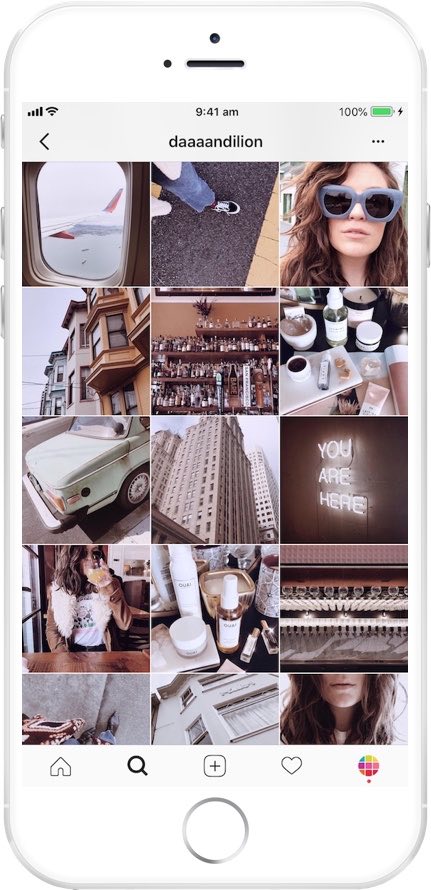
Preview is your visual planner for Instagram. Use it to predict what your feed will look like before you post anything on Instagram.

Features at a glance

DRAG & DROP

Use the drag & drop to arrange your Instagram photos & videos. Design your own unique theme. Color coordinate. Predict how your feed will look like. Or simply plan your content in advance.

ANALYTICS & INSIGHTS

Track your performance, see best times to post & best hashtags. Optimize your account to get the most out of it.

AMAZING FILTERS

Design your own unique and amazing feed that reflects your personality or brand. Preview comes with 12 beautiful filter packs and 73 unique filters.

REPOST

Share other Instagrammers’ photos and videos. Save them in Preview for later. Curate your feed.

PERFECT YOUR CAPTIONS

Write your captions in advance and perfect them. Use the hashtag suggestion tool. Save your hashtag groups within the app and add them to new posts at a press of a button.

HASHTAG FINDER

Search for the best Instagram hashtags to grow your account. Search by category, country, city & Instagram community.

SCHEDULE

Set a day and time for your post. See what you have scheduled for the day, week and month. When it’s time to post, Preview will send you a notification. All you have to do is send your post to Instagram and paste your caption.

Pricing

All plans come with: Drag and Drop, Unlimited Posts, Photo Editor, Hashtag Finder, Hashtag Groups Manager, Beautiful Stock Photos, and Photo, Video and Carousel posts.

Paid plans start at $7.99 per month.

Posted in Cool Tool

Monday Morning Cool Tool: Quuu

I love learning about new tools to make social media marketing more creative and effective, so I’ve decided to share some of my favourite tools with you at the start of each week.

This week I’m recommending Quuu – a hand-curated content suggestion platform that connects to your scheduling tool of choice.

Here’s how it works

Sign up, connect your account and choose from over 300 interest categories to receive suggestions that matter to you and your audience.

With the free account, you can choose up to 5 interest categories, get suggestions automatically sent to your connected accounts two times a day (six for a paid account).

Relevant suggestions will be queued to your scheduling tool where you can choose to manually curate posts yourself or Quuu will post for you.

Posted in Cool Tool

Monday Morning Cool Tool: Videoshop

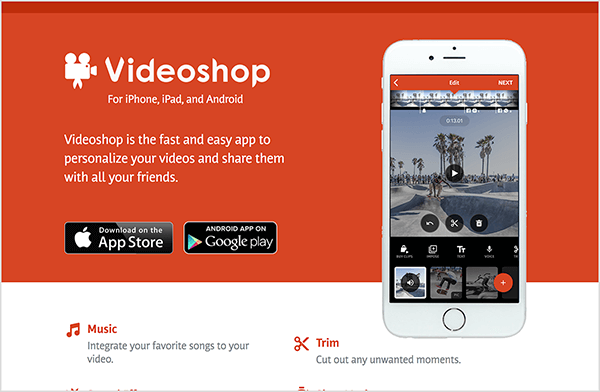
This week I’m recommending Videoshop a free stand-alone video recorder and editing app.

videoshop-edits-video-on-mobile-devices-600

Because the app enables you to record and edit video in one place, you don’t have to use several different apps to create your video. Features include the ability to integrate your favorite songs to your video, add subtitles and noises like applause sounds. You can also adjust video speed to slow or fast, merge multiple clips into one and choose transitions to animate between video clips.

Videoshop is available on iOS or Android.

Posted in Cool Tool

Monday Morning Cool Tool: Repost

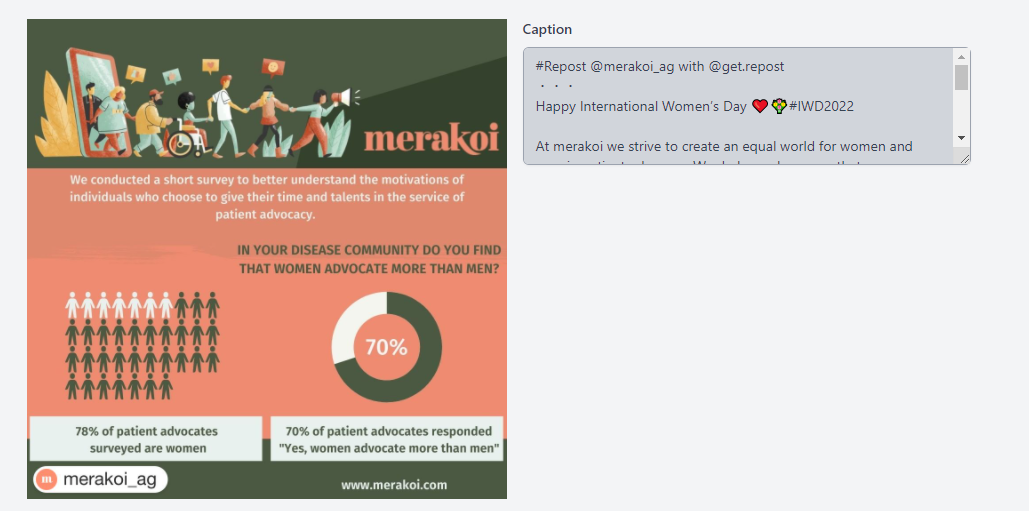
This week I’m recommending Repost – a simple tool that makes it easy to repost your photos and videos on Instagram while giving credit to the original Instagramer.

When you find something you want to repost in Instagram, simply copy the share URL and open Repost. Then in Repost, you can position the attribution mark and send the reposted media back to Instagram.

Click here for step-by-step guide. 

Posted in Cool Tool

Monday Morning Cool Tool: Responsinator  

I love learning about new tools to make social media marketing more creative and effective, so I’ve decided to share some recommended tools with you at the start of each week. This week’s cool tool recommendation is Responsinator.

Responsinator lets you see how your website looks on the most popular devices.

download - 2019-05-19T113925.272

Why Mobile Responsive Websites Are A Must

Mobile first-indexing is now fully underway and there’s no excuse for having a website that is not optimized for use across all platforms in 2022.  Most people aren’t looking at your website on a desktop or laptop anymore. They are looking at it on a phone or tablet.

Recent studies show 52% of smartphone users gather health-related information on their phones, ranging from information around a specific medical procedure to diet and nutrition best practices. 

Having a mobile-responsive site (ie one that automatically changes its layout and placements of certain menus and buttons automatically) is important because firstly, over half of patients search online for health information on their smartphone, and secondly, Google now gives ranking priority to those sites that are mobile friendly.  In fact, Google has stated that it will penalize websites that aren’t mobile-responsive, so if your site isn’t optimized for mobile devices, you’ll likely lose out significantly in the organic search rankings.

Posted in Cool Tool, Infographics, Visual Marketing

Monday Morning Cool Tool: TouchRetouch

I love learning about new tools to make social media marketing more creative and effective, so I’ve decided to share some of my favourite tools with you at the start of each week. This week’s cool tool recommendation is photo editing app TouchRetouch.

The app is designed to deal with unwanted content in photos, without having to resort to Photoshop.  It allows you to remove small items from your photos by drawing over them with your finger.

Posted in Cool Tool

Monday Morning Cool Tool: WordCounter

This week’s cool tool recommendation is WordCounter

Although it is a simple tool, it is an invaluable one.

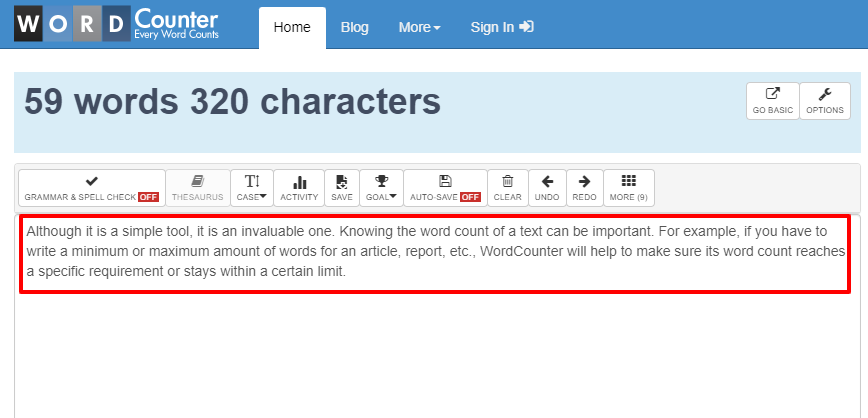
Knowing the word count of a text can be important. For example, if you have to write a minimum or maximum amount of words for an article, report, etc., WordCounter will help to make sure its word count reaches a specific requirement or stays within a certain limit.

Apart from counting words and characters, WordCounter can help you to improve word choice and writing style, and, optionally, help you to detect grammar mistakes and plagiarism. 

You can also copy and paste text from another program over into the online editor above. The Auto-Save feature will make sure you won’t lose any changes while editing, even if you leave the site and come back later. 

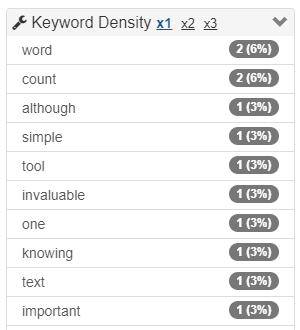
In addition, WordCounter shows you the top 10 keywords and keyword density of the article you’re writing. This allows you to know which keywords you use how often and at what percentages. This can prevent you from over-using certain words or word combinations and check for best distribution of keywords in your writing.

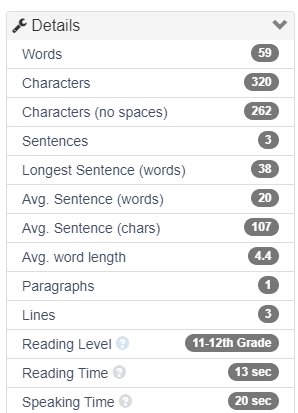
In the Details overview you can see the average speaking and reading time for your text, while Reading Level is an indicator of the education level a person would need in order to understand the words you’re using.

Pair this tool with one of the other tools I’ve recommended, such as Hemingway Editor, Quillbot, Wordtune, or Grammarly to improve your writing.