Posted in Cool Tool

Monday Morning Cool Tool: Pexels

pexels-photo-573238.jpeg

This week’s cool tool recommendation is stock image site Pexels.

Pexels provides over 3,800 high-resolution photos, collated from other free image sites — making it one of the largest free image directories. Pexels has also added a large library of stock videos to its site also under the CC0 license. Use the site’s list of popular searches to find the most in-demand stock video.

Posted in Cool Tool

Monday Morning Cool Tool: Responsinator  

I love learning about new tools to make social media marketing more creative and effective, so I’ve decided to share some recommended tools with you at the start of each week. This week’s cool tool recommendation is Responsinator.

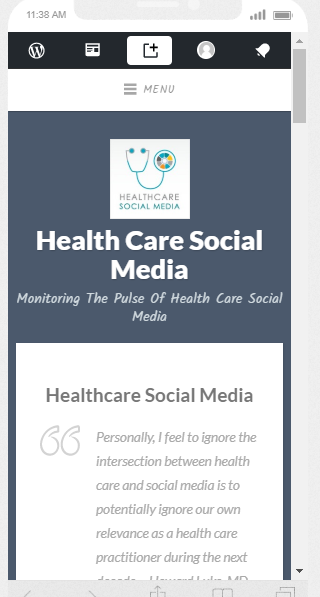
Responsinator lets you see how your website looks on the most popular devices.

download - 2019-05-19T113925.272

Why Mobile Responsive Websites Are A Must

Mobile first-indexing is now fully underway and there’s no excuse for having a website that is not optimized for use across all platforms in 2022.  Most people aren’t looking at your website on a desktop or laptop anymore. They are looking at it on a phone or tablet.

Recent studies show 52% of smartphone users gather health-related information on their phones, ranging from information around a specific medical procedure to diet and nutrition best practices. 

Having a mobile-responsive site (ie one that automatically changes its layout and placements of certain menus and buttons automatically) is important because firstly, over half of patients search online for health information on their smartphone, and secondly, Google now gives ranking priority to those sites that are mobile friendly.  In fact, Google has stated that it will penalize websites that aren’t mobile-responsive, so if your site isn’t optimized for mobile devices, you’ll likely lose out significantly in the organic search rankings.

Posted in Cool Tool, Infographics, Visual Marketing

Monday Morning Cool Tool: TouchRetouch

I love learning about new tools to make social media marketing more creative and effective, so I’ve decided to share some of my favourite tools with you at the start of each week. This week’s cool tool recommendation is photo editing app TouchRetouch.

The app is designed to deal with unwanted content in photos, without having to resort to Photoshop.  It allows you to remove small items from your photos by drawing over them with your finger.

Posted in Cool Tool

Monday Morning Cool Tool: Anchor

anchor

I love learning about new tools to make social media marketing more creative and effective, so I’ve decided to share some of my favorite tools with you at the start of each week. This week I’m recommending a super recording app called Anchor.

Anchor is an audio recording app for micro-podcasting, audio broadcasting, Q&As, and more. Features like sound clips and transcriptions make it simple to create audio for social media. Billed as “the easiest way to make a podcast, ever,” it lets you record a high-quality podcast, and distribute it everywhere (including Apple Podcasts) — all in one place. No fancy equipment or podcasting experience necessary, and it’s 100% free!


Posted in Cool Tool

Monday Morning Cool Tool: Piktochart

unnamed (8).jpg

I love learning about new tools to make social media marketing more creative and effective, so I’ve decided to share some of my favourite tools with you at the start of each week. This week’s cool tool recommendation is infographic maker Piktochart . 

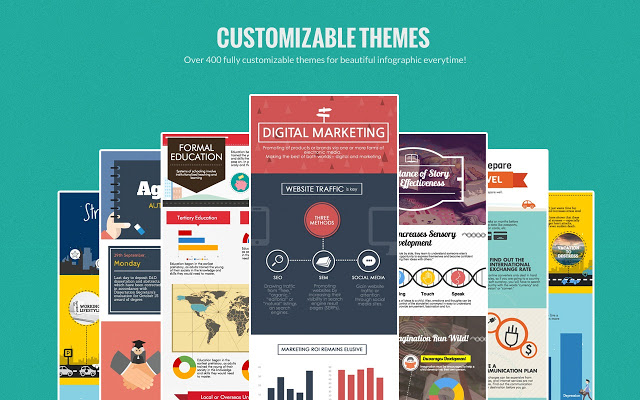
Infographics are great for getting your content shared but many people are put off by the thought that you have to hire a graphic designer to create them. The good news is you don’t have to be a designer nor spend a lot of money to create them. Use a tool such as Piktochart to create engaging infographics. Choose a template and then customize it with text, fonts, and colors.

Try it for yourself at https://piktochart.com

You might also like to read: How To Create A Healthcare Infographic


Posted in Cool Tool

Monday Morning Cool Tool: AutoDraw

I love learning about new tools to make social media marketing more creative and effective, so I’ve decided to share some of my favourite tools with you at the start of each week. This week’s cool tool recommendation is AutoDraw  – an online drawing tool by Google.

AutoDraw pairs the magic of machine learning with drawings from talented artists to help everyone create anything visual, fast.  Watch this short video to learn more about how you can use this cool tool.

Posted in Cool Tool, Visual Marketing

Monday Morning Cool Tool: Easil

download (34).png

I love learning about new tools to make social media marketing more creative and effective, so I’ve decided to share some of my favourite tools with you at the start of each week. This week’s cool tool recommendation is graphic design tool Easil  an online graphic design tool with templates that are especially useful for Instagram and Facebook stories.

Easil is a simple, browser-based system with pre-made templates that you can adapt in seconds with simple drag-and-drop tools.  The vertical image templates are especially good and make this tool great for stories.  The website also hosts a blog with super helpful design tips.

The free version of Easil is for individuals and limits the types of files you can download. For example, with the free version, you can’t download a GIF or PDF. The Plus service costs $7.50 per month, and the Edge service costs $59 per month.

Posted in Cool Tool, Visual Marketing

Monday Morning Cool Tool: Quik

I love learning about new tools to make social media marketing more creative and effective, so I’ve decided to share some of my favorite tools with you at the start of each week. This week I’m recommending Quik for mobile – a free video-editing tool.

quick-for-mobile-automatically-creates-videos-for

This tool is easy to use and has both basic and advanced features. The basic video editing features include adding photos, videos, music, and text. You can choose a custom theme with transitions and graphics, adjust the font, filters and graphics and personalize your story with text overlays and title slides. The interface makes it easy to reorder, trim, zoom and rotate photos and video clips.

You can also add a soundtrack – choose from more than 100 free songs or import your own music. What’s really cool is that you can start your soundtrack at any point in the song and Quik automatically syncs transitions to the beat of the music.

Your videos can be saved in HD 1080p or 720p, shared to social media, or sent via a private Quik link text or email.

This really is a super tool and well worth checking out.

You might also like to read 7 Best Video Marketing Practices and Resources For 2019

Posted in Cool Tool, Visual Marketing

Monday Morning Cool Tool: CC Search

I love learning about new tools to make social media marketing more creative and effective, so I’ve decided to share some of my favorite tools with you at the start of each week. This week I’m recommending  CC Search — a tool that allows openly licensed and public domain works to be discovered and used by everyone.

download - 2019-06-03T091629.985

CC Search searches across more than 300 million images from open APIs and the Common Crawl dataset. It goes beyond simple search to aggregate results across multiple public repositories into a single catalog, and facilitates reuse through features like machine-generated tags and one-click attribution.

There are six main Creative Commons licenses you can use when you choose to publish your work under CC terms. The six CC licenses are based on four conditions. The four conditions and the six licenses are described here.

Looking for more places to find images for your marketing? Check out this list of 10 Places To Find The Best Free Images For Your Healthcare Marketing.


Posted in Cool Tool, Visual Marketing

Monday Morning Cool Tool: SocialSearcher

I love learning about new tools to make social media marketing more creative and effective, so I’ve decided to share some of my favorite tools with you at the start of each week. This week I’m recommending Real-time Social Media Monitoring tool SocialSearcher.

socialse

SocialSearcher allows you to monitor all public social mentions in social networks and on the web. Use it to monitor popular hashtags and trending topics. Quickly measure and track what people are saying about your company, name, product, or service in one easy to use dashboard.

1_t0MtO4Eraank84nrzOk6PA

The free account gives you a generous 110 real-time searches per day and two email alerts.