Posted in Cool Tool, Visual Marketing

Monday Morning Cool Tool: Woobox

I love learning about new tools to make social media marketing more creative and effective, so I’ve decided to share some of my favorite tools with you at the start of each week. This week I’m recommending Woobox a social promotion application.

download - 2019-05-13T090331.023

Woobox allows you to run sweepstakes, contests, polls, and more across Facebook, Twitter, YouTube, LinkedIn, and Pinterest.

Here are some ideas on how you can use this tool.

  1. Create a sweepstakes contest
  2. Create photo or video contests that let followers submit entries
  3. Create polls and quizzes
  4. Create a landing page or form submission offer

If you want to try Woobox for free you can use it to create up Facebook tabs (up to 100 participants) per month.


Posted in Cool Tool, Visual Marketing

Monday Morning Cool Tool: Steller

I love learning about new tools to make social media marketing more creative and effective, so I’ve decided to share some of my favorite tools with you at the start of each week. This week I’m recommending a storytelling app called Steller.

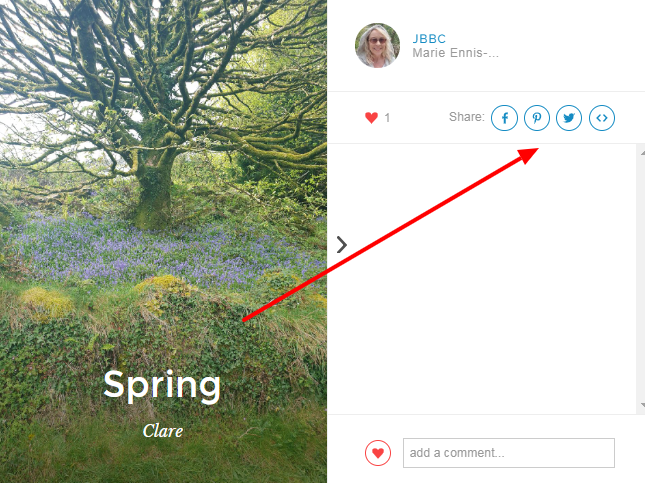
Steller is a free storytelling application which lets you create photo and video stories with an emphasis on design. – the next web. It focuses on telling a story through pictures and text. The simple, yet structured layout options allow even a beginner to produce a professional standard of work.

Once your story is done, you can publish it to your favorite social media channel or embed it on your website.

download - 2019-05-06T084855.218


Steller is available for download on both Google Play and App Store.

Posted in Cool Tool

Monday Morning Cool Tool: Adobe Spark

I love learning about new tools to make social media marketing more creative and effective, so I’ve decided to share some of my favourite tools with you at the start of each week. This week’s cool tool recommendation is Adobe Spark, a free suite of apps which allow both web and mobile users to create and share visual content – like posts for social media, graphics, web stories, and animated videos.

adobespark.jpg

It comprises three separate design apps: Spark Post, Spark Page and Spark Video.

  1. Spark Post is aimed at letting you create professional graphics in minutes.
  2. Spark Page is focused on helping you craft web stories. That means you can use it for things like magazine-style travel stories, photo albums, online newsletters, reports, or anything else that you want to present on the web. It’s basically a simplified web editing platform, with tools that let you mix text and imagery in a highly visual way.
  3. Spark Video lets you create animated videos. Note, this isn’t a tool for filming content – instead, you combine text, images, icons and themes in a presentation, then speak your voice over the story in order to create the video.

Here’s how I used  Spark Post to create a quick and easy quote graphic for Instagram:

Adobe Spark.jpg

Top Design Tip!

Follow CoSchedule‘s best design practice to create even better graphics.

social-media-plan-design-best-practices.png


Posted in Cool Tool

Monday Morning Cool Tool: Twitonomy

I love learning about new tools to make social media marketing more creative and effective, so I’ve decided to share some of my favourite tools with you at the start of each week. This week’s cool tool recommendation is Twitonomy a freemium tool which yields insights on your Twitter followers, influence and interests.

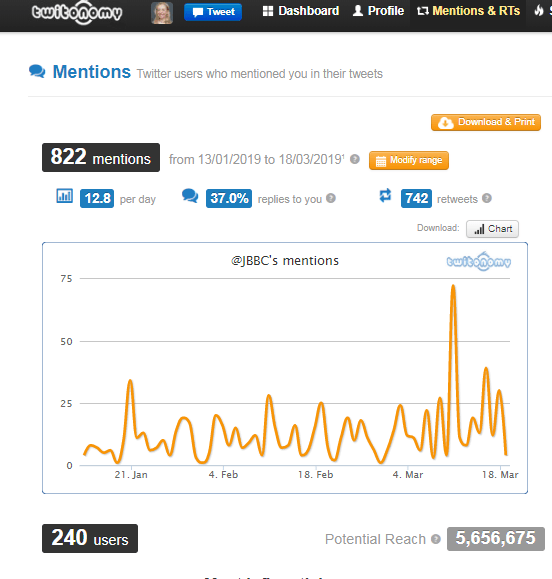
Here’s a snapshot of my @mention analytics.

download - 2019-03-18T092819.344


You can also get search analytics on any hashtag, user or keyword. With the pro version you can download tweets, mentions, RTs, favorites and reports to Excel & PDF documents — a useful reporting tool.


Posted in Cool Tool

Monday Morning Cool Tool: Google Dataset Search

I love learning about new tools to make social media marketing more creative and effective, so I’ve decided to share some of my favorite tools with you at the start of each week. This week I’m recommending a Google Dataset Search.

For all you data-geeks, Google has launched a new search engine to help scientists, journalists, and the more data-centric content marketers among us find the datasets they need.

Here’s a snapshot of a search I did which didn’t exactly return what I was looking for, but it’s instructive to see it nonetheless.


download (47)


Posted in Cool Tool, Visual Marketing

Monday Morning Cool Tool: Pikwizard

156c447adfe8d3ea5064898507736b5a-m.jpg
Image Source: Pikwizard

I love learning about new tools to make social media marketing more creative and effective, so I’ve decided to share some of my favorite tools with you at the start of each week. This week I’m recommending a free stock photo site called Pikwizard . 

As regular readers know, I am obsessed with visuals in marketing, but it’s hard to find medical related stock images that haven’t been used ad infinitum.  I was really pleased to hear about Pikwizard and find a super selection of medical-themed images. The site is particularly good for aesthetic procedures and dentistry-related images.

73db96f8662102c3683d4e22acf167b9-m.jpg
Image Source: Pikwizard

Pikwizard hosts over 100,000 completely free images, with over 20,000 of those exclusive to the site.  Adding new images to their stock library daily, the site’s ultimate goal is to get to more than 1 million images!

Visit  www.pikwizard.com next time you need an image to enhance your medical marketing. 


Posted in Cool Tool

Monday Morning Cool Tool: Freerange

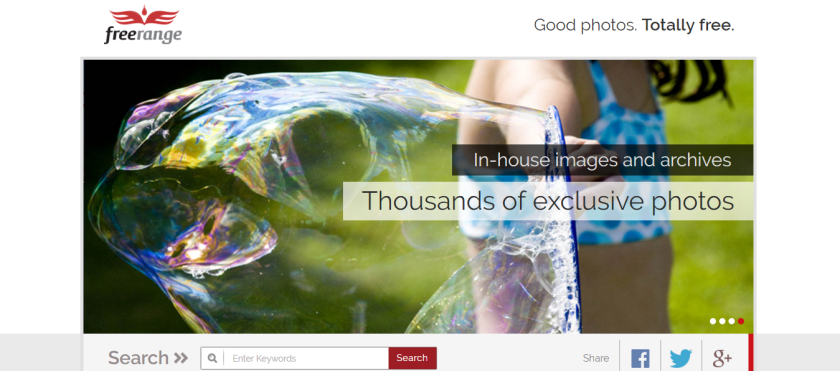
download-24This week’s cool tool recommendation is Freerange which provides free high res stock photos for commercial and non-commercial use.

The photos either come directly from in-house photographers and archives or they are contributed by a growing community of photographers. Images provided directly (in-house) by Freerange Stock originate one of two ways. They are either digitally photographed on Canon DSLR cameras or they are a high resolution (4000 dpi) Nikon scan of an original 35mm slide. Once the image is acquired, the photo is sharpened, color corrected, cropped and keyworded. Some images are manipulated in Photoshop to make them more effective. Then the original is archived and a 2400×1600 version is optimized and output, then posted on the live site.

It’s certainly one of the best sources of stock photos I’ve come across – and it’s free! Try it today.


Posted in Cool Tool

Monday Morning Cool Tool: Photofunio

download.png

I love learning about new tools to make social media marketing more creative and effective, so I’ve decided to share some of my favourite tools with you at the start of each week. This week I’m recommending Photofunio an image editing tool.

With PhotoFunia you can edit photos online for free in a matter of seconds resulting in high quality photo collages. As the name suggests, this tool is a lot of fun to use. It helps you make a mark with your photos by incorporating your photos into mock-ups of background images including billboards, magazine covers, and movie posters.

Here I am as a magic playing card  🙂

PhotoFunia-1533822078

Visit http://photofunia.com and try it for yourself.


Posted in Cool Tool

Monday Morning Cool Tool: ColorZilla

I love learning about new tools to make social media marketing more creative and effective, so I’ve decided to share some of my favourite tools with you at the start of each week. This week’s cool tool recommendation is ColorZilla.

colorzilla-for-chrome.png

With ColorZilla you can get a color reading from any point in your browser, quickly adjust this color and paste it into another program. Colorzilla allows you to get the color of any pixel on the page. You can also pick a color from a palette and get the CSS code for each color.

ColorZilla is available as both Firefox and Google Chrome extensions.

Posted in Cool Tool

Monday Morning Cool Tool: Stencil

I love learning about new tools to make social media marketing more creative and effective, so I’ve decided to share some of my favourite tools with you at the start of each week. This week’s cool tool recommendation is Stencil, a quick and easy tool to design visuals.

Right within the dashboard you have access to 860,000+ background images. You can add whatever text and/or graphics to these and directly share them on social media. They have 200,000+ graphics and icons. If you like sharing quotes on social media you can take advantage of their ready to add quotes feature. It will save you a lot of time. They also have a browser extension that makes it easy to instantly upload any image from a webpage, modify it and then share it.

You can save, download or share up to 10 images per month, for free. You can upgrade to 500 images per month and unlimited plans after that.

Try it and let me know what you think!