Posted in Cool Tool

Monday Morning Cool Tool: Image Color Picker

This week’s cool tool recommendation is Image Color Picker – an online tool that allows you to pick colors from an image or create color palettes.

Have you ever wondered how to identify the perfect shade of a color from an image? This tool provides a simple and user-friendly interface where you can upload an image or specify an image URL. Once the image is loaded, you can click on any pixel within the image to extract the color information, including the hexadecimal (hex) code, RGB values, and HSL values.

By using the color picker, you can accurately capture the colors used in an image and use them in your own projects. Additionally, the website often provides additional features like generating color palettes based on the image, allowing you to explore and save multiple colors at once.

Posted in Cool Tool

Monday Morning Cool Tool: CoSchedule Headline Analyzer

Improve your headlines quickly and easily with this week’s cool tool recommendation – CoSchedule’s Headline Analyzer. 

The original Mad Man of advertising, David Ogilvy, famously stated, “On average, people read the headline five times more than the body copy.” When you have written your headline, you have spent eighty cents out of your dollar.” This reminder highlights the crucial importance of the headline.

Headlines still matter in the digital age. A well-written headline can capture a reader’s attention and make them want to read more. In contrast, a poorly constructed headline can drive readers away. This is particularly true online, where attention spans are short and individuals are constantly inundated with information.

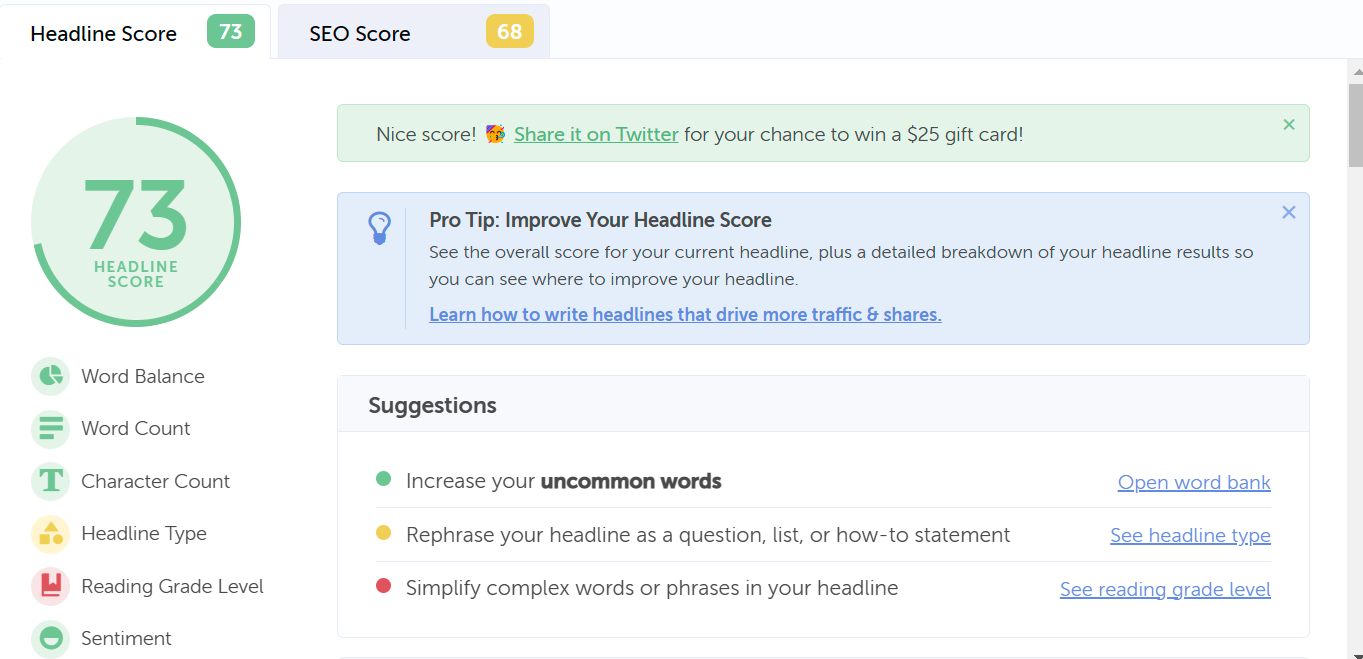
Effective headlines take various factors into account that can affect their success. Tools like CoSchedule’s Headline Analyzer can help. The tool analyzes headlines based on several factors, including word choice, length, and emotional impact, providing users with a score that reflects how likely their headline is to be successful. Your headline is then broken down by word balance, sentiment, and commonality, helping you identify areas for improvement and adjust your language.

Here’s the breakdown of a title I entered into the tool:

The tool provides a detailed breakdown of the word balance, sentiment, and commonality of your headline, helping you identify areas for improvement and adjust your language to better resonate with your audience.

The Headline Analyzer tool can also help with SEO optimization. The tool analyzes your headline for relevant keywords and provides suggestions for incorporating them more effectively into your headline. This can help increase the visibility of your content in search results and drive more organic traffic to your website.

This is just a snapshot of the many insights you can gain from using CoSchedule’s Headline Analyzer tool. You can use the insights and recommendations provided to create headlines that not only grab readers’ attention but also drive traffic, social shares, and SEO value. This can ultimately lead to more visibility for your content and greater success in achieving your marketing and business goals.

You might also like to read:

Posted in Cool Tool

Monday Morning Cool Tool: Edit.Photo

This week’s cool tool recommendation is a free image editor tool – Edit.Photo

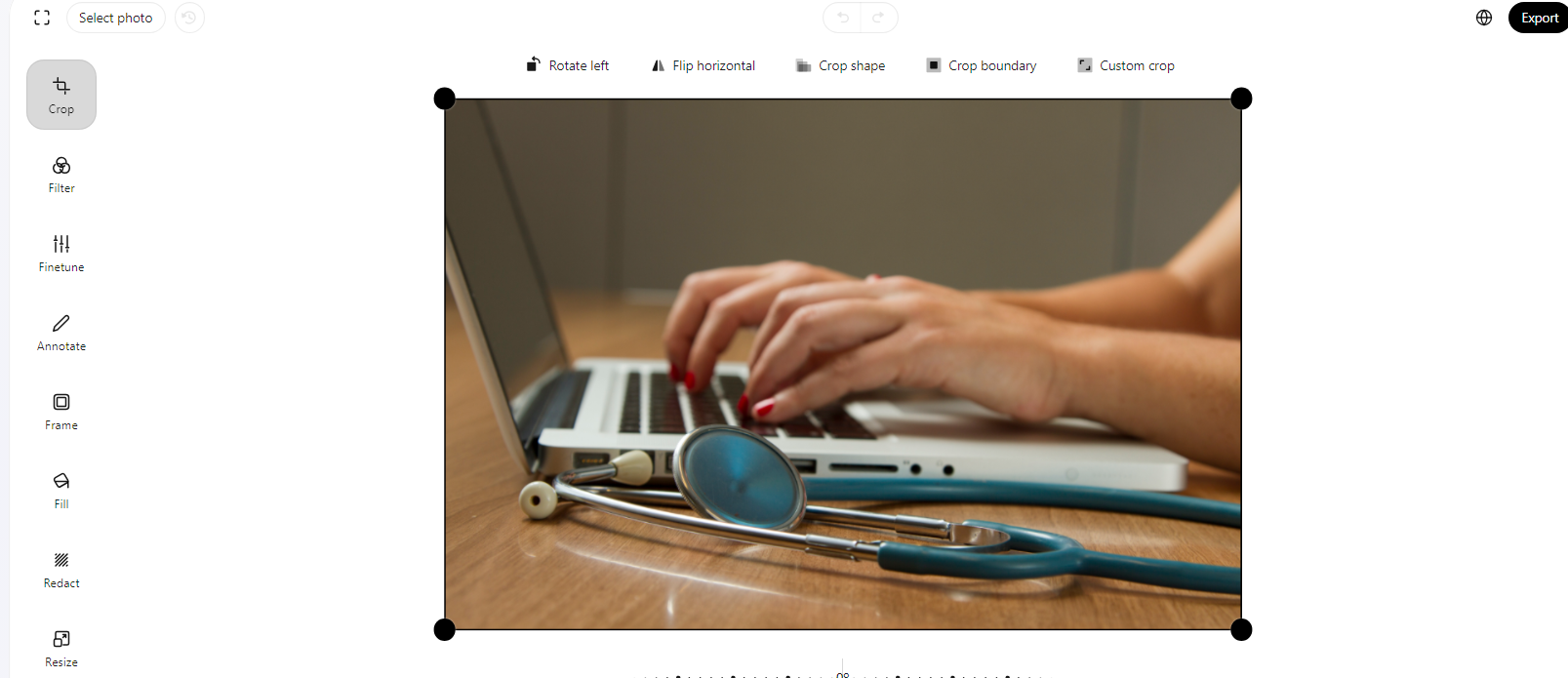
Edit.Photo is designed to be a simple, fast, and easy-to-use solution for all your image editing needs.

Key Features

Crop and Resize
Tailor your images to perfection with the crop and resize features.

Filter and Fine-Tune
Elevate your images with a collection of filters and fine-tuning options. Experiment with different tones, contrasts, and effects to achieve the desired look for your photos.

Redact and Annotate
Use the redact feature to blur or block out sensitive information. Additionally, annotate your images with text or shapes for enhanced communication.

Fill and Frame
Whether you’re highlighting specific elements or creating unique designs, the fill feature is a versatile addition. Frame your photos elegantly with a variety of framing options to give your images that extra touch.

Rotate and Flip
Easily rotate or flip your images to find the perfect orientation for your project.


Edit.Photo’s intuitive features and user-friendly interface make it an excellent tool for various image editing needs. Best of all, it won’t cost you a penny to unlock its full potential!

Posted in Cool Tool

Monday Morning Cool Tool: iPiccy

This week’s cool tool recommendation is image editor tool – iPiccy.

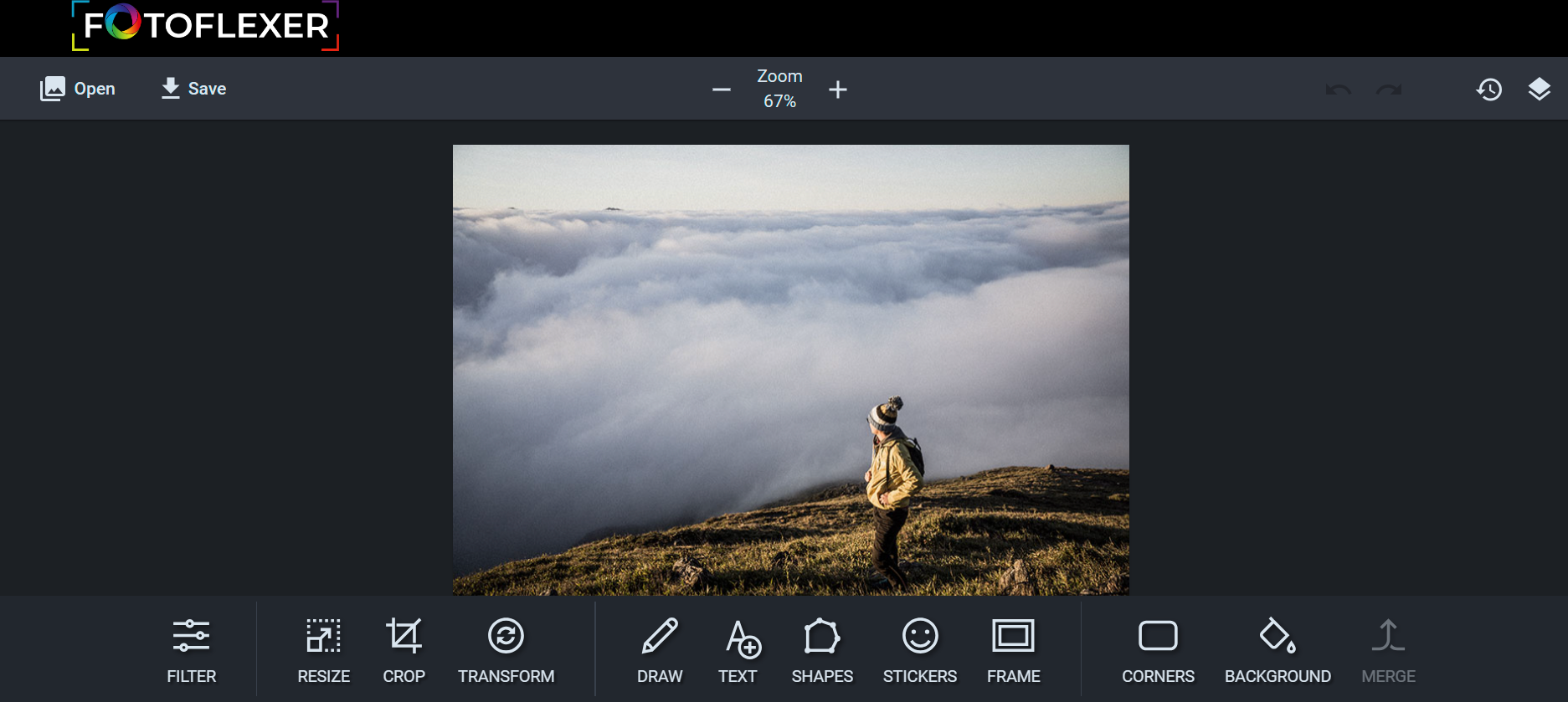
iPiccy has many powerful and easy-to-use photo editing tools right in your browser. Auto-adjust photos in one click, crop, rotate, and resize images quickly. Over 100+ photo effects and PRO-level photo enhancements, facial retouching and frames.

Posted in Cool Tool

Monday Morning Cool Tool: Insta Resize

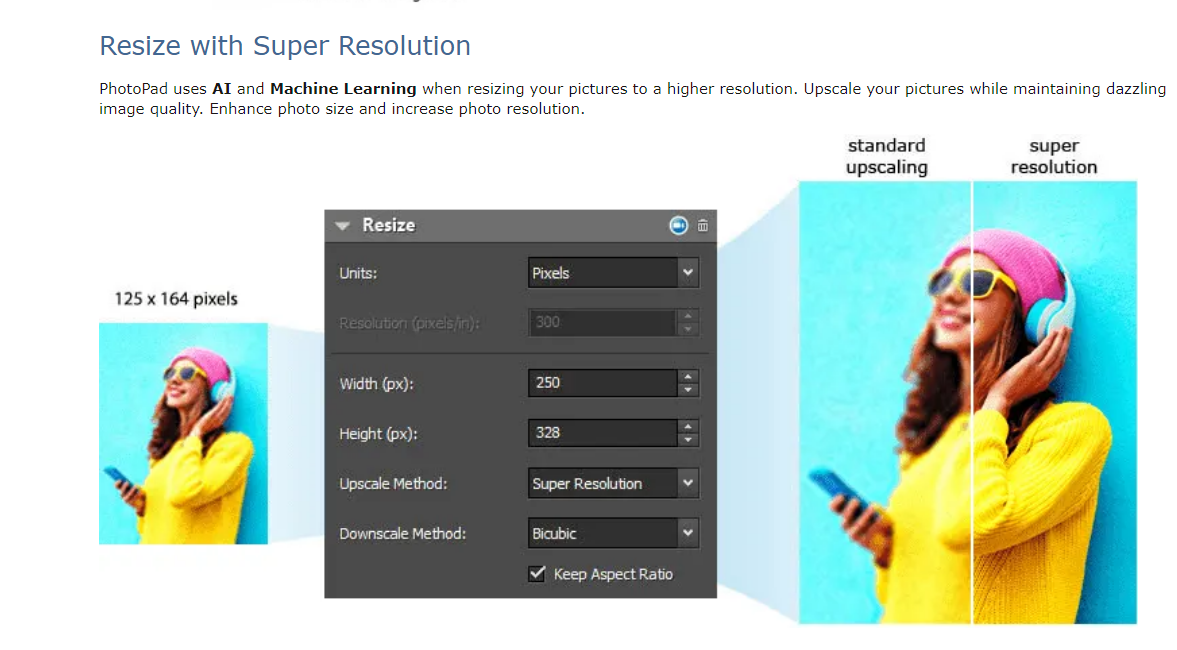
This week’s cool tool recommendation is the image resizing tool – Insta Resize.

Why Use Image Resizer Tools?

Optimizing Load Times: One of the primary advantages of using image resizer tools is the ability to optimize load times on websites and digital platforms. Large images can significantly slow down webpage loading, leading to a poor user experience and potential bounce rates. Resizing images allows you to strike a balance between visual appeal and efficient loading times.

Bandwidth Conservation: For those managing websites or applications with limited bandwidth, resizing images is an important strategy for conserving resources. By reducing the file size of images, you save bandwidth and ensure a smoother experience for users with slower internet connections.

Responsive Design: Image resizer tools enable you to create versions of your images that are optimized for different screen sizes. This ensures that your visuals look impeccable on a desktop, tablet, or smartphone, providing a seamless experience across devices.

Search Engine Optimization (SEO): Search engines consider website speed as a ranking factor. Large image files can negatively impact your site’s loading speed, affecting its SEO performance. By using image resizer tools, you contribute to a faster-loading website, potentially improving your search engine rankings.

Social Media Optimization: Social media platforms have specific size requirements for images. Image resizer tools make it easy to adapt your visuals to meet these guidelines, ensuring that your content looks polished and professional across various social media channels.

Other Popular Image Resizer Tools

Adobe Photoshop: A powerful and widely used tool that offers comprehensive image editing capabilities, including resizing.

GIMP (GNU Image Manipulation Program): An open-source alternative to Photoshop, GIMP provides a range of features, including image resizing.

Canva: Known for its user-friendly interface, Canva allows users to resize images effortlessly, making it an excellent choice for non-designers.

ImageOptim: Specifically designed for compression and optimization, ImageOptim is ideal for those focused on web performance.

Bulk Resize Photos: As the name suggests, this tool is perfect for resizing multiple images simultaneously, streamlining the process.

Posted in Cool Tool

Monday Morning Cool Tool: BeFunky

I love learning about new tools to make social media marketing more creative and effective, so I’ve decided to share some of my favourite tools with you at the start of each week. This week’s cool tool recommendation is photo-editing tool BeFunky.

There is so much you can do with this tool to enhance your visual marketing assets, including creating collages, adding “one-click” photo effects (there are over 300 photo effects and filters to choose from) and an array of graphics (eg speech bubbles). The basic account is free to use and provides users with access to a library of 125 digital effects.

Try it out for yourself at www.befunky.com