Posted in Cool Tool

Monday Morning Cool Tool: DiffusionArt

This week’s cool tool recommendation is DiffusionArt – a user-friendly, AI art generator

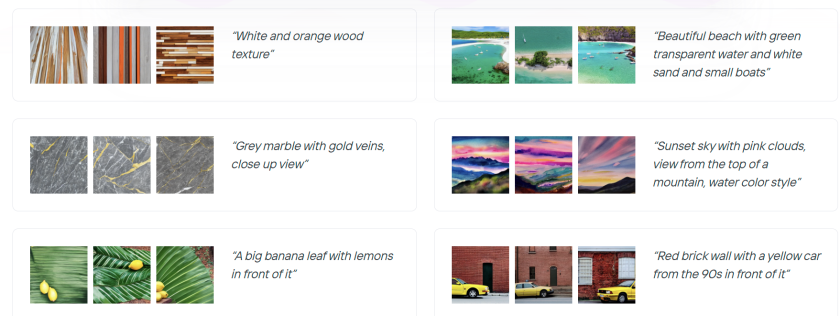
DiffusionArt is a browser-based platform that makes it easy to generate AI art from simple text prompts. It houses a curated library of open-source AI art models specializing in creating various types of images, including art pieces, anime characters, and photorealistic images. It also provides tools like a Prompt Generator, Conceptualizer, and even Anime Video Generators.

Pricing

DiffusionArt is free to use with a generous daily limit, making it perfect for casual creators. Paid tiers offer expanded limits, priority processing, and access to premium models for those who want to take their AI art to the next level.

Posted in Cool Tool

Monday Morning Cool Tool: Snappa

This week’s cool tool recommendation is Snappa – a cloud-based graphic design tool.

Snappa is a user-friendly graphic design tool, particularly well-suited for those who need to quickly create visuals without a steep learning curve or expensive software.

Key Features

  • Extensive Library of Templates: Offers thousands of pre-designed templates for various purposes (social media posts, blog graphics, ads, etc.) that are customizable.  
  • Vast Stock Photo & Graphics Library: Provides access to millions of royalty-free, high-definition photos and a wide selection of graphics, icons, and vectors.  
  • Text Editor: Allows users to add and customize text with a variety of fonts, sizes, colors, and effects.  
  • Image Editor: Includes basic image editing tools like cropping, resizing, flipping, rotating, and adjusting brightness/contrast.  
  • Background Remover: A one-click tool to remove backgrounds from images.  
  • Image Resizer: Makes it easy to resize graphics for different social media platforms with pre-set dimensions.  
  • Custom Font Uploads: Paid plans allow users to upload their own brand fonts for consistency.  
  • Social Media Integrations: Offers direct integration with platforms like Buffer for easy scheduling and publishing (on paid plans).  
  • Team Collaboration: Team plans allow multiple users to collaborate on designs.  
  • Brand Kit: Enables users to save brand colors and logos for easy access.  

Pricing:

Snappa offers different pricing tiers, including a free plan with limitations:  

  • Free Plan: Typically includes access to all templates and the stock photo library but limits the number of downloads per month (usually 3) and the number of connected social accounts. It’s generally for single users.  
  • Pro Plan: A paid plan for individuals, usually offered at a monthly or annual fee, that unlocks unlimited downloads, social media integrations, custom font uploads, background removal, and more.  
  • Team Plan: Aimed at teams, offering the same features as the Pro plan but for multiple users (typically up to 5 on the standard team plan), often with collaboration features.  

Posted in Cool Tool

Monday Morning Cool Tool: Filmora

This week’s cool tool recommendation is Filmora a user-friendly video editing tool.

Filmora offers a balance of powerful features and an intuitive interface, making it accessible for those new to video editing while still providing tools for more creative projects.

Key Features

Filmora boasts a wide array of features, including:

  • Basic Editing: Trimming, cutting, splitting, merging, rotating, and adjusting video speed.
  • Visual Effects: A large library of filters, transitions, titles, and motion elements.
  • Audio Editing: Tools for adjusting audio levels, adding background music, recording voiceovers, and noise reduction.
  • Colour Correction and Grading: Options for adjusting colour balance, applying LUTs, and enhancing the visual look of videos.
  • Text and Titles: Customisable text and title templates, including animated options.
  • Motion Tracking: The ability to track objects within a video and apply effects or elements that follow their movement.
  • Green Screen (Chroma Key): Tools for removing and replacing backgrounds.
  • Screen Recording: The ability to record your computer screen.
  • AI-Powered Features: Recent versions include AI tools like:
    • AI Text-Based Editing: Editing video by manipulating its transcription.
    • AI Music Generator: Creating royalty-free background music.
    • AI Portrait Cutout: Removing video backgrounds.
    • AI Smart Masking: Automatically creating masks around objects.
    • AI Audio Denoise: Reducing background noise in audio.
    • AI Voice Enhancer: Improving vocal clarity.
    • AI Smart Cut: Identifying and clipping interesting moments.
    • AI Smart Short Clips: Creating short clips for social media.
    • AI Image to Video: Turning still images into moving videos.
    • AI Sound Effect Generator: Creating custom sound effects from text prompts.
    • AI Voice Cloning: Creating an AI voice clone.
    • AI Translation & Lip Sync: Translating speech and syncing it to lip movements.
  • Templates and Assets: Built-in templates, royalty-free music, sound effects, and the ability to access more through the Filmora Effects Store.
  • Social Media Integration: Features designed for creating content for platforms like YouTube, TikTok, and Instagram, including auto-reframe tools.

Pricing

Filmora offers a free version that gives you access to basic editing tasks and access to a selection of built-in filters, transitions, titles, and motion elements. It’s a great way to try out the software, learn its interface; however, the watermark on exported videos makes it unsuitable for projects where a professional, unbranded output is necessary. To remove the watermark and access the full range of features and assets, you would need to purchase a paid subscription or a perpetual license.

Posted in Cool Tool

Monday Morning Cool Tool: Flux AI

This week’s cool tool recommendation is Flux AI, a web-based image and video tool.

Key Features and Capabilities

  • Flux AI Image Generator
    • This tool allows users to generate images from textual descriptions. Users can input a prompt, and the AI will produce corresponding visuals, offering a powerful way to bring creative ideas to life.  
    • It also supports image-to-image generation, enabling users to modify and transform existing images.
  • Flux AI Video Generator
    • Moving beyond static images, Flux AI extends its capabilities to video creation. Users can generate dynamic videos from text prompts or images, opening up new possibilities for video content production.  
  • Free Tools
    • Flux AI provides a suite of free tools that enhance the content creation process:
      • Image-to-Prompt Generator: This tool helps users refine their prompts by analyzing existing images and suggesting relevant keywords.
      • Image Upscaler: Users can improve the resolution and quality of their images with the upscaler tool.
      • Image Converter: The platform facilitates seamless image format conversions.

Free: New users get 40 credits, and daily check-ins provide 20 credits. This plan includes 5 daily prompt generations and 5 daily image-to-prompt conversions.


Posted in Cool Tool

Monday Morning Cool Tool: Picsart

This week’s cool tool recommendation is Photoroom – an AI background generator that transforms your images with ease.

Photoroom is a mobile and web application that uses artificial intelligence to effortlessly remove, replace, and generate backgrounds. Users can either remove existing backgrounds or generate entirely new ones using text prompts or image inputs.

Unlike traditional image editing software, Photoroom prioritizes simplicity and speed, making complex background changes accessible to anyone without requiring extensive technical skills.

Pricing

Photoroom offers a free tier that provides core background removal and basic editing functionalities, suitable for everyday users. A subscription unlocks premium features like high-resolution exports, batch editing, and access to a wider range of AI-generated backgrounds.

Posted in Cool Tool

Monday Morning Cool Tool: Picsart

This week’s cool tool recommendation is Picsart – a free AI image generator.

PicsArt is a mobile and desktop editing platform that combines powerful AI-driven tools with an intuitive interface. It allows users to edit photos, create digital art, design marketing materials, and even edit videos—all from their smartphones. Unlike traditional editing software, PicsArt is built for speed and ease of use, making it a great choice for those who want professional-looking visuals without the learning curve of tools like Photoshop.

One of PicsArt’s biggest advantages is its AI-driven tools. Features like background removal, smart selection, and AI-powered filters allow users to transform images with a single tap. Features like blending modes, layers, and masking—tools typically found in professional software—are simplified for everyday users. Whether you’re creating a logo, designing a social media post, or experimenting with artistic edits, the interface is intuitive and beginner-friendly.

PicsArt isn’t just for photos—it also offers robust video editing features. Users can trim clips, add effects, overlay text, and apply filters to enhance their videos for platforms like TikTok and Instagram.

Pricing

Picsart’s free tier provides a robust set of tools, from filters to ready-made templates, and editing tools for the everyday user, while a subscription unlocks advanced features.

So, if you haven’t tried PicsArt yet, why not explore its features and see what you can create?

Posted in Cool Tool

Monday Morning Cool Tool: FindSounds

This week’s cool tool recommendation is FindSounds – a website and search engine to assist in locating specific sounds or audio clips.

FindSounds is a search engine for locating specific audio clips and sound effects. Use it to add professional polish to multimedia projects and digital content. You can search for background music, ambient sounds, or specific audio elements to match the theme of your content.

For live streaming or webinars, you can use FindSounds to find intro music, outro music, or background music to make your broadcasts more polished and engaging. You can also use it to add sound effects for interactive elements or notifications.

You might also like to consider searching for music and sounds via Soundcloud.

Posted in #HCSM

Healthcare Blogging: A 10-Point Checklist for Success

Blogging has become a uniquely effective tool in healthcare marketing. By offering valuable information and addressing common concerns, healthcare organizations can build lasting relationships with their audience. Additionally, the SEO benefits of blogging enhance online visibility, ensuring that your message reaches those actively seeking answers and solutions.

This 10-point checklist will guide you in creating engaging and impactful blogs that drive success.

1. Research Keywords

Keywords act as the bridge between your content and the patients seeking information. By understanding and incorporating the right keywords, you ensure your blog posts appear in search results when potential patients are looking for healthcare solutions.

  • Start with Seed Keywords: These are broad terms that define your healthcare niche (e.g., “pediatric care,” “diabetes management,” “mental health resources”).
  • Use Keyword Research Tools: Tools like Google Keyword Planner, Ahrefs, or SEMrush help uncover specific terms patients use (e.g., “best pediatrician near me,” “symptoms of diabetes,” “anxiety coping mechanisms”).
  • Assess Search Volume and Competition: Target keywords with reasonable search volume and manageable competition.
  • Analyze Competitor Keywords: See what terms other healthcare providers are targeting for insights.
  • Refine Your List: Choose keywords that align with your services and have a good balance of search volume and competition.
  • Keyword Integration: Seamlessly incorporate keywords into your content, prioritizing a natural flow and helpful information.

Further Reading: Avoid These Keyword Mistakes to Boost Your SEO Strategy

2. Optimize for Search Engines

Search Engine Optimization (SEO) is about making your blog discoverable by search engines and potential patients. The higher your content ranks, the more likely patients will find you when they need your services.

  • Meta Titles: Craft clear, keyword-rich titles that entice clicks in search results (e.g., “5 Tips for Managing Childhood Asthma”).
  • Meta Descriptions: Write concise summaries that accurately reflect your content and encourage clicks.
  • Internal Linking: Connect related blog posts to guide readers and demonstrate expertise.
  • Quality Content: Focus on providing valuable, evidence-based information that addresses patient needs.
  • Mobile Optimization: Ensure your blog looks and functions well on all devices for a positive user experience.

Further Reading: Boost Your SEO and Readability with This Free Tool

3. Create Compelling Headlines

Your blog’s headline is the first thing readers see, whether in search results, social media shares, or email newsletters. Think of your headline as a hook — it needs to pique curiosity, promise value, and compel readers to want to read your content.

  • Grab attention: Use strong verbs and compelling language.
  • Promise value: Clearly indicate what the reader will gain.
  • Incorporate keywords: Help readers find your content in search results.
  • Keep it concise: Aim for clarity and impact.

Bonus Tip: Use a tool like the Headline Analyzer From CoSchedule to help you craft your headlines. It analyzes various factors and gives you a score, making it easier to create headlines that resonate with your audience.

Further Reading: 10 Proven Tips for Creating Irresistible Headlines

4. Guide Readers with Subheadings

Subheadings are like signposts within your blog post. They break down your content into digestible chunks, making it easier for readers to scan and navigate. Not only do they enhance readability, but they’re also important for SEO. Search engines use subheadings to understand your content’s structure and relevance.

How To Incorporate Subheads

  • Content Outline: Start by creating an outline of your blog post. Identify the main sections and key points you want to cover. This will serve as the foundation for your subheads.
  • Informative and Descriptive: Subheads should be informative and descriptive, providing a clear indication of the content that follows. Use keywords relevant to the section to improve SEO.
  • Hierarchy: Organize your subheads in a logical hierarchy. Use different levels of headings (H1, H2, H3, etc.) to denote primary and secondary sections, helping readers understand the content’s structure.

5. Enhance Clarity and Accessibility

Bloggers write for diverse audiences, including people with different reading levels. The Flesch Reading Ease Score is a helpful tool to gauge if your content is easy to understand. This score measures the complexity of your writing based on sentence length and word difficulty. Scores range from 0 to 100, with higher scores being easier to read.

– 90–100: Very easy to read (e.g., 8th-grade level and below).
– 60–70: Standard readability (e.g., high school level).
– 30–50: Fairly difficult (e.g., college level).
– 0–30: Very difficult (e.g., graduate school level).

If your score is low, simplify your writing. Use shorter sentences, simpler words, and clear sentence structure. This helps ensure everyone can enjoy your blog.

6. Use Proper Formatting

Proper formatting, which includes elements such as bullet points, lists, and heading tags, is more than just aesthetics; it’s an essential aspect of enhancing the readability and accessibility of your blog content.

Elements of Proper Formatting

  • Bullet Points: Bullet points are excellent for breaking down complex information into digestible chunks. They allow you to list items, ideas, or steps in a clear and organized manner.
  • Numbered Lists: Numbered lists are effective for conveying sequences or providing instructions. They help readers follow a logical progression of ideas.
  • Heading Tags: Incorporate heading tags to provide structure and hierarchy to your content. Use H1 for the main title, H2 for subsections, and so on.

7. Add Visual Appeal

Visual content, including images, graphics, and videos, adds an extra layer of engagement to your blog posts. Visuals break up the monotony of text, making your content more scannable and engaging. Moreover, content that includes eye-catching visuals tends to be shared more frequently on social media platforms, extending your blog’s reach and influence.

Types of Visual Content

  • Images: High-quality photos, illustrations, or infographics enhance your blog’s visual appeal.
  • Infographics: Present data, statistics, or complex information in a visually engaging way.
  • Videos: Embedded or hosted videos offer a dynamic and interactive experience.
  • Graphics: Charts, graphs, icons, and illustrations enhance visual storytelling.

Steps for Incorporating Visual Content

  • Graphics: Identify Visual Opportunities: Determine where visuals can enhance your blog.
  • Create or Source Visuals: Design them yourself, hire a designer, or use royalty-free options.
  • Optimize Visuals: Resize and compress images for faster loading.
  • Add Alt Text: Describe images for accessibility and SEO. Be specific, not generic.
  • Integrate Visuals: Place them strategically to break up text and highlight points.
  • Attribution and Licensing: Follow guidelines for any visuals requiring attribution or licensing.

Further Reading: Social Media Graphics: 3 Ways To Make Them Pop!

8. Always Proofread

Proofreading is the final essential step before publishing your blog post. Here’s how to ensure your writing is error-free.

  • Print It Out: Reading on paper can help you spot errors you might miss on screen.
  • Read Aloud: Catch awkward phrasing and grammatical issues.
  • Focus on One Issue at a Time: Tackle spelling, grammar, and punctuation separately.
  • Use Online Tools: Grammarly and similar tools can catch common mistakes.
  • Check for Consistency: Ensure spelling, formatting, and style are consistent throughout.
  • Pay Attention to Punctuation: Commas, periods, semicolons — they all matter.
  • Address Grammar: Subject-verb agreement, tenses, sentence structure.
  • Watch for Homophones: “Their,” “there,” and “they’re” are not interchangeable.
  • Verify Facts and Data: Double-check any statistics or information you include.
  • Test Links: Make sure all hyperlinks lead to the correct pages.

9. Promotion and Distribution Strategies

Even the best blog posts need promotion to reach their audience. Here are some effective strategies to ensure your blog gets seen.

  • Social Media: Share posts on platforms your target audience uses. Use catchy captions, relevant hashtags, and encourage sharing.
  • Email Marketing: Send newsletters to subscribers with links to your latest posts. Personalize emails and use compelling subject lines.
  • Content Syndication: Republish posts on platforms like Medium or LinkedIn to reach a wider audience.
  • Guest Blogging: Write for other healthcare blogs to expand your reach.
  • Paid Advertising: Consider targeted ads on social media to reach specific audiences.
  • Content Updates: Refresh and republish older posts to keep them relevant.

10. Measuring Your Blog’s Success

Analytics and performance tracking are essential for understanding what’s working on your blog and what needs improvement.

  • Setting Up Analytics Tools: Use tools like Google Analytics to collect data.
  • Defining Key Performance Indicators (KPIs): Determine the metrics most important for your goals (e.g., traffic, bounce rate, conversions).
  • Regular Reporting: Schedule weekly or monthly reports to analyze data and spot trends.
  • A/B Testing: Experiment with different elements to see what works best.
  • Referral Tracking: Identify your traffic sources to optimize promotion efforts.

Further Reading: Content Marketing Metrics You Should Actually Care About


If you enjoyed reading this article or have any additional questions or experiences to share, I’d love to hear from you! Please leave a comment below and let me know what resonated most with you or if there are any specific topics you’d like me to cover in future articles.


Posted in Cool Tool

Monday Morning Cool Tool: Icon Archive

This week’s cool tool recommendation is Icon Archive – a free online platform that hosts an extensive library of over 8,000 icons and symbols.

The platform enables effortless searching, previewing, and downloading of icons. Its intuitive search feature allows for the discovery of icons through keywords, categories, or specific tags and allows for downloading in multiple formats and sizes.

You might also like to try The Noun Project and Icon Hunt for similar.

Posted in Cool Tool

Monday Morning Cool Tool: Unpaywall

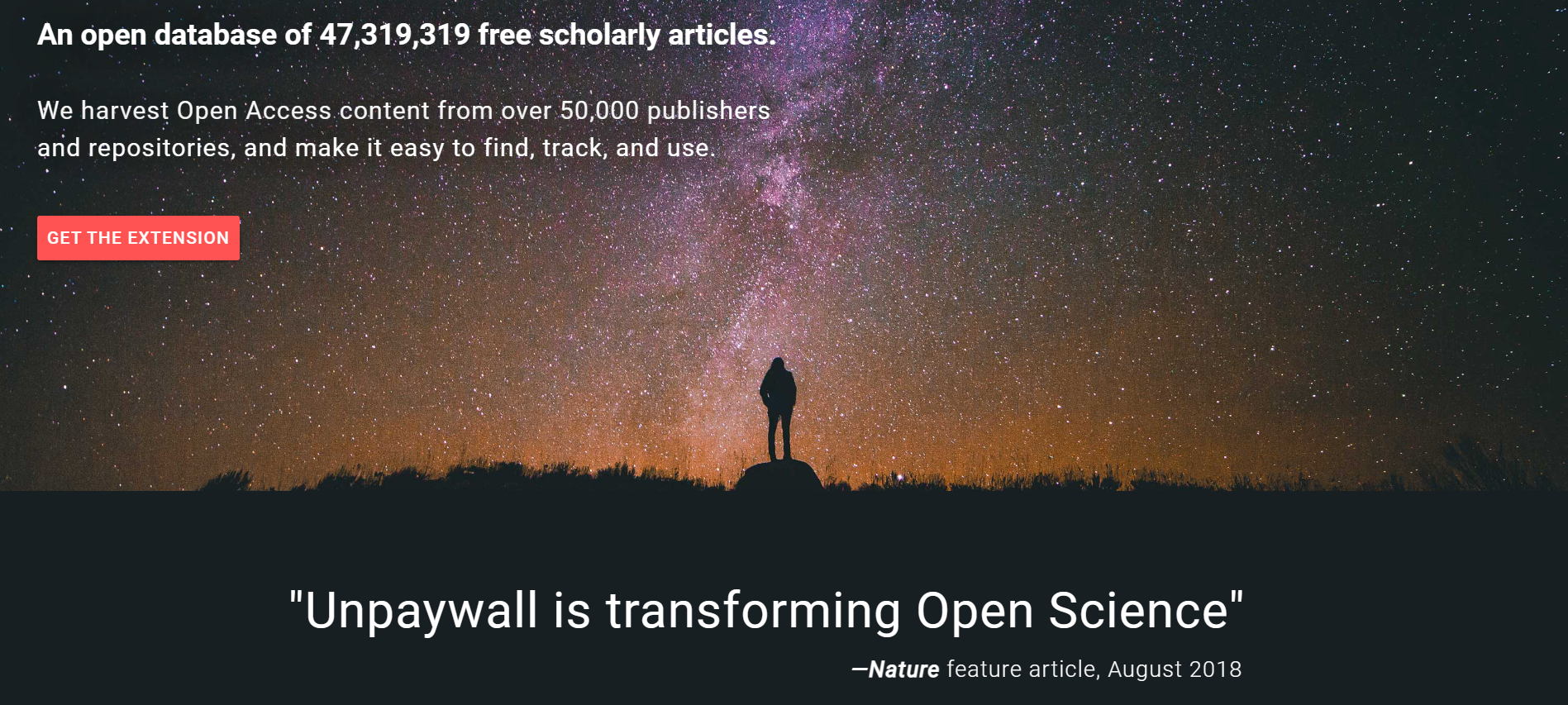
This week’s cool tool recommendation is Unpaywall – an open database of 49,950,472 free scholarly articles.

Access to research articles in academia can be costly, as many scholarly publications hide behind paywalls, limiting their availability to a select few. Unpaywall, however, is dedicated to breaking down barriers and increasing access to scholarly knowledge.

Unpaywall locates open-access versions of research articles that would otherwise be locked away using data from multiple sources, including institutional repositories, preprint servers, and partnerships with publishers. By installing the Unpaywall browser extension or visiting the website, users can access an ever-expanding collection of scholarly articles.

Note: It is important to note that Unpaywall serves as a guide to open access resources, ensuring their accuracy and legitimacy. It strives to make as many scholarly articles available as possible, but some restrictions may still exist