
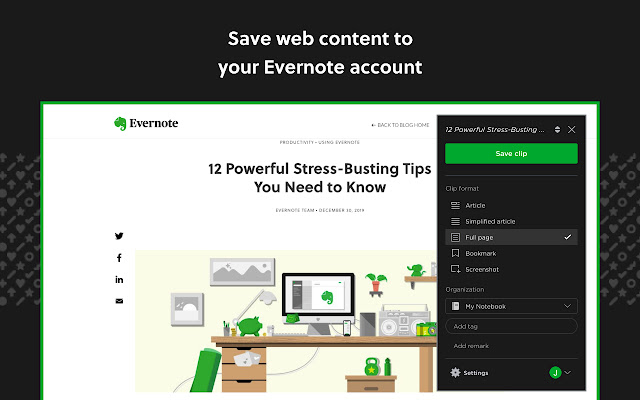
This week’s cool tool recommendation is Evernote Web Clipper – a useful browser extension for saving and organizing web content.
Imagine having a vast library of curated knowledge at your fingertips. With Evernote’s browser extension, you can not only save individual snippets but also capture entire webpages, complete with images and formatting. This is particularly useful when you come across a webpage that you want to reference later, even if its content changes over time. By saving a snapshot of the entire webpage, you can preserve it exactly as you saw it, ensuring that you have a reliable reference point whenever you need it.
If you already use the Evernote tool, this is a handy browser extension to pair with the tool. Once installed, you can click the extension’s icon in your browser to quickly and seamlessly clip the current webpage or select specific text and images to save. With just a few clicks, you can capture and save relevant content from online articles, blog posts, recipes, research papers, and more. Clipped content is automatically saved to your Evernote account, eliminating the need to manually copy and paste information.
Discover more from Health Care Social Media
Subscribe to get the latest posts sent to your email.

 Health Care Social Media