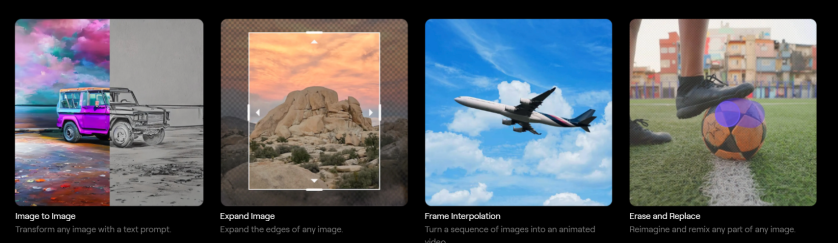
This week I’m recommending Runway – an AI-powered tool that offers user-friendly tools to generate and edit images, videos, text, and even audio.
How To Use Runway
- Generate Images: Create unique visuals from text prompts or by manipulating existing images.
- Edit Videos: Perform complex video editing tasks, such as background removal, style transfer, and motion tracking, with just a few clicks.
- Generate Text: Craft compelling copy, generate scripts, or even create entire articles with AI assistance.
- Generate and Edit Audio: Produce and modify audio content, from sound effects to music, using AI-driven tools.
Key Features and Benefits:
- User-Friendly Interface: Runway is designed to be accessible to users of all skill levels. Its intuitive interface makes it easy to navigate and utilize its powerful features.
- AI-Powered Efficiency: Automate tedious tasks and streamline your workflow, freeing up time to focus on the creative aspects of your projects.
- Versatility: Runway supports a wide range of media types, making it a versatile tool for various creative endeavors.
- Collaboration: Runway allows for seamless collaboration, enabling teams to work together on projects in real-time.
- Constant Innovation: The platform is continuously updated with new features and improvements, ensuring that users always have access to the latest AI advancements.
How to Use Runway:
Getting started with Runway is simple:
Collaborate and Share: Share your creations with others and collaborate on projects.
Create an Account: Sign up for a free or paid account on the Runway website.
Explore the Tools: Browse the extensive library of AI tools and select the ones that suit your needs.
Experiment and Create: Start experimenting with different prompts and settings to see what you can create.
Pricing

Discover more from Health Care Social Media
Subscribe to get the latest posts sent to your email.

 Health Care Social Media