Articles

Posted in Cool Tool

Monday Morning Cool Tool: Veed

Say goodbye to clunky video software and hello to one-click editing online with this week’s social media cool tool.

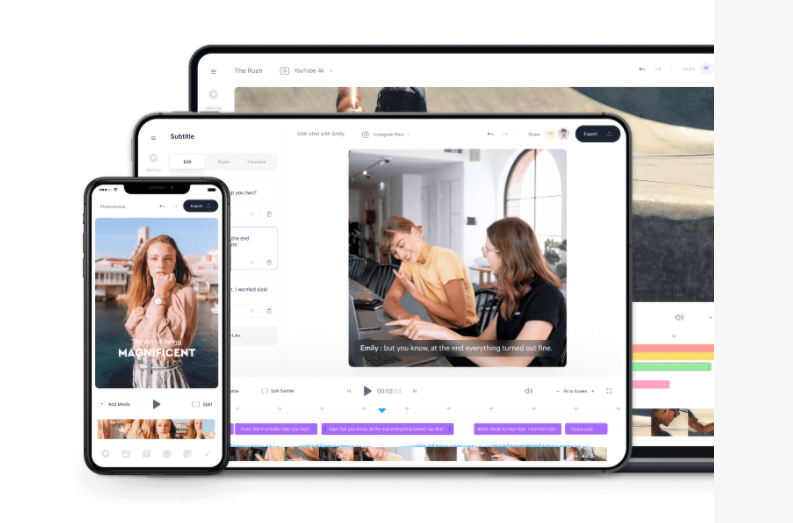
VEED is a simple online video editing platform – great for small editing tasks such as resizing videos, adding images, subtitles, text to videos and much more.

It’s perfect for anyone looking for simple and fast video editing without the need to install or set up complex software.

It’s free to use for videos under ten minutes and 250 MB; paid plans have start at $13 per month.

You can find out more about at VEED.IO

Posted in Facebook

Here’s What You Should Know About Facebook Analytics Shutting Down

Are you confused about Facebook’s announcement that its Analytics feature is going away?

You’re not alone.

This is something that has caused a lot of confusion – and panic among Facebook users since Facebook made the announcement.

While the standalone Facebook Analytics tool will no longer be available after June 30, 2021, the good news is that you will still be able to access Facebook’s native Insights platform.

Social media consultant Amanda Webb has made a helpful video to explain the difference between Analytics and Insights and what you need to know about the change.

You’ll feel much more reassured after watching this video. And do take some time to check out Amanda’s other videos – she is brilliant at explaining social media and giving viewers confidence to try something new.

Posted in Cool Tool

Monday Morning Cool Tool: StoryArt

I love learning about new tools to make social media marketing more creative and effective, so I’ve decided to share some of my favourite tools with you at the start of each week. This week I’m recommending StoryArt, a freemium app for more creative Instagram Stories and Reels.

StoryArt is an Instagram story editor app that offers 2000+ customizable story templates to help you create beautiful collage layouts for Instagram Stories and Reels.  You can add in your own photos and videos, change fonts and colors, add captions, or even edit video speeds. When you’re done, you can share it to your Instagram story with a single click.

The app is free but if you want access to extra tools, filters, and layouts, there is a monthly fee of  $2.99 or a full-year subscription for $9.99. 

StoryArt is available for both iOS and Android.

Posted in #HCSM, Thursday Tip

#ThursdayTip: How To Create Facebook Collections With Saved Content

Welcome to this week’s social media tip. Today I want you to show you how to use Facebook Collections to curate and organize saved content for easy access and sharing.

Ever come across a piece of content on Facebook but don’t have time to read it in the moment? Did you know you can save that content to view later?  Facebook lets you save content (posts, events, pages, and photos) directly from your news feed and then easily access your saved items from the left navigation menu on the home page.

c52f1658-cac0-40eb-ac33-ef155d619dbd

Here’s how to do it.

To save content to your saved item list, simply click the three dots at the top right of any Facebook post in your news feed, and then simply select the option to save the content.

download - 2019-12-05T082106.892 When you start building a group of saved posts, you can start to organize it into collections, categorizing it by topic.

To create a collection, simply click on Create Collection in the left sidebar.  You’ll then be prompted to name your collection.

e15bd512-52b9-4c51-be29-91d1799482c1

If you want to add a saved post to a collection, simply click the Add to Collection button below the item in your saved list – or create a new collection.

download - 2019-12-05T082916.255

You can also share a saved item directly from your list by clicking the Share button.

download - 2019-12-05T083146.196

I find the ability to save content on Facebook and categorize it according to collections a very useful feature.  I like to share a #MondayMotivation quote each week and many times scrolling through Facebook I’ll find the perfect quote to save. Come Monday all I have to do is access my folder containing quotes to share one quickly and easily with my followers.

Here’s to your social media success!

Posted in #HCSM

A Literature Review of Social Media Use by Health Care Providers

A recently published literature review aims to shed light on social media use worldwide and to discuss how it has been used as an essential tool in the health care industry from the perspective of healthcare professionals.

A literature review conducted between March and April 2020 is the latest most up to date reviews of the uses of social media in healthcare, including the use of social media during the COVID-19 pandemic.

Based on 158 studies, conducted in the United States (61), Canada (12), Brazil (2), the United Kingdom (12), Europe (22), the Middle East (9), India (9), Asia (8), and Australia (7), most of the reviewed articles were published over the past decade.

The findings presented in this review have implications for health care professionals, educators, and researchers.

Key Findings

As of August 4, 2020, 27,546 results appeared when searching for social media on PubMed, demonstrating the growing interest in SM within the health care industry.

Social media (SM) brings a new dimension to health care and is changing the nature and speed of health-related interactions between individuals and health organizations.

Healthcare professionals (HCPs)and health organizations should capitalize on the opportunities provided by SM and update strategies to reach communities and age cohorts at a relatively low cost.

Advantages of using SM in health care include accessibility from a smartphone, prompt content sharing and response generation, two-way communication,ability to forge connections between people, ability to reach large masses regardless of geographic location, age, or education, compared with traditional communication methods.

The most influential advantage of SM remains its cost-benefit feature: it can reach an increasing number of people without the high cost of traditional means and the information remains available 24 hours a day, 7 days a week.

In health care, SM tools can be used for different purposes (health promotion; dissemination of health information; education; professional development; recruitment; communication with the public, colleagues, and patients; and research) and in diverse medical specialties (cardiology, nursing, radiology, dentistry, surgery, pathology, pediatrics, pharmacy, emergency, and critical and palliative care).

Using SM could be a key strategy in addressing some of the challenges and limitations often faced by HCPs in traditional health communication through faster and cheaper dissemination, more accessibility, better interaction, and increased patient empowerment.

Those who choose to use SM should be aware of the potential risks and problems that they could encounter but should not shy away from using SM because it can greatly increase the reach and impact of HCPs’ work and improve patients’ health.

Access the full paper: Farsi D.Social Media and Health Care, Part I: Literature Review of Social Media Use by Health Care Providers J Med Internet Res 2021;23(4):e23205

You might also like to read:

What’s the Influence of Patients’ Internet Health Information-Seeking Behaviour on the Patient-Physician Relationship?

Posted in Cool Tool

Monday Morning Cool Tool: MockoFUN

I love learning about new tools to make social media marketing more creative and effective, so I’ve decided to share some of my favourite tools with you at the start of each week. This week I’m recommending browser-based graphic designer tool MockoFUN.

The_Best_Online_Graphic_Design_Tool_MockoFUN

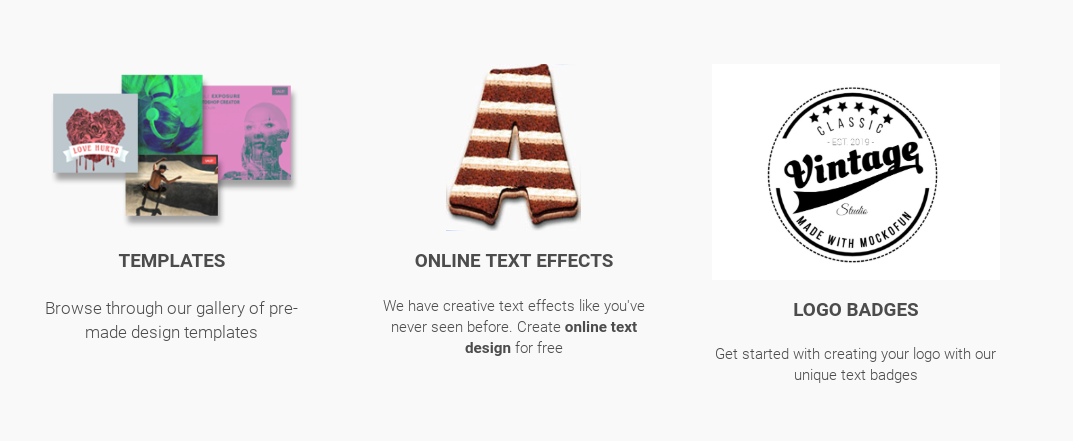
An intuitive drag and drop online graphic design tool, you can easily use and customize hundreds of pre-made mockups and templates to edit text and photo and create logos.

You can use MockoFUN for free or you can also upgrade to premium or access to extra resources and unlimited access to all templates and mockups.

Posted in Cool Tool

Monday Morning Cool Tool: Later

I love learning about new tools to make social media marketing more creative and effective, so I’ve decided to share some of my favourite tools with you at the start of each week.

This week’s cool tool recommendation is Later, a scheduling and planning tool for Instagram.

d3d64a12-c671-4ed3-8f83-6968bef89adb

Use the app to sync photos and videos from your phone, desktop, Google Drive, or Dropbox and create a different content library for each Instagram account. And you can also search by hashtag, then save posts directly to your content library.

Pricing

You can add one account per user for free. Paid plans start at $9 per month.

Posted in Thursday Tip

#ThursdayTip: Deciding on a Facebook Page Vs a Facebook Group For Your Healthcare Business

Welcome to this week’s social media quick tip.  This week I want to show you how to choose whether a Facebook  Page or a Facebook Group is better for your healthcare business.  

In her post, which sets out to provide the definitive answer to the question of Pages vs Groups, Andrea Vahl  describes the difference as follows:

When you post something on your Page, people see that post in their News Feed as coming from your Page.  Then your Page can also participate in the comment section of the post.  In Groups, you are participating as a personal profile with the Group name also mentioned in the discussion.

4 Reasons To Create A Facebook Page For Your Healthcare Business

Vahl outlines the following 4 reasons in her post.

  1. Facebook Pages have built-in analytics.  You can measure what is working.
  2. You can advertise via Facebook Pages.
  3. Facebook Pages are more branded as your business.  Groups facilitate discussion but you are participating as your profile.
  4. Facebook Pages allow the installation of Apps that can help you collect e-mail addresses and leads or do things like run contests.

When Should You Use Facebook Groups?

The number #1 reason from a visibility viewpoint to use Facebook’s  Groups feature is that you will be much more visible in the  News Feed.  At the start of 2018, Facebook announced major changes to the Facebook news feed which meant that people see fewer posts from Pages. It appears that Groups aren’t taking the hit that Pages are in the news feed, so using them in tandem with your Page is a good strategy to increase visibility.

Vahl explains, that “Groups can have higher organic growth rate than Pages because of the fact that they are more visible. For a Page to grow organically, you do need to invest time in adding great content and possibly promoting it with ads.”

A Facebook Group is a natural fit for healthcare as it facilitates a stronger sense of community and conversation. However, this can be a disadvantage if you don’t have the time to moderate these discussions.

So, as always factor in the time you will have to engage with Group discussions.

Over to you

Do you use Facebook Pages or Groups in your healthcare communication? Or a combination of both? What have you found works best for you?


You might also like to read 10 Tips To Create More Engaging Content For Your Facebook Page

Posted in Cool Tool

Monday Morning Cool Tool: Anchor

anchor

I love learning about new tools to make social media marketing more creative and effective, so I’ve decided to share some of my favorite tools with you at the start of each week. This week I’m recommending a super recording app called Anchor.

Anchor is an audio recording app for micro-podcasting, audio broadcasting, Q&As, and more. Features like sound clips and transcriptions make it simple to create audio for social media. Billed as “the easiest way to make a podcast, ever,” it lets you record a high-quality podcast, and distribute it everywhere (including Apple Podcasts) — all in one place. No fancy equipment or podcasting experience necessary, and it’s 100% free!


Posted in Cool Tool

Monday Morning Cool Tool: Evernote

I love learning about new tools to make social media marketing more creative and effective, so I’ve decided to share some of my favourite tools with you at the start of each week. This week I’m recommending note taking app  Evernote.

0_094IZdxDMCjEmx4X

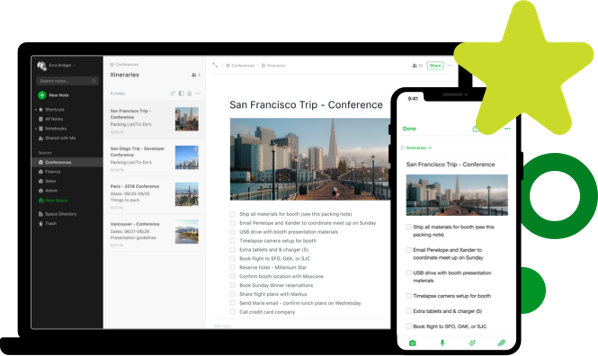
Evernote is one of the everyday tools I use to keep me organized. A note-taking app that synchronizes all your files by saving them to a cloud service. quickly capture ideas, whether they’re notes, to-do lists, reminders, or even pictures. Because Evernote has apps for mobile, desktop, and web, your notes are instantly available on all of your devices.

Price: Free for basic plan; Premium plan starts at $6.99 pm.