Posted in Cool Tool

Monday Morning Cool Tool: Google Trends

This week’s cool tool recommendation is Google Trends – a tool that shows how frequently certain search terms are entered into Google’s search engine.

The tool isn’t new, but it’s worth checking out if you haven’t before – or revisiting if you haven’t in a while.

How to use it:

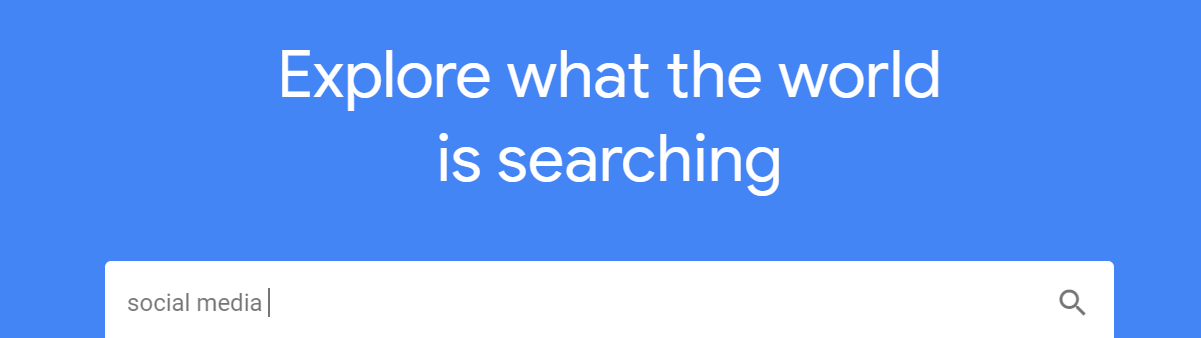
Go to the Google Trends website at https://trends.google.com/ 

In the “Search” field, enter the term that you want to see trends for. You can enter multiple terms, separated by a comma, to compare their popularity.

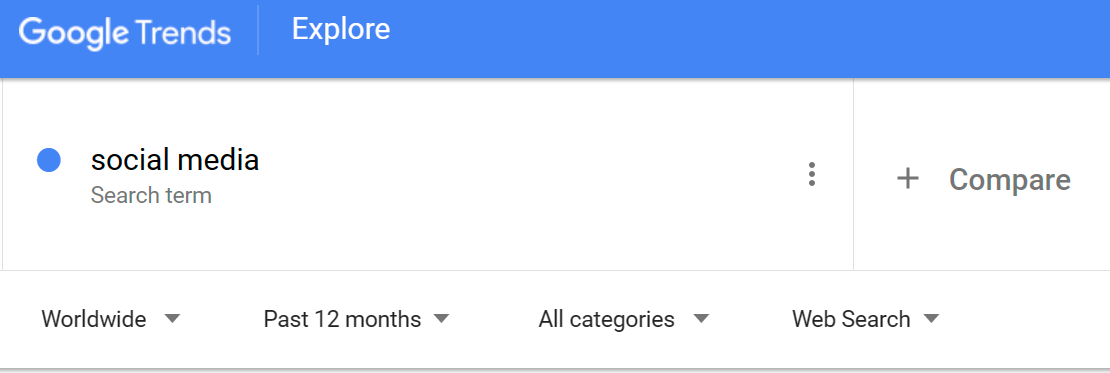
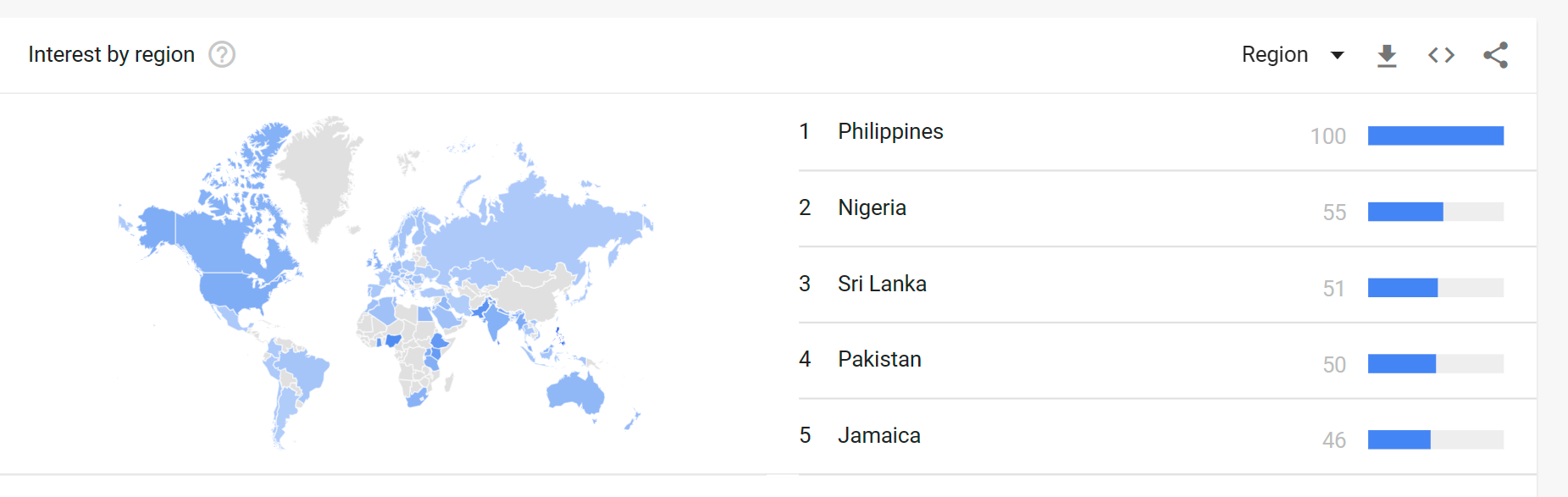
In the “Time Range” menu, select the period of time for which you want to see trends. Select a range of dates or a predefined time period, such as “Past Day,” “Past Week,” or “Past Month.”. You can also choose to search “Worldwide” data, or region specific. And you can specify where you want to pull data from, e.g. “News” “Images” YouTube”.

You can also use Google Trends to compare the popularity of multiple search terms. To do this, enter multiple search terms separated by a comma in the “Search” field.

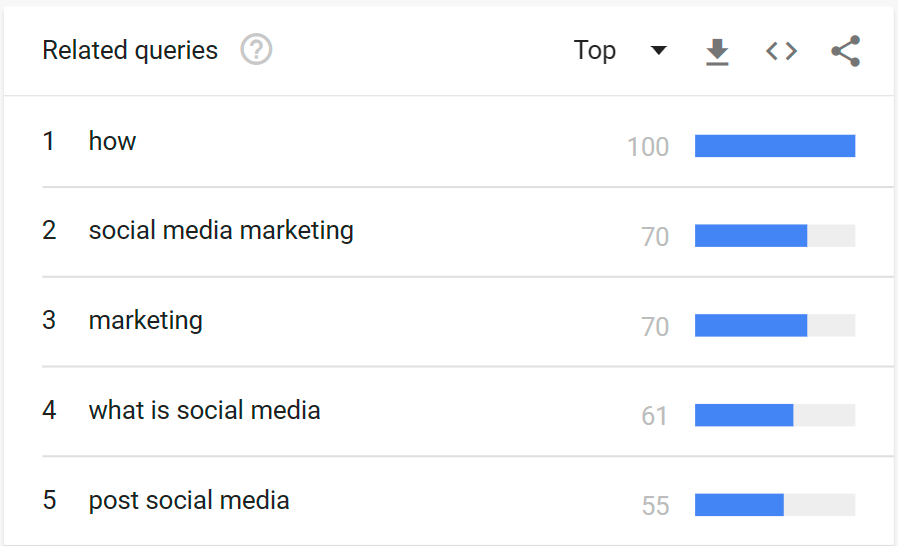
Another useful feature is the ability to see top-related searches, which is very helpful when creating content.

Why you should use Google Trends.

  1. Market research: Google Trends can help you understand how popular certain products or services are, and how their popularity has changed over time. This can be useful for businesses that want to gauge the demand for their products or services.
  2. Content creation: By understanding what people are searching for, you can create content that meets their needs and interests. For example, if you run a blog or website, you can use Google Trends to see what topics are currently trending and create content that covers those topics.
  3. Search engine optimization: Google Trends can help you understand what people are searching for, and how their search habits are changing. This can be useful for businesses that want to optimize their website for search engines, as it can help them identify keywords and phrases to target in their content.
  4. Keeping up with the news: Google Trends can also be used to see what news stories and events are currently generating the most interest. This can help you stay up-to-date on what’s happening in the world.

I hope that gives you a good idea of why Google Trends can be useful and that you are encouraged to try out this tool during the week.

Posted in Cool Tool

Monday Morning Cool Tool: BrainyQuote


This week’s cool tool recommendation is BrainyQuote – a directory of inspirational quotes.

Despite how long quotes have been doing the rounds of social media, they are still hugely popular and highly shareable. Next time you’re searching for something to fill your social media calendar consider sharing a quote.  This site is the perfect place to find just the right quote for any occasion. And if you’re stuck for ideas, check out the quote of the day feature which makes choosing a quote a breeze. 

Posted in Cool Tool, Infographics, Visual Marketing

Monday Morning Cool Tool: Lumen 5

I love learning about new tools to make social media marketing more creative and effective, so I’ve decided to share some of my favourite tools with you at the start of each week. This week’s cool tool recommendation is  Lumen5 is a desktop tool designed for bloggers to convert their blog posts into video.

I geeked out over this tool last year when I discovered it. Simply input your blog post’s url and Lumen 5 will import the text and images from that post and auto-create your video. You can then edit it, swap out images, upload other images and add music before you hit publish.  The video above is one I created with  Lumen 5 from an original blog post

The free plan includes unlimited videos, access to 10 million video files, and 480p-quality video with the Lumen5 watermark. You can also upload your own logo. Upgrading to the Pro plan ($49/month) lets you remove the Lumen5 branding, upload your own watermark and outro, and more.


Posted in Cool Tool

Monday Morning Cool Tool: NameCheckr

I love learning about new tools to make social media marketing more creative and effective, so I am sharing some of my favourite tools with you at the start of each week.

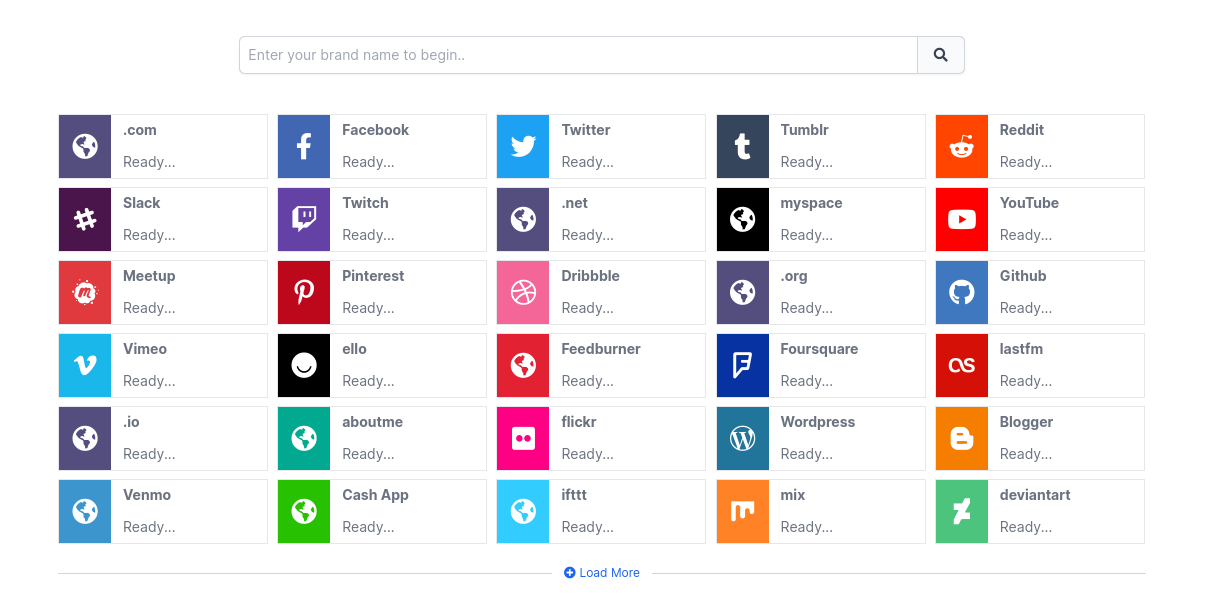
This week’s cool tool recommendation is NameCheckr – a tool  to research domain and social username availability.

Picking a unique and available name can be a challenge. This tool aims to simplify that process by helping you find the best name cross the most popular social networks.

Posted in Cool Tool

Monday Morning Cool Tool: Grammarly

This week’s cool tool recommendation is Grammarly  an AI writing assistant to analyze and corrects grammatical errors, spelling mistakes, and punctuation errors in written text.

Grammarly works by using AI algorithms that analyze text for grammatical errors, spelling mistakes, and punctuation errors. The software uses natural language processing (NLP) technology to identify and correct errors in real time.

Grammarly has a user-friendly interface that allows users to upload or copy and paste their text into the app. The software then analyzes the text and highlights errors that need to be corrected. Users can then click on the highlighted text to see suggestions for corrections.

Grammarly is available as a web app, a desktop app, and a mobile app, and it can be used with various browsers, including Google Chrome, Mozilla Firefox, and Microsoft Edge.

Click here to download the app.

Posted in #HCSM

7 Free Google Tools To Boost Your Healthcare Marketing

Over two decades ago, two Stanford Ph.D. students launched a new search engine with a bold mission to organize the world’s information and make it universally accessible and useful. 

Now two decades later, at the first sign of a symptom, patients instinctively turn first to “Dr. Google” to find answers to their health questions.

But Google is more than just a powerful search engine. 

Google also provides us with some really useful tools as online marketers and communicators.

In this post, I’m going to share some of my favorite go-to Google tools that I regularly turn to. Best of all these tools are completely free so you can enjoy trying them out without spending a cent.

1. Google Mobile Friendly Test

Use Google Mobile-Friendly Test to see how easily a visitor can use your page on a mobile device.

Just enter a page URL to see how your page scores.

Why this tool is useful

Having a mobile-responsive site (ie one that automatically changes its layout and placements of certain menus and buttons automatically) is important because firstly, not only are over half of patients searching online for health information on their smartphone, but secondly, Google now gives ranking priority to those sites that are mobile friendly.  In fact, Google has stated that it will penalize websites that aren’t mobile-responsive, so if your site isn’t optimized for mobile devices, you’ll likely lose out significantly in the organic search rankings. 

Use Google Mobile-Friendly Test to see how easily a visitor can use your page on a mobile device.

2. Google Page Speed Insights

PageSpeed Insights is a tool that indicates how well a page performs on the Chrome UX Report and suggests performance optimizations.

Why this tool is useful

Although speed has been used in Google ranking for some time, that signal was focused on desktop searches. Google announced that starting in July 2018, page speed will be a ranking factor for mobile searches too.  This marks an important shift in Google’s approach to measuring page speed while stressing the importance of mobile user experiences.

3. Google Alerts

Google Alerts are email updates of the latest relevant Google results (web, news, blogs) based on your choice of query –  for example, keeping updated on emerging healthcare trends. You can control how often you receive these alerts (daily or weekly), whether you wish to receive all mentions, or limit it to the most relevant, and you can add new alerts, or delete old ones at any point.

Why this tool is useful

Use Google Alerts to monitor who’s talking about your brand. This is important so you can respond to any criticism, complaints or thank someone for writing something positive about you.

4. Google My Business

Google My Business is a simple-to-use tool that allows small business owners  to increase their online visibility and promote their business information on Google Search.

GMB appears on the desktop – just to the right of the organic and paid search results. If you’re on mobile, it appears as a top result before the organic results. If you haven’t set up your GMB listing, it’s time to do so. Follow these step-by-step instructions to get started right away.

Why this tool is useful

According to Google “Providing and updating business information in Google My Business can help your business’s local ranking on Google and enhance your presence in Search and Maps.”

5. Google Analytics

Tracking the number of visitors to your website, where they came from, how they got there, and what they read can provide you with important marketing insight. The most comprehensive and free tool to do this is Google Analytics.

Why this tool is useful

Use Google Analytics to track top-performing content on your website, and the native analytics tools of each of the social networks you use to discover the type of posts that get the most engagement (shares, comments, likes, click-through rates, etc.)

6. Google AdWords

 Google Ads Keyword Planner gives you insight into the volume of monthly searches for a particular keyword, and how much and how much competition there is, based on advertising spend for sponsored links. It also returns suggested terms you could use instead or alongside your original keyword.

Why this tool is useful

If you want your website to rank higher in Google you have to make sure that you’re using the right keywords. Keyword research is vital because identifying the terms people are searching for will determine the kind of content you create and the way you will optimize it.

7. Google Trends

Google Trends analyzes a portion of Google web searches to compute how many searches have been done for the terms you enter relative to the total number of searches done on Google over time.

Why this tool is useful

You can use this tool to evaluate the popularity of certain terms, compare them against other keyword variations, analyze how their popularity varies over time and in different regions/languages, and show related keywords, which can be helpful in getting new keyword suggestions.

Do you use any of these Google tools? Do you have any other Google tools to add to this list?

Posted in Cool Tool

Monday Morning Cool Tool: Cliché Finder

This week’s cool tool recommendation is ClicheFinder – a tool to help you eliminate overused clichés from your writing. 

This free tool finds and highlights words, expressions, and phrases that are trite, stale, or overused to help you improve your copy. To use simply copy and paste your text and click the button marked ‘Find Clichés’.

Visit https://www.clichefinder.net to try for yourself.

Posted in Cool Tool

Monday Morning Cool Tool: Emotional Marketing Value Headline Analyzer

This week’s cool tool recommendation is the Emotional Marketing Value (EMV) Headline Analyzer.

This headline analyzer is a free tool from the Advanced Marketing Institute that you can use to calculate the EMV of your own headlines. It scores the EMV of your headline with a breakdown of why it scored that value. A perfect score would be 100%, but don’t despair if yours doesn’t match up. According to the Institute, “most professional copywriters’ headlines will have 30%-40% EMV Words in their headlines, while the most gifted copywriters will have 50%-75% EMV words in headlines.”

Here’s how it works. 

Enter your headline in the space provided and choose the industry you are targeting your message to.

download (51)

Click Submit. 

Here’s my score:

download

While the score is low on EMV, I am still happy with it, as it fulfills my aim of arousing curiosity in the reader.

Your headline carries words that predominantly appeal to most people’s intellectual sphere. Intellectual impact words are especially effective when your goal is to arouse curiosity.

For more headline tools like this, read: 7 Tools To Find Inspiration For Your Headlines

Posted in Cool Tool

Monday Morning Cool Tool: Pexels

pexels-photo-573238.jpeg

This week’s cool tool recommendation is stock image site Pexels.

Pexels provides over 3,800 high-resolution photos, collated from other free image sites — making it one of the largest free image directories. Pexels has also added a large library of stock videos to its site also under the CC0 license. Use the site’s list of popular searches to find the most in-demand stock video.

Posted in Cool Tool

Monday Morning Cool Tool:  Dr. Link Check

This week I’m recommending  Dr. Link Check– a tool to help you identify broken links on your website and fix them.

Did you know that broken links on your website are sending signals to Google that your website is old and outdated and perhaps even untrustworthy?

Broken links or dead links are hyperlinks on a webpage that are no longer functional. They can negatively impact your SEO by impacting bounce rate (the percentage of visitors that navigate away from a particular site after viewing only one page) and time on site, two factors that directly affect SEO.

Finding broken links is the first step to fixing them. This can be done in a number of ways. One is to use a tool like Dr. Link Checker.

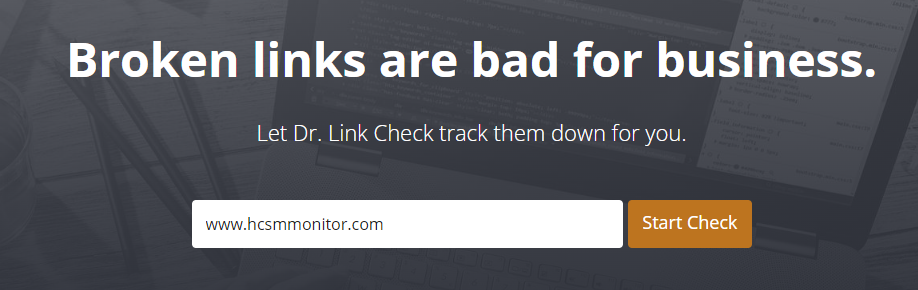
It’s very simple to use. Simply type in the url of your site and let the link checker go to work.

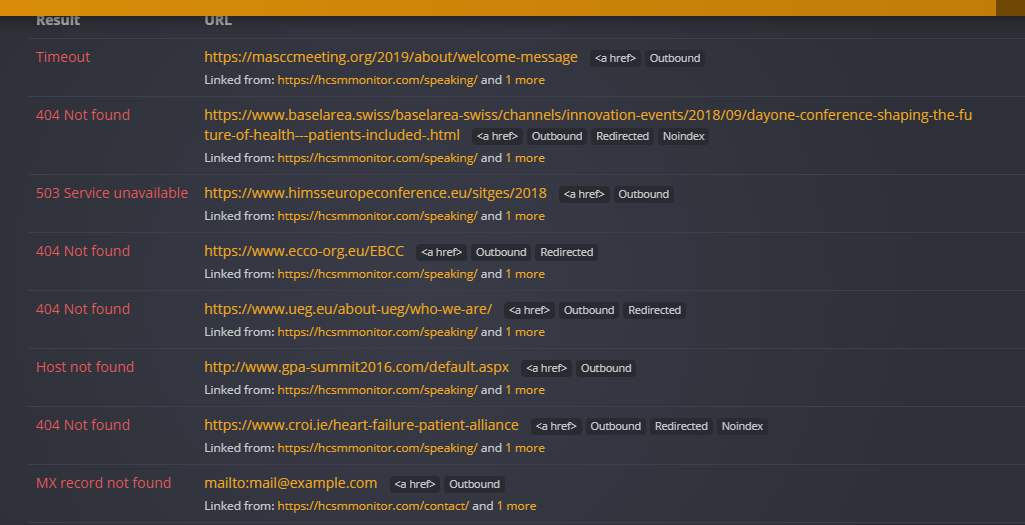
This shows me a list of the broken links on my own website that I need to fix. A majority of these link to dead external sites. This makes sense since I originally linked out to speaking engagements and the conference and meeting sites have been taken down.  In this case, I have no choice but to delete the hyperlink since I have no control over external links.  

When it comes to internal links, I have control over them, and it’s good SEO practice to review content and correct broken links immediately.   

T

Content Ideas