Posted in Thursday Tip

#ThursdayTip: How To Post To Social Media At The Best Times

Welcome to this week’s social media quick tip.  This week I want to show you how to post to social media at the best times. 

Content has no value unless it’s amplified. One way to ensure amplification and optimize your social media reach is to post your content at the right so they reach your audience when they are online.

If you search for optimum posting times, you will find many guides online. You can follow these recommendations as a starting point, but I do recommend you do your own testing to see which days and times work best for your own particular audience within your industry.

One of the most comprehensive guides to the best times to post for the major social platforms is this one from Sprout Social.

Some of the top-line stats at a glance are listed below. These are global visualizations — for a more granular and industry-specific focus see the report in full.

Best times to post on Facebook
1_KlPRovYCuYnHNjBjVzaT1A (1)

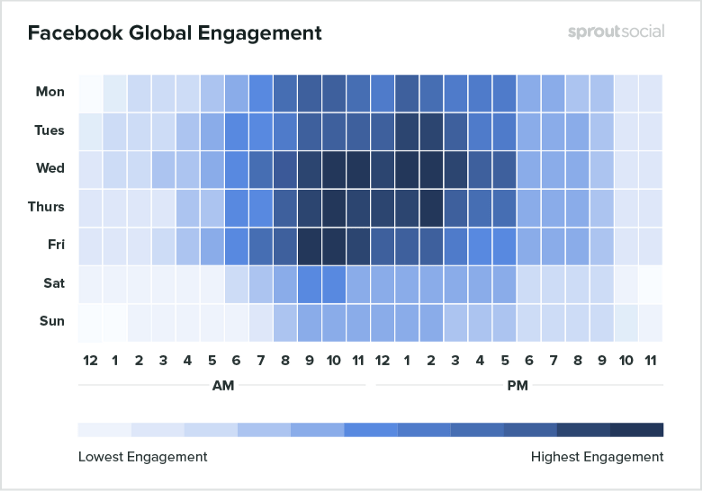
  • The best times to post to Facebook are Wednesday at 11 a.m. and 1 p.m.
  • Wednesday is the best day to post on Facebook.
  • The safest times to post are weekdays from 9 a.m.–3 p.m.
  • Sunday has the least amount of engagement for Facebook during the week.
  • Early mornings and evenings, before 7 a.m. and after 5 p.m. have the least amount of engagement per day.

Best times to post on Instagram

1__7s826QfiURRuNpAAMqyEA

  • The safest times to post are Monday through Friday, 11 a.m.–5 p.m.
  • Another higher engagement time period occurs on Saturday around 10 a.m.
  • Sunday has the least engagement, as well as every day from 11 p.m–3 a.m.

Best times to post on Twitter
1_aRFWZaSkpXwZsJveNDcAeA

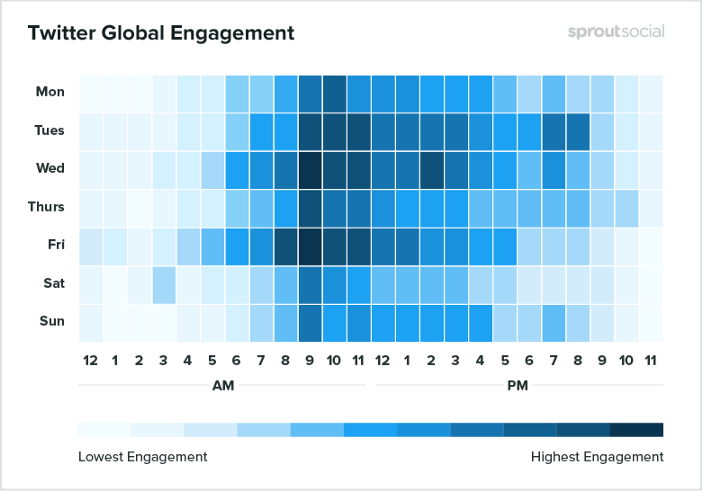
  • The best times to post on Twitter are Wednesday at 9 a.m. and Friday at 9 a.m.
  • Tuesday and Wednesday are the best days to post on Twitter.
  • The safest times to post are Monday through Friday from 8 a.m.–4 p.m.
  • Saturday gets the least engagement.
  • Times to avoid that get the lowest engagement are every day from 10 p.m–4 a.m.

To sum up

Consistent social sharing can help you stay top of mind with your audience. It’s a common mistake to only post content once and then not again. To get the most engagement, visibility and reach, reshare your content on multiple networks at various times and in different ways. Vary your updates when you do — for example, highlight a different statistic or quote, or ask your audience a question.

These data points are general but they provide a good starting point to start testing your audience engagement. Try them for a month, take note of your findings and see if your engagement shifts at the end of the month.

Here’s to your social media success!


Posted in Thursday Tip

#ThursdayTip: How To Find Influencers With Buzzsumo

Welcome to this week’s social media quick tip. 

Regular readers will know that I often recommend BuzzSumo as a useful tool to explore which pieces of content are popular on social media around a certain topic.  Today I want to show you another way to use the tool to find the top influencers for your topics of interest on Twitter.

This is a quick and easy process. Simply log in or if you don’t already have an account, sign up for a free trial. At the end of the trial, you have the choice of paying for a PRO plan or switching to a limited free option.

index

Once you’re logged in to Buzzsumo, click on Influencers in the top navigation.

download - 2019-05-25T102755.264

Use the drop-down menu to sort influencers by relevancy – number of followers, domain authority, retweet ratio, etc.

download - 2019-05-25T102910.339

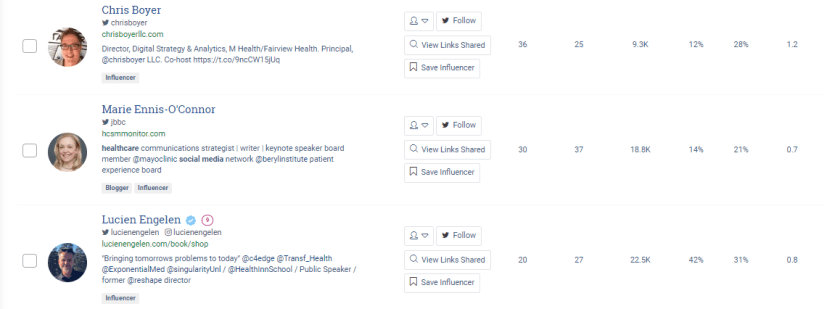
With the free account, you can view the top 10 influencers. Here’s a snapshot from my search for “healthcare social media influencers.”

download - 2019-05-25T103528.452

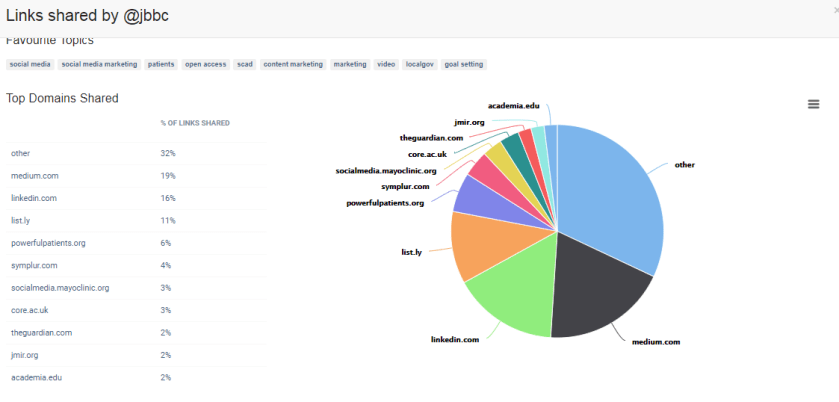
You can dive further into the analytics to discover the most popular topics and sources of links shared by the influencer.

download - 2019-05-25T110225.944

It’s a cool feature and there are many possibilities for how you might use this information. For example, you could ask a question about or comment on something they’ve written or shared in the past week.

Here’s to your social media success!


Posted in #HCSM, Thursday Tip

#ThursdayTip: How to Create Twitter Moments

Welcome to this week’s quick social media tip. This week I want to show you how to create Twitter Moments.

Twitter Moments are curated stories about what’s happening around the world—powered by Tweets. It’s easy to create your own story with Twitter Moments.

There are three ways to begin creating your own Moment via twitter.com.

You can access Moments through the Moments tab, your profile page, or through a Tweet detail.

Note: Moment creation is only available on twitter.com. It is no longer possible to create a Moment from your Twitter for iOS or Android app. 

To get started from the Moments tab follow these instructions:

From the Moments tab, click the Create new Moment button.

index

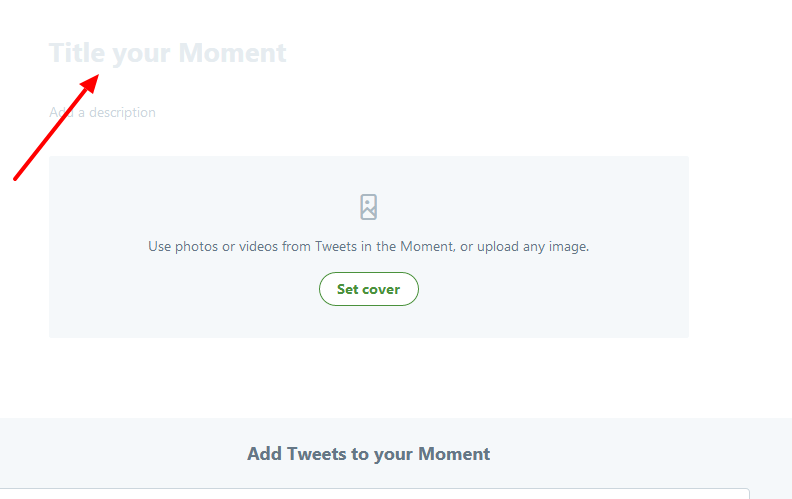
Click the Title your Moment field to give your Moment a name.

index

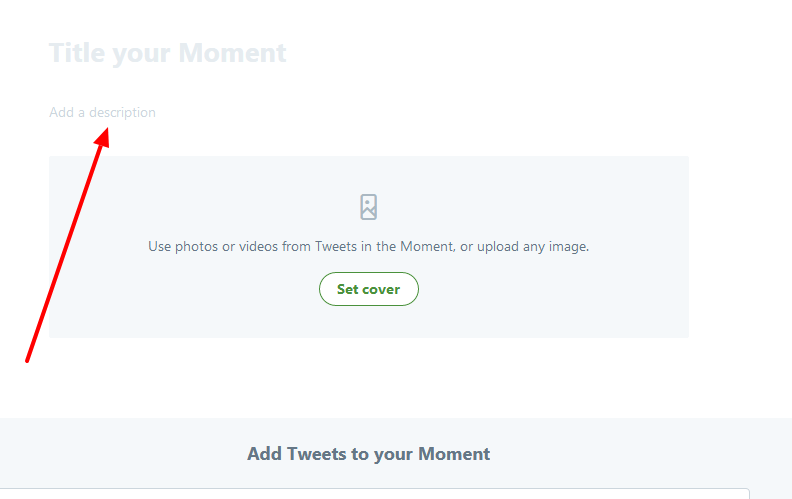
Click the Add a description field to type in a description for your Moment.

index

Choose Tweets to add to your Moment

index

From the Add Tweets to your Moment section at the bottom of the page, quickly access content to select Tweets from Tweets I’ve liked, Tweets by account, Tweet link, and Tweet search prompts. To add a Tweet to your Moment, click on the checkmark.

index


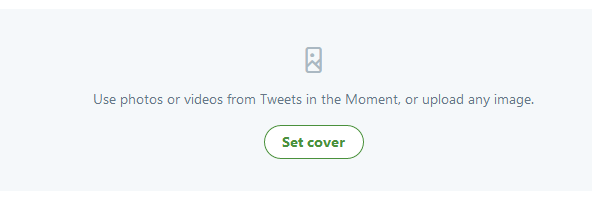
Click Set cover to choose a cover image from one of your selected Tweets, or to upload an image from your computer.

index

index

Drag your selected image to set a Mobile preview, click the Next button, then click the Save button.

index

As you can see this image is cut off in mobile preview, so I might want to change it for something that will show up better on a mobile device.  To change your selected image, hover over the cover image and click on Change cover media.

Once you have Tweets in your collection, click on the up or down arrow buttons to the right of a Tweet to move it up or down.

index

Click on the delete (x) button to remove a Tweet from your Moment.

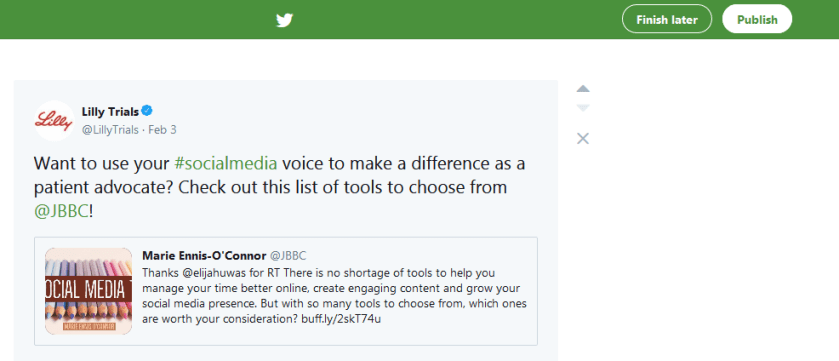
Click the Finish later button at the top of the page to save a draft.When you are ready to make your Moment live, click on the Publish button at the top of the page.

index

You have the option to share Moments privately, making the Moment available to only those whom you share a link with.
Posted in #HCSM, Thursday Tip

#ThursdayTip: How To Leverage A Cultural Trend

Welcome to this week’s quick social media tip. Today I want you to think about how you can tap into cultural trends to create “in-the-moment” marketing. 

Tapping into cultural trends is all about marketing in the moment. This works because people are most interested in “what’s happening now.”

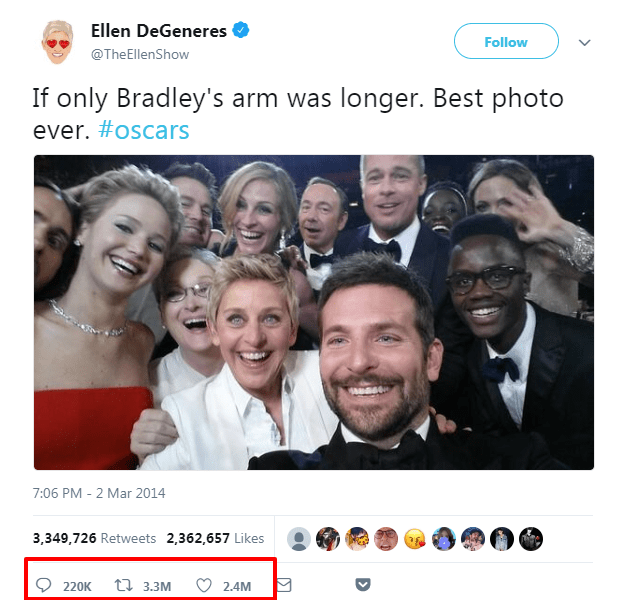
Ellen DeGeneres’s 2014 Oscar selfie, retweeted by more than 2.9 million Twitter users fits the scenario of leveraging a cultural trend — the word selfie was crowned Oxford Dictionaries’ Word of the Year in 2013.

Similarly, the #nomakeupselfie campaign, in which women posted pictures of themselves without make-up in order to raise money for cancer research, tapped into the selfie trend. The campaign raised (Stg)£8 million for Cancer Research UK in its first week alone. This campaign wasn’t even the charity’s idea. The organization leveraged a cultural trend that was already sweeping the Internet.

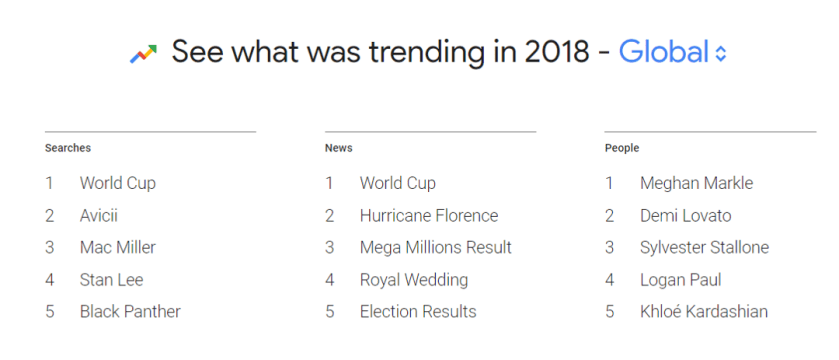
While the Oscar selfie took us by surprise, there are other trends which are more predictable, for example, major sporting events like the Super Bowl in the US, or the World Cup.

1_zboy0jt5_6u3qcg8kh5pgw

Twitter is an obvious place to check what’s trending on a daily basis, but you could also try one of the following tools too:

  • Google Trends — filter your search by country, topic, category, specific topic, content type, and more;
  • Buzzfeed — its trending section is perfect for searching for hot topics;
  • Buzzsumo — search for the most shared web content on a specific topic;
  • Reddit — aggregates trending content from all over the internet and shows the hottest (most upvoted) topics on the main page.

Your homework for today – find one trending topic and think about how you can leverage it to create engaging content relevant to your own audience.

Here’s to your social media success!