Posted in Cool Tool

Monday Morning Cool Tool:  Dr. Link Check

This week I’m recommending  Dr. Link Check– a tool to help you identify broken links on your website and fix them.

Did you know that broken links on your website are sending signals to Google that your website is old and outdated and perhaps even untrustworthy?

Broken links or dead links are hyperlinks on a webpage that are no longer functional. They can negatively impact your SEO by impacting bounce rate (the percentage of visitors that navigate away from a particular site after viewing only one page) and time on site, two factors that directly affect SEO.

Finding broken links is the first step to fixing them. This can be done in a number of ways. One is to use a tool like Dr. Link Checker.

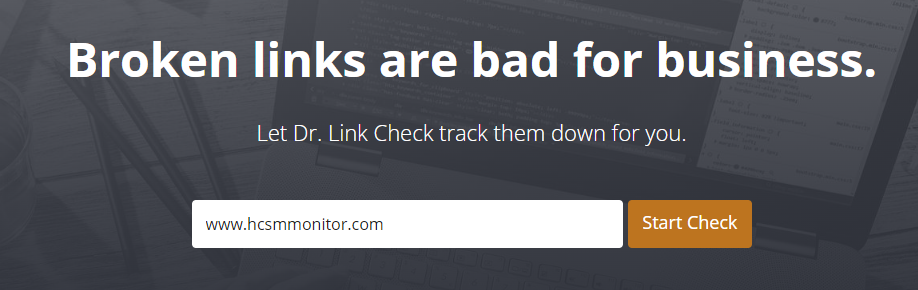
It’s very simple to use. Simply type in the url of your site and let the link checker go to work.
This shows me a list of the broken links on my own website that I need to fix. A majority of these link to dead external sites. This makes sense since I originally linked out to speaking engagements and the conference and meeting sites have been taken down.  In this case, I have no choice but to delete the hyperlink since I have no control over external links.  
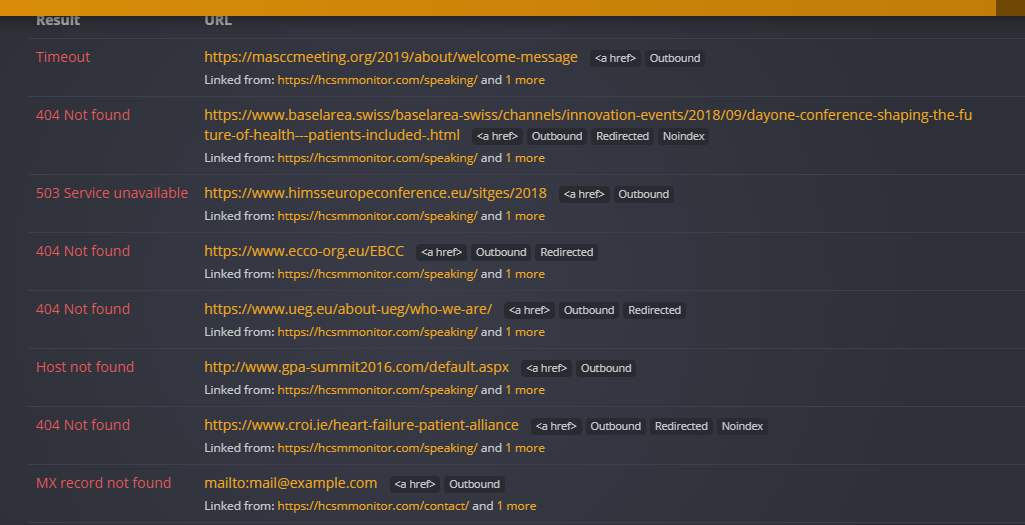
When it comes to internal links, I have control over them, and it’s good SEO practice to review content and correct broken links immediately.   

T

Content Ideas

Posted in Cool Tool

Monday Morning Cool Tool: Refind

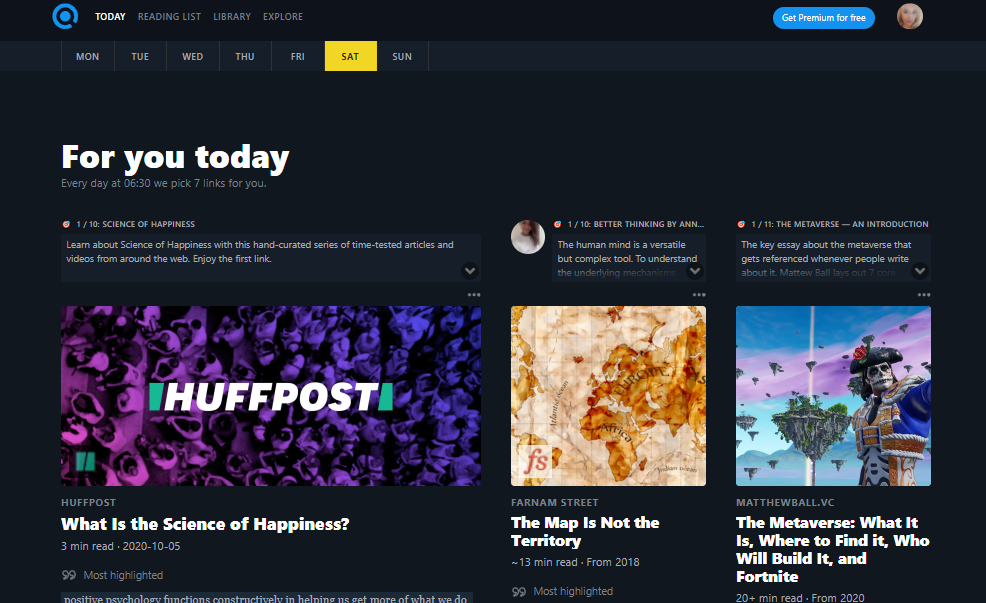
Find quality articles from around the net that will spark your interest and make you smarter every day with this week’s cool tool recommendation.

Refind – a daily curated list of quality reading from around the web designed to spark your interest and make you smarter.

Sign up to get 7 (or more) new links every day tailored to your interests, curated from 10k+ sources.

Here’s how to get started

1. Create an account at Refind.com

2. Choose 3 topics of interest

3. Rate links to tailor your experience to your interests

4. Choose a Deep Dive or Thought Leader to subscribe to.

5. Choose how many links you wish to receive each day, the time of it day you wish to receive them, and the email address to deliver them to.

6. And now you’re all set to dive into your curated reading list.

Refind is also available for download on the App Store and Google Play.

Posted in Cool Tool

Monday Morning Cool Tool: Bensound

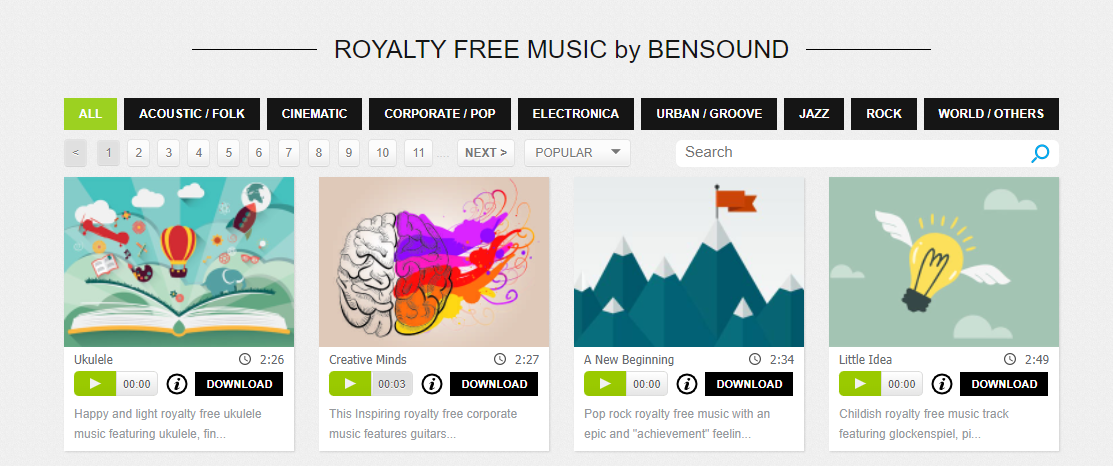
This week I’m recommending Bensound – a useful source of royalty-free music.

You can use Bensound’s music available under Free License in your multimedia project (online videos, websites, animations, etc.) for free as long as you credit Bensound.

If you need high-quality files (mp3 and wav) choose “Premium” tracks or you can buy a Bensound Pro License.

Visit https://www.bensound.com/licensing to learn more.

Posted in Cool Tool

Monday Morning Cool Tool: Quuu

I love learning about new tools to make social media marketing more creative and effective, so I’ve decided to share some of my favourite tools with you at the start of each week.

This week I’m recommending Quuu – a hand-curated content suggestion platform that connects to your scheduling tool of choice.

Here’s how it works

Sign up, connect your account and choose from over 300 interest categories to receive suggestions that matter to you and your audience.

With the free account, you can choose up to 5 interest categories, get suggestions automatically sent to your connected accounts two times a day (six for a paid account).

Relevant suggestions will be queued to your scheduling tool where you can choose to manually curate posts yourself or Quuu will post for you.

Posted in Cool Tool

Monday Morning Cool Tool: Repost

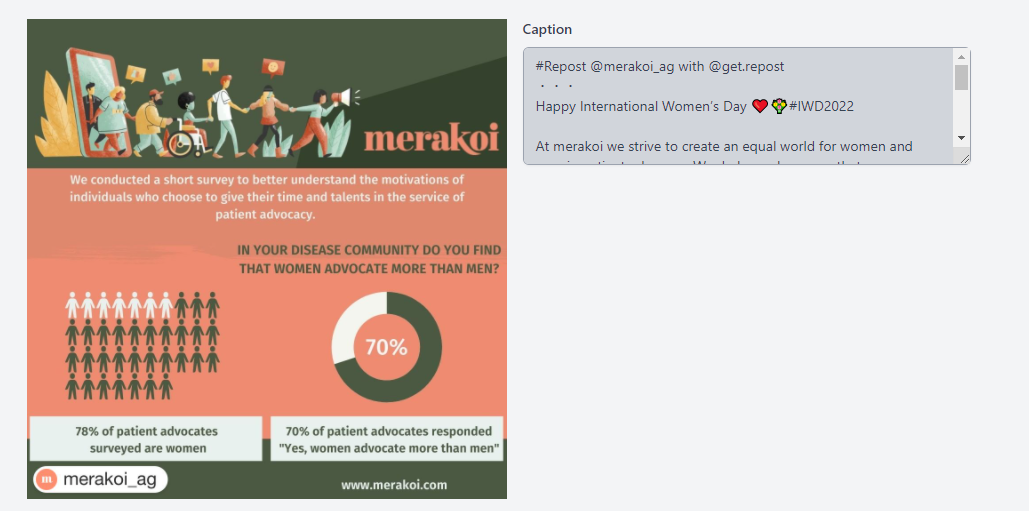
This week I’m recommending Repost – a simple tool that makes it easy to repost your photos and videos on Instagram while giving credit to the original Instagramer.

When you find something you want to repost in Instagram, simply copy the share URL and open Repost. Then in Repost, you can position the attribution mark and send the reposted media back to Instagram.

Click here for step-by-step guide. 

Posted in Cool Tool

Monday Morning Cool Tool: Responsinator  

I love learning about new tools to make social media marketing more creative and effective, so I’ve decided to share some recommended tools with you at the start of each week. This week’s cool tool recommendation is Responsinator.

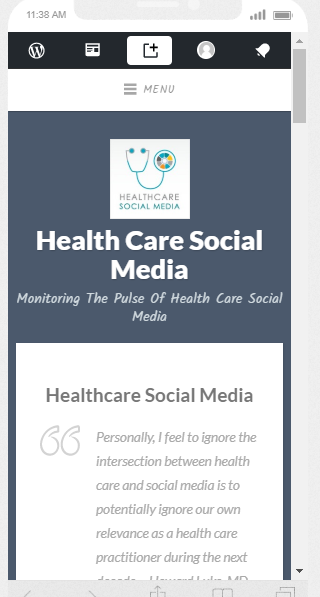
Responsinator lets you see how your website looks on the most popular devices.

download - 2019-05-19T113925.272

Why Mobile Responsive Websites Are A Must

Mobile first-indexing is now fully underway and there’s no excuse for having a website that is not optimized for use across all platforms in 2022.  Most people aren’t looking at your website on a desktop or laptop anymore. They are looking at it on a phone or tablet.

Recent studies show 52% of smartphone users gather health-related information on their phones, ranging from information around a specific medical procedure to diet and nutrition best practices. 

Having a mobile-responsive site (ie one that automatically changes its layout and placements of certain menus and buttons automatically) is important because firstly, over half of patients search online for health information on their smartphone, and secondly, Google now gives ranking priority to those sites that are mobile friendly.  In fact, Google has stated that it will penalize websites that aren’t mobile-responsive, so if your site isn’t optimized for mobile devices, you’ll likely lose out significantly in the organic search rankings.

Posted in Cool Tool

Monday Morning Cool Tool: WordCounter

This week’s cool tool recommendation is WordCounter

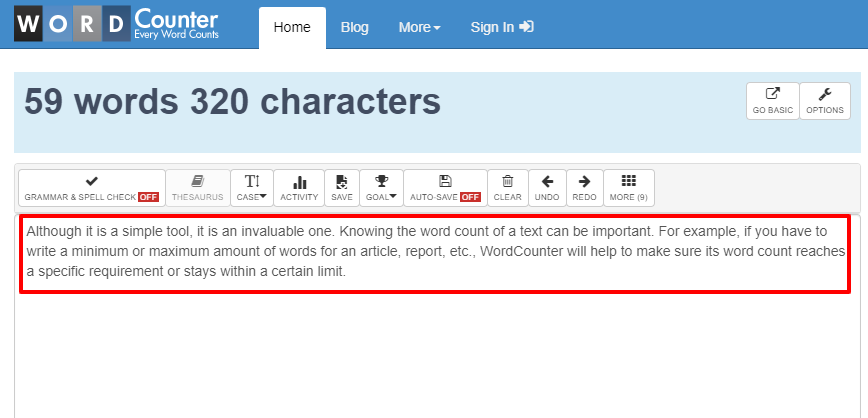
Although it is a simple tool, it is an invaluable one.

Knowing the word count of a text can be important. For example, if you have to write a minimum or maximum amount of words for an article, report, etc., WordCounter will help to make sure its word count reaches a specific requirement or stays within a certain limit.

Apart from counting words and characters, WordCounter can help you to improve word choice and writing style, and, optionally, help you to detect grammar mistakes and plagiarism. 

You can also copy and paste text from another program over into the online editor above. The Auto-Save feature will make sure you won’t lose any changes while editing, even if you leave the site and come back later. 

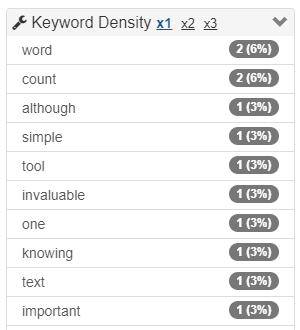
In addition, WordCounter shows you the top 10 keywords and keyword density of the article you’re writing. This allows you to know which keywords you use how often and at what percentages. This can prevent you from over-using certain words or word combinations and check for best distribution of keywords in your writing.

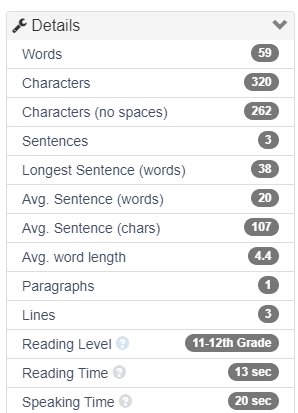
In the Details overview you can see the average speaking and reading time for your text, while Reading Level is an indicator of the education level a person would need in order to understand the words you’re using.

Pair this tool with one of the other tools I’ve recommended, such as Hemingway Editor, Quillbot, Wordtune, or Grammarly to improve your writing.

Posted in Cool Tool

Monday Morning Cool Tool: StreamYard

I’m preparing to go Live on LinkedIn this week to mark World Cancer Day on Feb 4. It is my first time going Live and I’m excited to do so. I’ll be using a third-party tool that I’ve used before for Facebook Live videos and it’s this week’s cool tool recommendation. 

StreamYard is a live streaming studio which runs on your laptop or desktop. You can use it to stream directly to Facebook, YouTube, LinkedIn and other platforms.  It’s  great for live interviews. You can have 6 people in the stream. Up to 10 people can enter the broadcast studio (with a paid version of the tool) so you can swap people in and out if you’re doing a dynamic talk show.

Other cool features include the ability to show viewer comments on screen, add a call to action, upload your logo, images, GIFs, and even videos.

Another great feature is the ability to pre-record your “live” stream 

This is a great option if you:

  • have a high stakes stream, and can’t afford mis-steps

  • are nervous about going live

  • can’t be online, or schedule a guest, at your normal show time.

StreamYard has both free and paid versions of the product. You can remove the StreamYard logo and upload your own. You can also add overlays and backgrounds, and use the restream integration. Full details are on the pricing page.

Posted in Cool Tool

Monday Morning Cool Tool: Twchat

I love learning about new tools to make social media marketing more creative and effective, so I’ve decided to share some of my favourite tools with you at the start of each week. This week I’m recommending  Twitter chat manager – Twchat.

For those who may be unfamiliar with Twitter chats, they are a public chat, moderated by a host that happens live on Twitter. To filter all the conversations a specific hashtag is used. This hashtag allows you to follow the discussion and participate in it.  Most Twitter chats are recurring and focus on specific topics introduced by a moderator.  The chats usually last one hour and a transcript of tweets is often made available after the chat has ended.

Twitter chats move fast, which is why using a third-party tool is useful. Twchat allows you to create real-time chat rooms based on Twitter hashtags. TwChat monitors the hashtag and creates a simple, clean interface similar to a chatroom. You can see new messages, send your own, and have total control over the content you see.

Do you use this tool or a similar one? Do you find it helpful?

For more information on Twitter chats, read How Does A Health Care Twitter Chat Work? #Twitter101

Posted in Cool Tool

Monday Morning Cool Tool: IFFTT

This week’s cool tool recommendation is automation tool IFTTT.

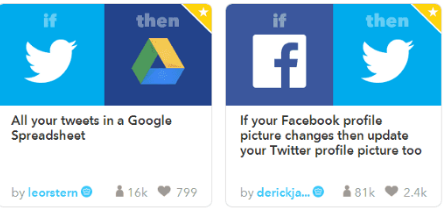
IFTTT (an acronym for If This, Then That) allows you to sync up multiple apps so that when a certain activity happens, it kicks off a separate activity in another app. There are lots of ways to use this tool, for example, I use IFTTT to add my tweets to a Google Spreadsheet to create a Twitter Bank of tweets to draw on.

1_WqWotO4oZY6Mo9b-6kZcJQ

I’m not a big fan of automating social media activity but used well, it is a boon to time-pressed social media marketers. The key to making it work is to spend time creating genuine, engaging content, and then maximizing its performance through the strategic use of automation tools.

For more time-saving tips like this, read Ten Tried and Tested Time-Saving Tips For Social Media