Posted in HCSM

Mastering Featured Snippets: How To Optimize Content For SERP Success

In the arena of Search Engine Optimization (SEO), earning a Featured Snippet is like winning the digital lottery! A Featured Snippet, also referred to as a position zero result, appears at the top of the Search Engine Results Page (SERP), giving users an immediate answer without visiting a website.

If you own a website or create content, optimizing your content for featured snippets can greatly enhance your online visibility. In this article, we will explore some effective strategies to optimize your existing content for featured snippets.

What Are Featured Snippets?

Let’s take a closer look at featured snippets to understand why they are so important. Featured Snippets are used by search engines to provide quick answers to users’ queries. These snippets appear above organic search results and typically contain a brief summary of the search term, the source URL, and the page title.

A Featured Snippet can be a paragraph, a list, a table, or even a video. Earning a Featured Snippet gives your content prime visibility because it occupies the SERPs’ most coveted position. It’s more likely for users to click on featured snippets, which can increase organic traffic and brand awareness.

How to Optimize Your Existing Content For Featured Snippets

Optimizing your existing content for Featured Snippets begins with identifying which pieces are most likely to be featured. You should look for articles or blog posts that already rank on the first page of search engine results for relevant keywords. These pages have a higher chance of being selected for a featured snippet.

Once you’ve identified the pages, look at the content to see if there’s a concise, well-structured answer to a common question. Featured Snippets usually answer specific questions, so make sure your content answers them clearly and succinctly.

Optimize Content Structure and Formatting

A Featured Snippet is more likely to appear when your content is formatted and structured correctly. The first step is to ensure your content is well-structured with clear headings and subheadings. By doing so, search engines will be able to understand the organization of your content and will be more likely to select it for a Featured Snippet.

Organize your content into easily scannable sections, as search engines prefer snippets that present information clearly. List-type snippets are common, so use bullet points or numbered lists to present key points or steps.

Craft Clear and Concise Answers

The key to Featured Snippets is brevity. Provide clear and concise answers to the specific queries for which you want your content to appear. Identify the most commonly asked questions about your topic and ensure that your content answers them directly.

Structured data markup [1], such as schema.org, can help search engines understand your content’s context and structure. By doing this, your chances of getting featured snippets can be increased.

Optimize Meta Tags and Descriptions

Including meta tags [2] and descriptions in your existing content is an essential aspect of optimizing it for Featured Snippets. The meta title and description should accurately summarize the content and target the specific query you want to rank for.

Write a meta description that draws users to your page for more information. Meta tags and descriptions do not directly affect the selection of Featured Snippets, but they are crucial for attracting users to click on your snippet in the search results.

Continuously Monitor and Improve

Optimizing your existing content for Featured Snippets is an ongoing process. Monitor your content’s performance and make improvements to increase your chances of getting featured.

Keep an eye on what users ask about your target keywords and update your content accordingly. Look for opportunities to improve the clarity and conciseness of your answers. Conduct regular keyword research to identify emerging trends and incorporate them into your content strategy.

Conclusion

You can significantly improve the visibility of your website and drive more organic traffic by earning a featured snippet. By optimizing your existing content for featured snippets, you increase your chances of landing on position zero. Using these strategies, you can improve your odds of getting a featured snippet and benefiting from enhanced online visibility.
Posted in HCSM

Master the Art of Instagram Stories in Healthcare Marketing

Stories are a popular Instagram feature that lets users share temporary, short-lived content. Unlike regular Instagram posts that stay on your profile indefinitely, Stories disappear after 24 hours.

Stories let you share moments, updates, and engaging content with your followers in an ephemeral way. You can use photos, videos, boomerangs (looping videos), or text-based slides that include stickers, GIFs, filters, emojis, polls, quizzes, and more. You can post stories in real time or upload them from your camera roll, giving you flexibility and spontaneity.

One of the defining characteristics of Instagram Stories is their temporary nature. After 24 hours, the Stories disappear, so there’s a sense of urgency and exclusivity for viewers. However, if you want to keep your Stories, you can save them as Highlights. Highlights are collections of Stories that you can customize and keep for longer than 24 hours.

Stories provide an effective platform to promote your healthcare services, events, or special campaigns. You can highlight new treatments, procedures, or facilities. Using swipe-up links (if available) in your Stories, you can drive traffic to specific landing pages or appointment booking platforms.

Stories can also offer a glimpse behind the scenes of your healthcare organization. You can highlight training sessions, research projects, or even the day-to-day operations of your facility. This transparency builds credibility and instills confidence in your patients.

In my latest Medium article, I share some effective tips and techniques to help your Insta Stories stand out from the crowd.

Click here to read it

Posted in HCSM

10 Key Questions to Ask When Choosing a Web Hosting Provider For Your Healthcare Website

Finding the right web hosting provider is an essential step in establishing and maintaining a successful healthcare website. With countless hosting options available today, it’s crucial to arm yourself with the right information and ask the right questions to make an informed choice. By doing so, you can ensure that your website operates smoothly, experiences minimal downtime, and provides a positive user experience.

In my latest Medium article I’ve published ten key questions you should ask before signing up for web hosting.

Click to read

Posted in Cool Tool

Monday Morning Cool Tool: Fonts Ninja

This week’s cool tool recommendation is Fonts Ninja – a browser extension and design tool that allows users to identify, preview, and download fonts from any website.

By using the browser extension, users can hover over text elements on a webpage to instantly identify the font being used. It provides details such as the font name, size, line spacing, and color.

How to use the tool

Fonts Ninja enables users to preview how various fonts would appear on their websites or design projects. Users can modify the font properties such as size, weight, and style, and immediately see the changes. Furthermore, the extension offers a library of fonts that can be downloaded and used for both personal and commercial projects.

For comparable tools, try Google Fonts and Visual Search for Fonts by Google, which allows you to conduct a reverse image search for fonts and typefaces.

Posted in Cool Tool

Monday Morning Cool Tool: The Noun Project

This week’s cool tool recommendation is The Noun Project – an online platform that hosts an expansive library of icons and symbols.

One of the key strengths of The Noun Project lies in its accessibility. The platform allows users to effortlessly search, preview, and download icons. Its intuitive search function enables you to find icons based on keywords, categories, or specific tags.

The site doesn’t limit users to just downloading icons. You can also find a selection of themed photos too.

Free and Paid Subscriptions

The Noun Project offers both free and paid subscription plans. The free plan provides access to a substantial collection of icons; however, for those seeking unlimited access to the full library, a paid subscription is available.

Posted in Cool Tool, Infographics, Visual Marketing

Monday Morning Cool Tool: Visme

This week’s cool tool recommendation is Visme – a browser-based design tool that allows you to create interactive presentations, infographics, banner ads, animations, and more.

Want to create a quick presentation? Visme makes it easy. Log in and click Presentations.  Choose the template that you like and start creating your presentation right away.

download (11).png

Insert text using Visme’s shapes and icons, images as well as widgets to visualize your data into graphs and tables. You can even add video or record audio.

unnamed (1).jpg

Similarly, you can use Visme to create infographics, reports, social graphics, and even e-books. You can search through hundreds of custom templates and fully customize each of them to fit your specific needs.

Useful Links

Presentations:
https://www.visme.co/presentation-software/

Infographics
https://www.visme.co/make-infographics/

Charts and Graphs
https://www.visme.co/graph-maker/

Flyers for Print
www.visme.co/flyer-maker

Pricing

Visme offers three types of accounts, one of which is free. You don’t get everything with a free account, but you get more than enough to start creating content. A Basic account is also a great way to test drive the solution before you buy.

Go to http://www.visme.co to get creating. 

Posted in Cool Tool

Monday Morning Cool Tool: Infogram

index

This week I’m recommending Infogram, a free infographic and data visualization tool.

index

Infogram allows users to create interactive charts, maps, infographics, and other types of data visualizations using a simple drag-and-drop interface.

Those who are familiar with Excel can easily create charts with this feature. Infogram’s infographics are also mobile-friendly, making them easier to view and interact with on smaller screens.

Pricing

The Basic plan from Infogram is intended only for non-commercial use, and certain restrictions apply. Basic plan users have access to 37 chart templates and can create up to 10 three-page projects. The Basic plan does not allow users to remove Infogram’s branding.

Infogram’s Business plan is intended for commercial use and includes additional features, such as the ability to remove Infogram’s branding and add your own. Users of the Business plan also have access to a wider range of chart templates and can create unlimited projects.

Nonprofits and educational organizations are offered a discounted price, making Infogram a cost-effective solution for communicating data and messages through visuals.

Related

Posted in HCSM

10 Design Tips for Creating Visually Appealing Social Media Graphics

When it comes to social media, creating visually appealing content is crucial to cut through the noise and grab the attention of your target audience.

A picture can capture people’s attention more readily than text, and in today’s crowded online environment, images can break through the clutter of online content to quickly communicate your marketing message.

In my latest Medium article, I share some essential design tips for creating social media graphics that will help you stand out from the crowd.

Click to read

Posted in Cool Tool

Monday Morning Cool Tool: SEO Scout Suggest

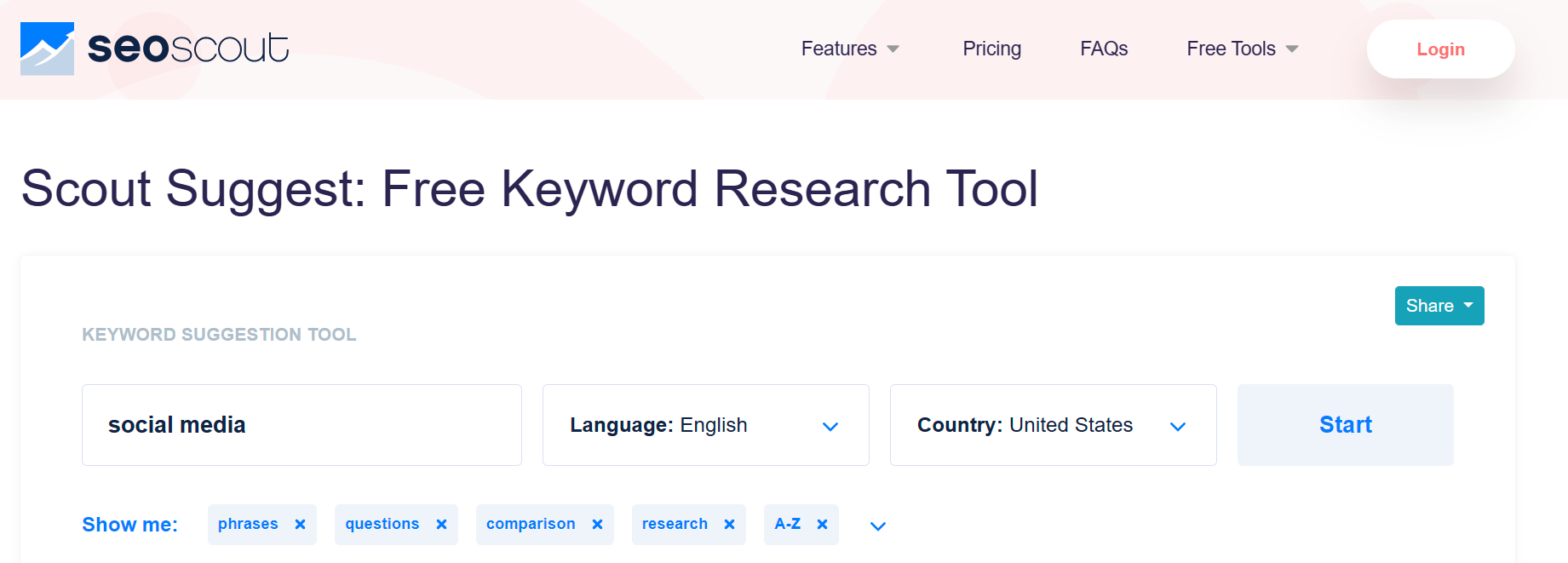
The cool tool recommendation this week is Scout Suggest – a free keyword research tool within the SEO Scout platform.

Let’s see it in action.

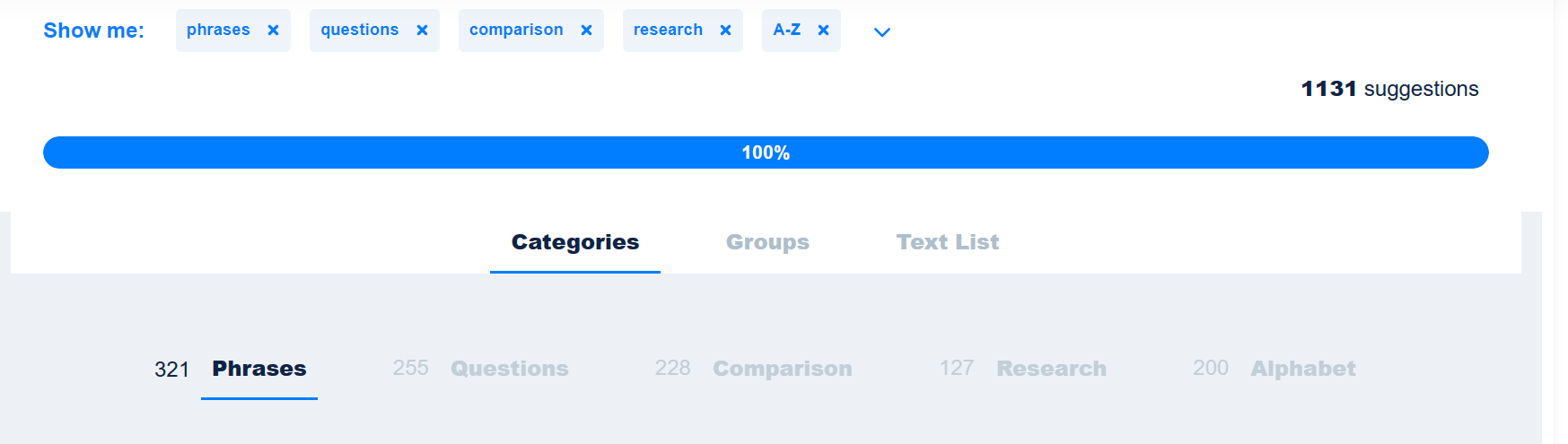
Enter your chosen keyword or phrase. My “social media” keyword returned over 1K suggestions!

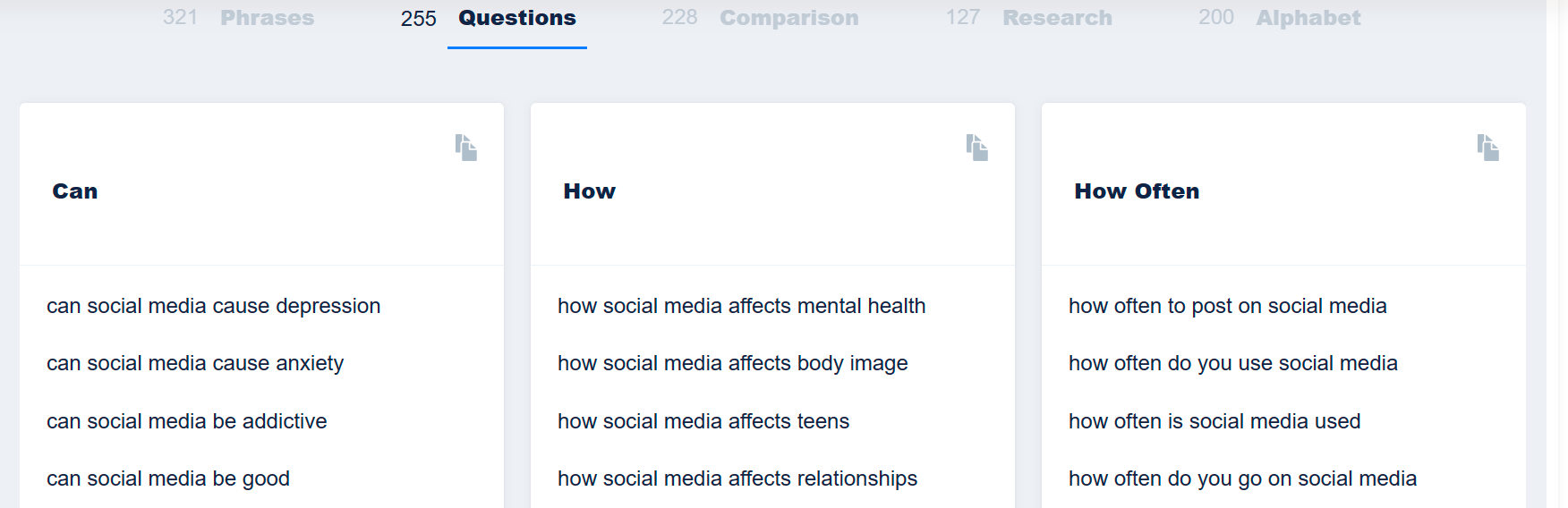
Here’s a sample of questions they keyword returned – you can see there are lots of super ideas for content here.

I’d definitely recommend you try out this free tool next time you are stuck for topics to write about.

Posted in HCSM

Unlocking The Secrets to Writing a High-Performing Blog Post

Healthcare blogs are an effective tool for medical professionals and healthcare organizations to convey their message, educate patients, and promote their services. However, creating a blog post that resonates with readers and garners substantial traffic and engagement can be challenging, especially in the crowded healthcare industry. In fact, most healthcare blog posts fall short of capturing their readers’ interest.

Thankfully, there are actionable steps that can be taken to craft a successful blog post. My latest Medium article delves into the components of a high-performing blog post, drawing on insights from an analysis of 700,000 posts from blogs with an average monthly unique page view count of 50,000 to 500,000. Although written with a business audience in mind, the insights contained in the article can equally apply to healthcare blogs.

The study suggests that long-form content, particularly those with 3000+ words, tends to perform better in terms of traffic, social shares, and backlinks. In addition, articles with longer headlines (14+ words), and list headlines, also perform better than their counterparts.

Click here to read.

You might also like to read: