Articles

Posted in #HCSM

How Gens X, Y and Z Consume Video Content

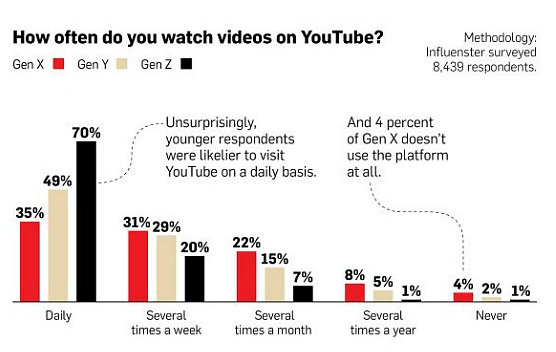
People around the world are now watching a billion hours of YouTube’s content every single day.  But who is watching what? This infographic from Adweek helpfully breaks down how much Gens X, Y and Z watches video content on YouTube, as well as what types of videos they like to watch.

Unsurprisingly, younger respondents to the survey were more likely to visit YouTube on a daily basis, while 4  percent of Gen X (34 and 54-years-old) respondents indicated they don’t use the platform at all.

download.png

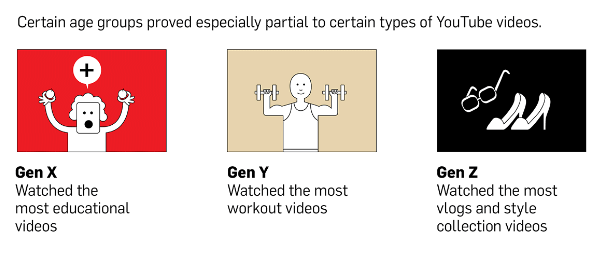
When it comes to the type of video most watched by each generation, the breakdown  is as follows:

download.png

Whichever demographic you’re looking to market to, YouTube is a valuable channel. For maximum impact, use these findings to understand just how your target age group interacts with the video-sharing platform.

Related Reading: YouTube: A Missed Opportunity For Patient Education 

Posted in Cool Tool, LinkedIn, Visual Marketing

Monday Morning Cool Tool: Dux-Soup

I love learning about new tools to make social media marketing more creative and effective, so I’ve decided to share some of my favorite tools with you at the start of each week. This week’s cool tool recommendation is Dux-Soup  – a browser plug-in which works with Google Chrome as your virtual assistant on LinkedIn.

Dux-Soup keeps track of every single profile you visit and allows you to make notes directly on the profile page which are saved. Profile date and notes can be export as a .CSV file to be opened in Microsoft Excel or similar. The .CSV file includes data such as the name of the person whose profile you visited, job title, company name, location, email and notes.

You can take and save notes on each profile such as: have sent invite/need to reply to a message / likes Opera etc. Dux-Soup can save you hours of manual data entry when it comes to tracking all your leads you interact with on LinkedIn.

You can opt to use the free version (which enables you to view a hundred LinkedIn profiles a day) or upgrade to the paid version (which allows you to set the number of profile visits you need to make per day and export the .CSV file and make use of the data you gathered.

Dux-Soup is available as a browser plug-in which works with Google Chrome. Download here.

Posted in Cool Tool

Monday Morning Cool Tool: Page Analytics

I love learning about new tools to make social media marketing more creative and effective, so I’ve decided to share some of my favorite tools with you at the start of each week. This week’s cool tool recommendation is Page Analytics  a Google Chrome Extension.

download (2).png

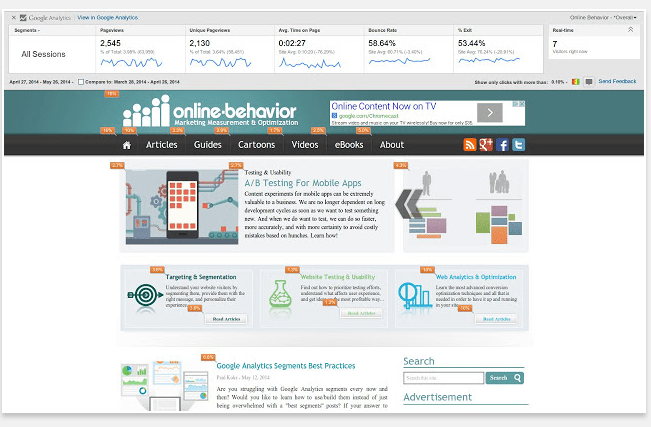
The Page Analytics Chrome Extension allows you to see how vistors interact with your web pages, including what they click and don’t click. You can use these insights to optimize your website layout, improve user experience, and increase conversions.

Click here to download the app.

Posted in #HCSM

What’s New in Social Media This Week?

My latest healthcare social media newsletter has gone out to subscribers. In this week’s round-up of news and tips:

unnamed (34).jpg

August already! If you are like me, you will feel as if you just blinked and suddenly the year is more than half over. Back in January, I wrote an article outlining 17 ways to rock your social media in 2017. Did you follow any of those tips?

Now that we are more than half way through this year, it seems like a good time to review how close you are getting to meeting your social media goals. If you are on track, well done! But even if you have fallen short of your goals, it’s never too late to get your social media back on track. As a reminder, I have put together six questions to guide you.

unnamed (4)


Pinterest has been adding some new features recently, and the latest worth noting is the addition of a new search bar to its home screen and Pinterest Lens is now available to all Pinterest users worldwide.


unnamed (35)LinkedIn is giving more control to publishers – you can now turn off comments on your posts, helping users eliminate spam and harassment from the social network.


unnamed (5)


Within a year of its debut, Instagram Stories now boasts “more than 250 million daily users,” which surpasses Snapchat’s reported 166 million daily users.


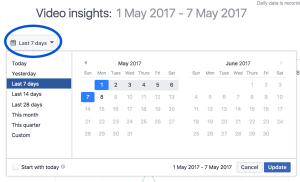
unnamed (6)Facebook is redesigning insights and analytics provided to video creators and to the publishers and pages that reshare their videos.

Plus

Your weekly cool tool recommendation, social media quote of the week, and six things you should know in the world of social media.

Read this week’s newsletter and subscribe for regular tips. 

Posted in Cool Tool, Visual Marketing

Monday Morning Cool Tool: Aviary

download.png

I love learning about new tools to make social media marketing more creative and effective, so I’ve decided to share some of my favourite tools with you at the start of each week. This week’s cool tool recommendation is Aviary a simple graphics editor that you can use from your browser window or as an app for your phone.

Use Aviary to fine-tune your photos with a full range of filters and one-touch tools for adjusting lighting, focus and color. You can also erase blemishes and brighten whites in a tap, or personalize your pictures with stickers, frames and overlays.

Go to aviary.com to download the app, or use the desktop version and let the magic begin. 


Posted in #HCSM, LinkedIn

LinkedIn Website Demographics: Understand the Professional Audiences Visiting Your Website

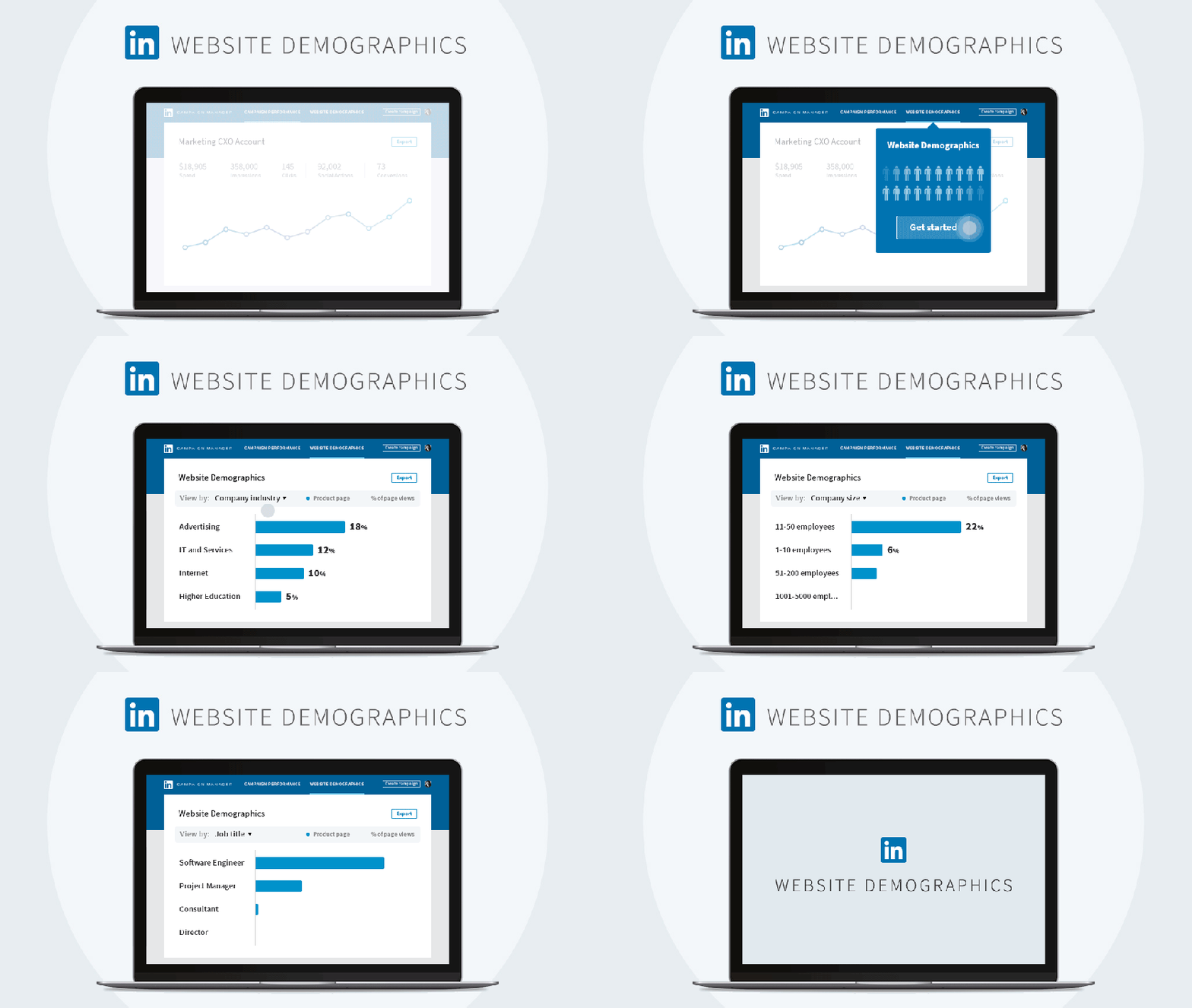
LinkedIn has announced the roll-out of LinkedIn Website Demographics, “a free reporting tool that lets you see what types of professionals are coming to your website, giving you a powerful way to tune your marketing to those visitors, and develop better targeting and content for your campaigns.”

Website Demographics uses data from LinkedIn’s 500+ million members to provide insight into your company’s website visitors in a way that respects member privacy. Featuring an easy-to-read interface in LinkedIn Campaign Manager, Website Demographics lets you filter your website audience by 8 individual professional dimensions, including job title, industry, job seniority, job function, company, location, and country.

Website Demographics also allows you to filter by date range to understand whether that recent marketing campaign boosted traffic from your desired audience segments. What’s more, you can now see if you have attracted new pools of prospects to your website. With these insights, you can craft new marketing content designed to better resonate with that audience.

This new feature will begin rolling out soon, so watch this space.

Posted in Cool Tool, Visual Marketing

Monday Morning Cool Tool: PicMonkey

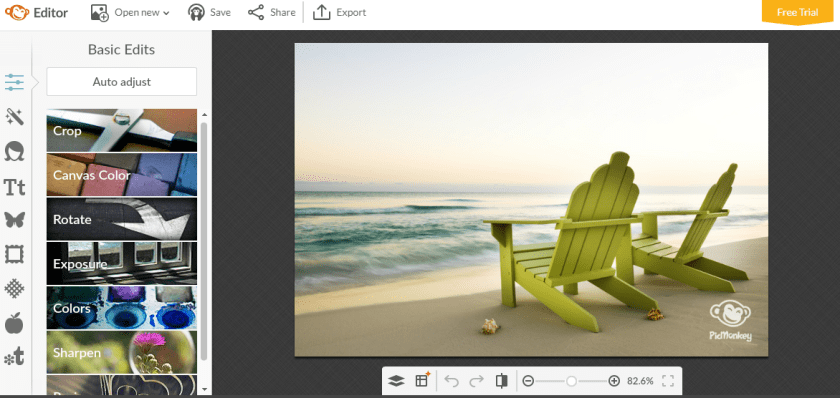
I love learning about new tools to make social media marketing more creative and effective, so I’ve decided to share some of my favourite tools with you at the start of each week. This week’s cool tool recommendation is Picmonkey  – another super easy design tool to enhance your social media and content marketing.

download.png

Picmonkey is a “freemium” tool with the option of paying for extras, but I’ve accomplished a lot with the free version.  Some of the features I like most include themed seasonal overlays and Photoshop style cosmetic enhancement features. It’s a great tool to touch up your images. I often use Picmonkey for quick resizing and enhancement of images before I post them online.

download.png

Key Features:

  • Enables you to create custom graphics and customize them.
  • Lets you touch up your images and photographs using a broad collection of features.
  • Provides a vast library of templates to help speed up your work.
  • Lets you export your projects as images to use as you wish.

Visit www.picmonkey.com and try it for yourself!


Posted in #HCSM

What’s New in Social Media This Week?

My latest healthcare social media newsletter has gone out to subscribers. In this week’s round-up of news and tips:

unnamed (32)
Emerging Tech: Shifts for 2020

Last month, Facebook released a new research report as part of its “Shifts for 2020” series, which looks at how emerging tech is influencing user actions. The full research report and data is available on Facebook’s IQ Insights blog. For a snapshot of the findings check out my latest Medium post.

unnamed (1)
Snapchat Adds Links, Voice Filters, and Backdrops to Snaps


Snapchat is breaking its long-standing “no links” rule while also providing some novel new creative tools to keep it one step ahead of Instagram. The new features are rolling out globally on iOS and Android.


unnamed (2)
Are You Accidentally Using Banned Hashtags on Instagram?


Instagram is now demoting content that utilizes particular hashtags that have been hijacked by bots.


facebook_groups
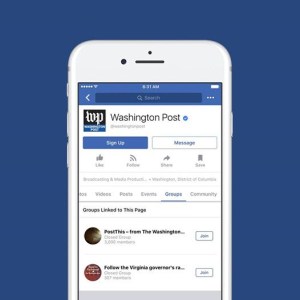
Facebook Pages Can Now Create Linked Groups


Facebook continues to put increased emphasis on Groups, with Chief Product Officer Chris Cox this week announcing that Groups for Pages are now available for all Pages worldwide.


unnamed (3).png
LinkedIn Tests New Mentor Matching Feature


LinkedIn is testing out a new free service for members that will match them with other professionals who can give them career advice.


Plus

Your weekly cool tool recommendation, social media quote of the week, and six things you should know in the world of social media.

Read this week’s newsletter and subscribe for regular tips

Posted in #HCSM

Get To Know Your Customers Day

According to Hubspot’s Social Media Calendar which I have been finding super useful as a source of content ideas, today is Get To Know Your Customers Day.  Whether you call them customers, clients, or your target market, it’s vital to know who you are trying to reach with social media. Your marketing efforts will be stronger if you can identify your target market first. You can then tailor your marketing more specifically to match their needs.

Who Is Your Audience?

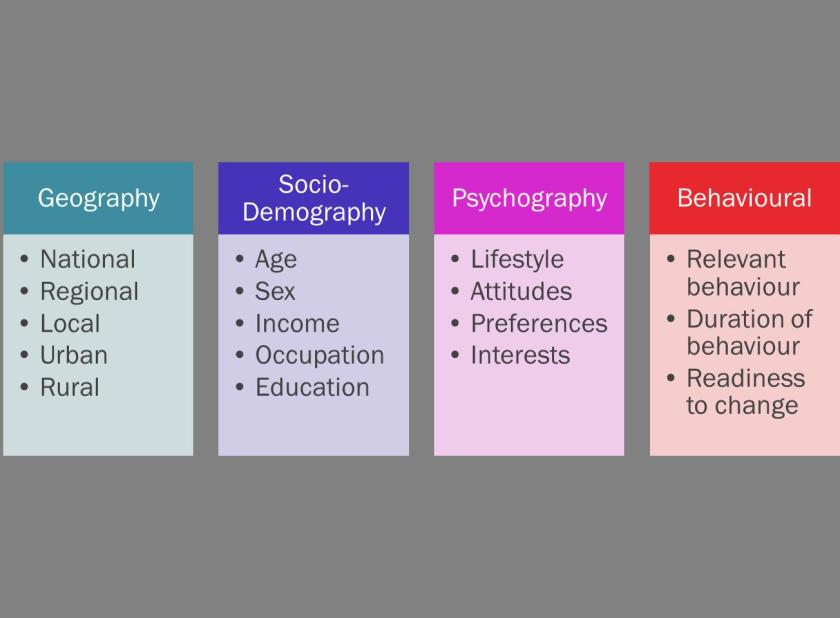
You need to find the answers to basic demographic questions about your audience, whether they go online for research and what issues they are concerned with; alongside which communities inform, inspire, or influence them.
segment

It’s good practice to create audience personas as a way to really understand the people you want to reach.

segment2

Hootsuite has created a useful guide on How to create buyer personas with social media data.

Segment Your Audience

Normally an organisation has too many segments it would like to reach. Targeting is about choosing which ones to prioritise. By dividing the whole market into segments of people who you think are particularly important for your organisation you can reach them more effectively. Segmenting and prioritising audiences improves reach, enhances relevance and helps put your resources to the best possible use.

Once you’ve identified who your audience is, map this information to social media behaviour. Most marketing efforts are focused on the trifecta of Facebook, Twitter and LinkedIn, but visual platforms such as Pinterest, Snapchat, and Instagram are also extremely popular. This doesn’t mean that you have to be everywhere at once. Do your research to determine where best to focus your social media efforts to be successful.Use Surveys (e.g. Survey Monkey), Polls (PollDaddy; Facebook; Twitter), and publicly available reports to match your audience demographic to the social networks they use.

Related Reading

3 Free Tools to Understand Your Audience and Quickly Grow Sales

The Ultimate Guide To Celebrate Your Customers

6 Ways to Include Customers in Your Content