Quora is a question and answer platform where you can either ask a question about your topic or simply do a search using your topic keyword to find what people are asking about that topic. It’s a super place for market research. Make a list of those questions which you feel you could write about.
You have the option to follow chosen topics in your niche. Once you do so you’ll keep seeing the ‘Top Stories’ (questions) in your Quora newsfeed. You can also check out the ‘New Questions’ option to see the latest questions. When you have written an article or blog post on the topic, go back into Quora and answer a question related to the topic. You can include a link to your post in your answer.
With mobile overtaking desktop as customers’ primary website-viewing platform, it’s more important than ever to optimize your website for mobile functionality.
Although speed has been used in Google ranking for some time, that signal was focused on desktop searches. Earlier this year Google announced that starting in July 2018, page speed will be a ranking factor for mobile searches too. This marks an important shift in Google’s approach to measuring page speed while stressing the importance of mobile user experiences.
Determine How Mobile Friendly Your Site Is
Although there is no tool that directly indicates whether a page is affected by this new ranking factor, Google recommends the following resources can be used to evaluate a page’s performance.
Chrome User Experience Report, a public dataset of key user experience metrics for popular destinations on the web, as experienced by Chrome users under real-world conditions
Lighthouse, an automated tool and a part of Chrome Developer Tools for auditing the quality (performance, accessibility, and more) of web pages
PageSpeed Insights, a tool that indicates how well a page performs on the Chrome UX Report and suggests performance optimizations
This week I was in Basel, Switzerland, to deliver a keynote presentation at the DayOne Conference, Shaping The Future of Health. It was a great experience and heartening to meet so many start-up companies with a real interest in working with patients in codesigning healthcare solutions.
I believe that a genuine partnership model with patients and their families and carers, will not just improve outcomes for patients but can transform the healthcare industry. I urged the audience to go beyond the patient label and engage with patients as people with valuable lived experience and expertise that they can learn from.
But even with the best intentions, it’s easy to get it wrong. So I shared a model of patient engagement based on a true partnership model that does justice to people as unique, multi-dimensional individuals who want to live the best lives they can.
As always I posted my presentation on SlideShare so please feel free to flip through the deck and if you have any questions or comments to make, I’d love to hear them.
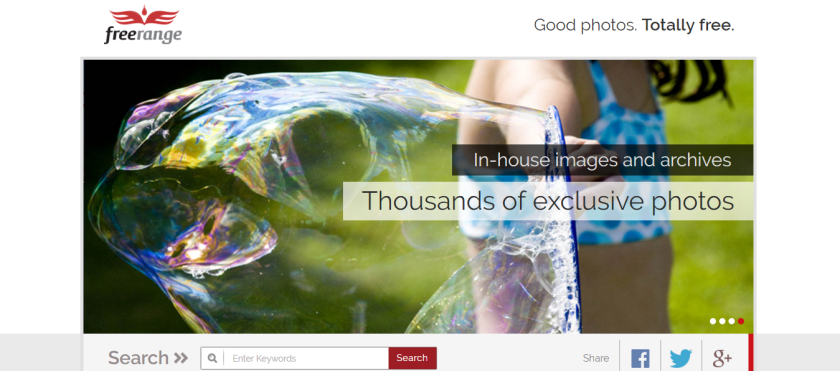
This week’s cool tool recommendation is Freerange which provides free high res stock photos for commercial and non-commercial use.
The photos either come directly from in-house photographers and archives or they are contributed by a growing community of photographers. Images provided directly (in-house) by Freerange Stock originate one of two ways. They are either digitally photographed on Canon DSLR cameras or they are a high resolution (4000 dpi) Nikon scan of an original 35mm slide. Once the image is acquired, the photo is sharpened, color corrected, cropped and keyworded. Some images are manipulated in Photoshop to make them more effective. Then the original is archived and a 2400×1600 version is optimized and output, then posted on the live site.
It’s certainly one of the best sources of stock photos I’ve come across – and it’s free! Try it today.
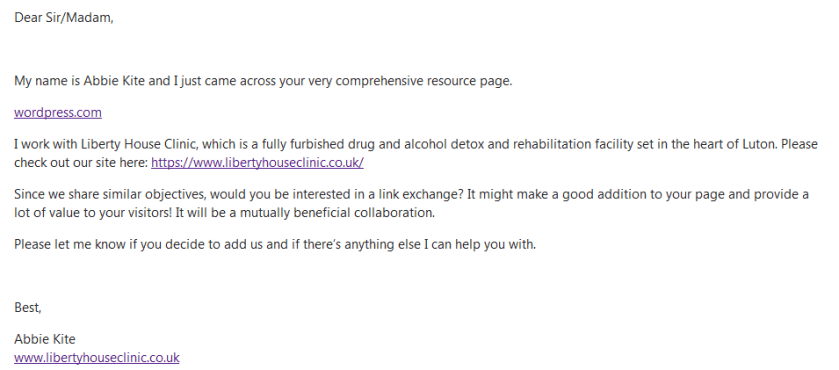
I run several blogs and get emailed pitches on a daily basis. The majority of these pitches are ill-thought-out and go straight into the Junk folder without ever being read. It’s clear from the first line that these emails are generic – the writers haven’t taken any time to actually read the content of my blog to see if their pitch is a good fit. In the example above, the pitcher didn’t even bother to specify a blog – just “wordpress.com”! (According to the latest WordPress stats, there are 76.5 million blogs on WordPress so I am not sure which of the 76.5 million blogs hosted by WP she is even referring to.)
I don’t normally single out a bad pitch like this, but this is one is so woefully lazy and spammy, it actually made me angry. This person is writing to me representing an addiction clinic and is doing damage to that clinic’s reputation by reaching out in this poorly-executed way. This is what happens when you “do” social media the wrong way. This is why I say to clients if you aren’t going to approach social media as you would any other aspect of your business (ie in a professional manner). then it’s better to stay right away from social media.
How To Do Blogger Outreach The Right Way
Ok, rant over!
For those who are serious about their social media outreach here’s a checklist for reaching out to bloggers.
Identifying the right bloggers is the first step in your outreach strategy. Use a blog directory tool like Alltop or Technorati to help you search by topic for blogs related to your topic or niche.
Always address the blogger by their first name.
Reference something from the blog that makes it clear you actually read it.
Become familiar with the blog’s readership and how it matches your offer. If it’s not a natural fit, then please don’t waste the blogger’s time.
Introduce yourself in a personal and friendly way. Provide a brief background on you and your brand, client, product or service.
Explain how exactly you would like to work with the blogger. Make your pitch as concise and clear as possible.
Provide hyperlinks to your website, product or service, so the blogger doesn’t have to search for you online.
Over To You
I’m curious to know if blogger outreach is part of your social media strategy and if so, do you have any best practice tips to share with us? Or do you think we should be over this kind of strategy? Is it a practice that has had its day?
I love learning about new tools to make social media marketing more creative and effective, so I’ve decided to share some of my favourite tools with you at the start of each week. This week I’m recommending Photofunio an image editing tool.
With PhotoFunia you can edit photos online for free in a matter of seconds resulting in high quality photo collages. As the name suggests, this tool is a lot of fun to use. It helps you make a mark with your photos by incorporating your photos into mock-ups of background images including billboards, magazine covers, and movie posters.
Here I am as a magic playing card 🙂
Visit http://photofunia.com and try it for yourself.
One of the questions put most frequently to me when I speak to healthcare professionals is how to handle trolling on social media.
It’s an important question.
A troll posts inflammatory content with the intent of provoking an emotional response from you and others in the community.
To answer the question, I’ve turned to Matthew Katz MD and his tutorial on dealing withTrolls, Malware and Spam.
Let’s define what we mean by trolling
Dr Katz begins with a reality check.
Trolls are not people who disagree with you.
Expect debate on Twitter.
Be open to being wrong.
When conversations get heated and emotional, show respect so you aren’t considered the troll
He goes on to define the different types of trolls we might encounter online.
And provides sensible advice for dealing with trolling behaviour.
How to deal with negative comments on social media
As I was writing this post today, I came across an article on this same topic at Social Times. It cautions against blocking or banning negative comments too readily, which echoes Dr Katz’s reality check – don’t label everyone who disagrees or complains as a troll.
If you become the target of rumors or misinformation, then fight back with facts. If you make a mistake, then admit it and show how you will fix the mistake.
While this advice is based on patience and understanding through communication and conversation, it does not apply to persistent trolls and those intent upon abusing you.
Develop A Policy For User Comments
The article points to the need for organizations to have social media guidelines in place which details the kind of comments you will allow (for example, no racist or abusive comments) and then take action against those in violation of those guidelines.
These policies should clearly detail what kind of comments are allowed and be outlined on your website and social media accounts. Here’s an example from the Content Marketing Institute.
Not sure whether to ban or block trolls? Dr. Katz has some pointers for you.
If you have a problem with trolling on Facebook, here’s a practical tip from social media expert, Guy Kawasaki:
When trolls commented on my Facebook posts, I used to delete the comments and sometimes ban the user. I found that deleting the comments often caused the troll to post another comment complaining about the deletion – often citing “freedom of speech.” Banning the user deleted the comment and prohibited the user from posting again; however, I was often emailed with a “Why did you ban me?” complaint. Both options caused me more work and likely fostered hostility. Now I just “hide” the comments. When you do this, only the person who made the comment and his followers can see the comment. From their perspective, the comment is still there but other people can’t see it.
Don’t Feed The Trolls
If you’re in the online world, you’ve dealt with a troll. If you haven’t, you very likely will. I’ve had my fair share of criticism online, but thankfully I haven’t yet had to deal with any trolls. I am aware though of how nasty things can turn online and it pains me to see this darker side of social media. The best piece of advice I’ve ever read is quite simply “Don’t Feed The Trolls”.
When under attack, respond as calmly as you can and in the case of trolls, remember that sometimes the best response is no response at all. Hootsuite
Trolls want attention. Simply ignoring a troll could be your best tactic – according to the Pew Research Center, 60% of respondents opted to ignore online harassment.
Have you had to deal with social media trolls? How have you handled it? Please share your tips and thoughts in the comments below.
I love learning about new tools to make social media marketing more creative and effective, so I’ve decided to share some of my favourite tools with you at the start of each week. This week’s cool tool recommendation is Landscape, a super-cool image resizing tool from Sprout Social.
Landscape allows you to crop images for any social profile and resize your images with always up-to-date dimensions for every network.
Here’s how it works
You don’t have to consult a running list of network and post type dimensions anymore—let Landscape do it for you. How cool is that!
Maintaining a consistent posting schedule on social media – whether it’s writing blog posts, or sharing updates on social media channels – can be a challenge. When I teach social media classes, I always recommend creating an editorial calendar so you can map out in advance upcoming holidays and cause awareness days. By doing this, you will have a ready supply of things to share on social media.
To help you plan your content in advance, Hubspot has released a super-helpful social media calendar for the remainder of 2018. It’s downloadable, so you have an instant editorial calendar complete with hashtags to use on Twitter. Take a look at it and see which days you could build engagement around. Have some fun with it, but do make sure it fits with your brand.
I’ve already spotted some fun awareness days I wish I had known about earlier in the year but there’s still plenty of time to plan out the rest of the year. Get ready to polish off your best joke for National Tell A Joke Day coming up next month.


 This week’s cool tool recommendation is







 Health Care Social Media