When it comes to uploading images for social media, each platform has its own rules. It’s important to use the correct image sizes for your designs. Here’s a handy cheat sheet from We Are Top 10 to guide you.

When it comes to uploading images for social media, each platform has its own rules. It’s important to use the correct image sizes for your designs. Here’s a handy cheat sheet from We Are Top 10 to guide you.

My latest healthcare social media newsletter has gone out to subscribers. In this week’s round-up of news and tips:

August already! If you are like me, you will feel as if you just blinked and suddenly the year is more than half over. Back in January, I wrote an article outlining 17 ways to rock your social media in 2017. Did you follow any of those tips?
Now that we are more than half way through this year, it seems like a good time to review how close you are getting to meeting your social media goals. If you are on track, well done! But even if you have fallen short of your goals, it’s never too late to get your social media back on track. As a reminder, I have put together six questions to guide you.

Pinterest has been adding some new features recently, and the latest worth noting is the addition of a new search bar to its home screen and Pinterest Lens is now available to all Pinterest users worldwide.
 LinkedIn is giving more control to publishers – you can now turn off comments on your posts, helping users eliminate spam and harassment from the social network.
Within a year of its debut, Instagram Stories now boasts “more than 250 million daily users,” which surpasses Snapchat’s reported 166 million daily users.
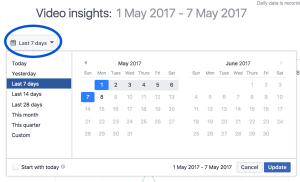 Facebook is redesigning insights and analytics provided to video creators and to the publishers and pages that reshare their videos.
Plus
Your weekly cool tool recommendation, social media quote of the week, and six things you should know in the world of social media.
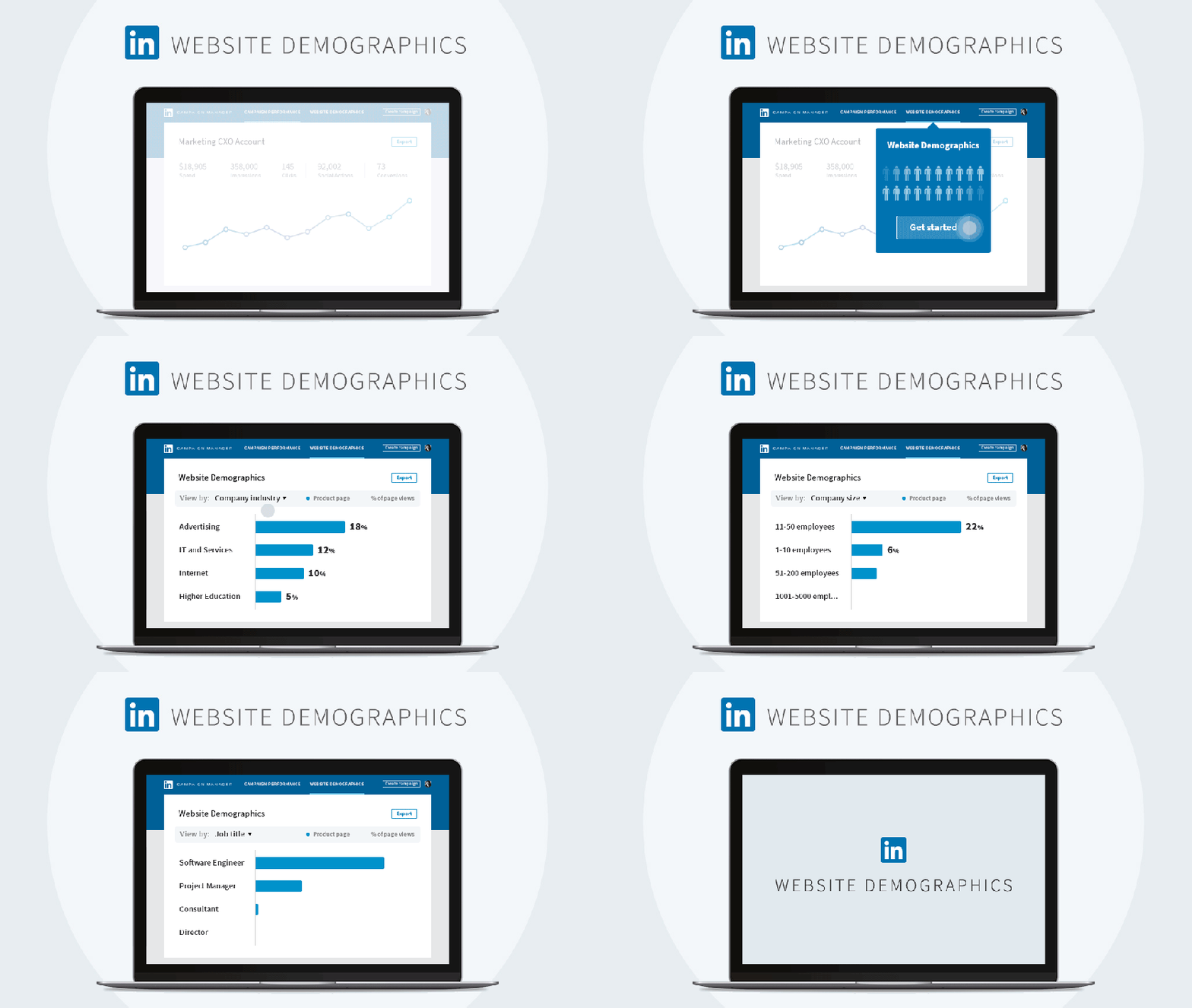
LinkedIn has announced the roll-out of LinkedIn Website Demographics, “a free reporting tool that lets you see what types of professionals are coming to your website, giving you a powerful way to tune your marketing to those visitors, and develop better targeting and content for your campaigns.”
Website Demographics uses data from LinkedIn’s 500+ million members to provide insight into your company’s website visitors in a way that respects member privacy. Featuring an easy-to-read interface in LinkedIn Campaign Manager, Website Demographics lets you filter your website audience by 8 individual professional dimensions, including job title, industry, job seniority, job function, company, location, and country.
Website Demographics also allows you to filter by date range to understand whether that recent marketing campaign boosted traffic from your desired audience segments. What’s more, you can now see if you have attracted new pools of prospects to your website. With these insights, you can craft new marketing content designed to better resonate with that audience.
This new feature will begin rolling out soon, so watch this space.
My latest healthcare social media newsletter has gone out to subscribers. In this week’s round-up of news and tips:

Last month, Facebook released a new research report as part of its “Shifts for 2020” series, which looks at how emerging tech is influencing user actions. The full research report and data is available on Facebook’s IQ Insights blog. For a snapshot of the findings check out my latest Medium post.

Snapchat is breaking its long-standing “no links” rule while also providing some novel new creative tools to keep it one step ahead of Instagram. The new features are rolling out globally on iOS and Android.

Instagram is now demoting content that utilizes particular hashtags that have been hijacked by bots.
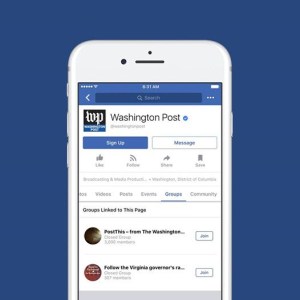
Facebook continues to put increased emphasis on Groups, with Chief Product Officer Chris Cox this week announcing that Groups for Pages are now available for all Pages worldwide.

LinkedIn is testing out a new free service for members that will match them with other professionals who can give them career advice.
Plus
Your weekly cool tool recommendation, social media quote of the week, and six things you should know in the world of social media.

According to Hubspot’s Social Media Calendar which I have been finding super useful as a source of content ideas, today is Get To Know Your Customers Day. Whether you call them customers, clients, or your target market, it’s vital to know who you are trying to reach with social media. Your marketing efforts will be stronger if you can identify your target market first. You can then tailor your marketing more specifically to match their needs.
Who Is Your Audience?
You need to find the answers to basic demographic questions about your audience, whether they go online for research and what issues they are concerned with; alongside which communities inform, inspire, or influence them.
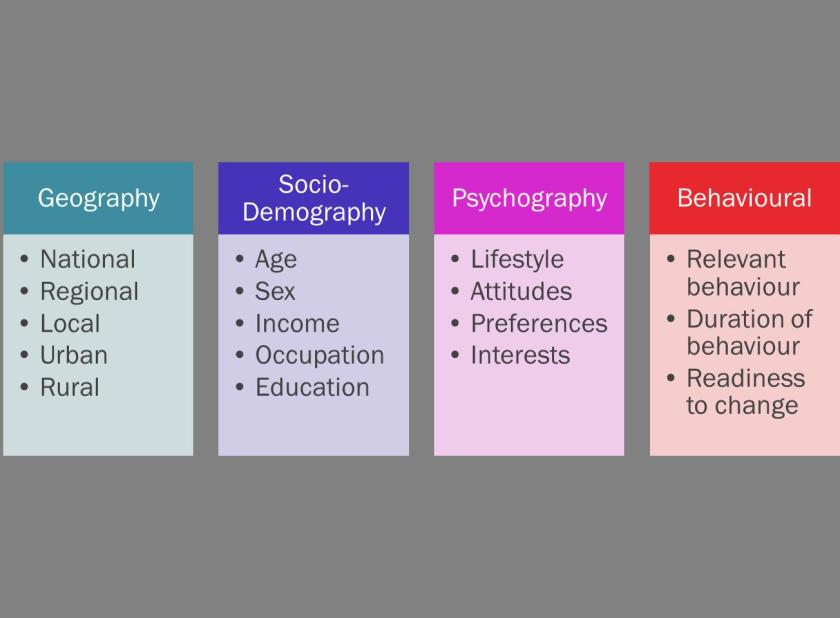
It’s good practice to create audience personas as a way to really understand the people you want to reach.

Hootsuite has created a useful guide on How to create buyer personas with social media data.
Segment Your Audience
Normally an organisation has too many segments it would like to reach. Targeting is about choosing which ones to prioritise. By dividing the whole market into segments of people who you think are particularly important for your organisation you can reach them more effectively. Segmenting and prioritising audiences improves reach, enhances relevance and helps put your resources to the best possible use.
Once you’ve identified who your audience is, map this information to social media behaviour. Most marketing efforts are focused on the trifecta of Facebook, Twitter and LinkedIn, but visual platforms such as Pinterest, Snapchat, and Instagram are also extremely popular. This doesn’t mean that you have to be everywhere at once. Do your research to determine where best to focus your social media efforts to be successful.Use Surveys (e.g. Survey Monkey), Polls (PollDaddy; Facebook; Twitter), and publicly available reports to match your audience demographic to the social networks they use.
Related Reading
3 Free Tools to Understand Your Audience and Quickly Grow Sales
The Ultimate Guide To Celebrate Your Customers
6 Ways to Include Customers in Your Content
LinkedIn has released some new updates recently which are worth checking out.
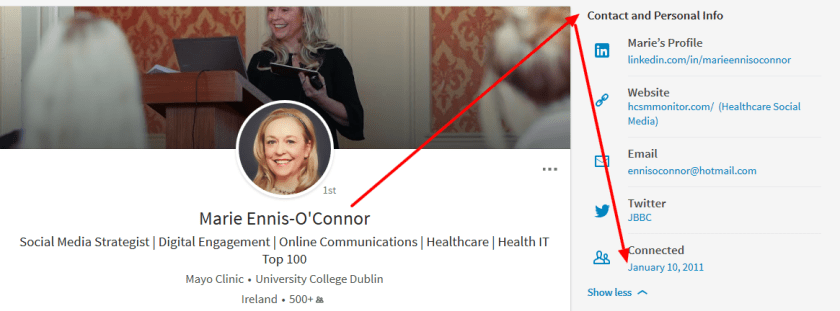
1. View Connection History
First up, you can now easily view your connection history with your network. Simply go to a connection’s profile and click on “Contact and Personal Info” to see when you first connected.
2. Discover Who Is Searching For You
With Search Appearances, you can see how many people found you in search, as well their companies and job titles. This is such a cool feature, particularly for job hunters.
Click on “Who’s Viewed Your Profile”
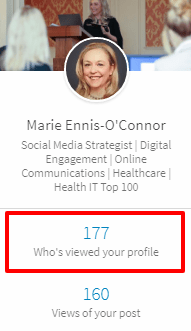
You will then get a breakdown of the companies and job titles of the people who found you in search to help signal what types of opportunities you may be a fit for. Click through to see open jobs at each company as well as who the hiring managers are so you can follow up for more information.

I’m excited that LinkedIn has announced you’ll soon also be able to see the keywords you’re being found for.
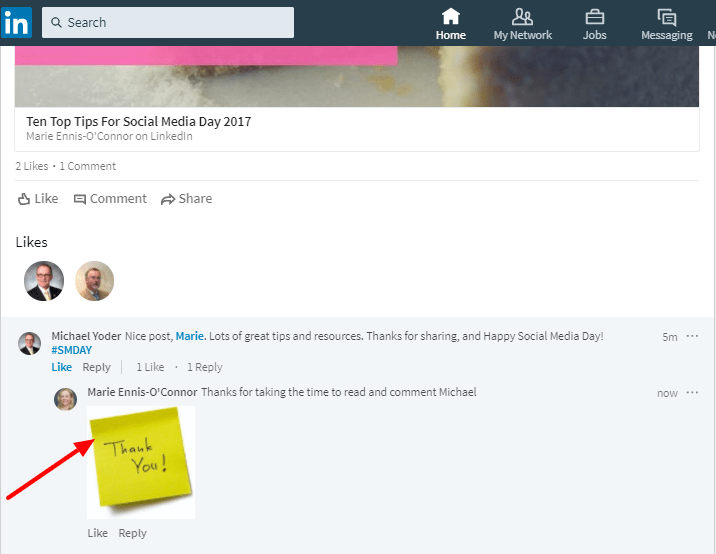
3. Add An Image To Your Comment
I’ve been having fun trying out this feature.
Have you tried any of these new features yet? Which of them do you find most useful?
Ask the question how often you should post updates to social media, and you will find a variety of answers.
My own advice is to test for yourself. Keep an eye on your analytics to determine the posting schedule which works best for you. However, this takes time, and in the meantime, it would be useful to have a guide to refer to. But which guide to follow?
CoSchedule has done the heavy lifting for us by sifting through 14 different studies to identify the optimum data-driven times to post to social media. The following are the recommendations from their research.

Evidence suggests that posting to Facebook more than once a day may be counterproductive. I admit I struggle with this one.
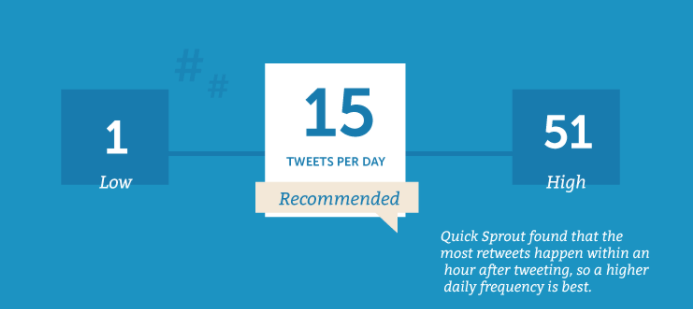
You might be surprised to see this data, but as the shelf-life of a tweet is so short, it makes sense to post quite frequently. I tweet between 10-15 times a day, but it’s important to space out your tweets. I use a scheduling tool to help me do this. Don’t forget to retweet other relevant tweets too.

The optimum recommended frequency is to pin around 11 pins per day, although some recommended pinning up to 30 daily pins. And again, be sure to repin other users too.

Once a day seems like the optimum posting frequency on LinkedIn according to the data.
Google+

A lower frequency of posting is also recommended for Google+

I’m slightly surprised that 1-2 posts per day is recommended as I see many brands sharing more than this.
Related Reading:
What 20 Studies Say About The Best Times To Post On Social Media
What do you think of these recommendations? Do you find you are posting less or more than the recommended frequency? Do you have your recommendations to share about an optimum number of times to post to social media?
My latest healthcare social media newsletter has gone out to subscribers. In this week’s round-up of news and tips:

To celebrate Social Media Day, I’ve put together ten of my tried and tested tips for social media success.

You can now share live video replays to Instagram Stories for 24 hours with a new Share button found at the bottom of the screen once a broadcast ends

LinkedIn’s been steadily adding new tools and features to the platform as part of their recent re-design.

Which phrases in headlines are most effective in encouraging people to engage with articles on Facebook? To find out, BuzzSumo examined the performance of 100 million article headlines published between March 1, 2017 and May 10, 2017.
Plus
Your weekly cool tool recommendation, social media quote of the week, and six things you should know in the world of social media.

Facebook has introduced two new tools aimed at helping advertisers to reach people who are more likely to take valuable actions towards your business objectives.
The first, value optimization, enables advertisers to optimize their ad campaigns based on purchase value data passed through the Facebook pixel. Value optimization works by using the purchase values sent from the Facebook pixel to estimate how much a person may spend with your business over a seven-day period. The ad’s bid is then automatically adjusted based on this estimation, allowing campaigns to deliver ads to people likely to spend more with your business at a low cost. Value optimization will roll out to eligible businesses over the next few months. Businesses can access value optimization when they create website conversion ad sets that are optimizing for purchases in Ads Manager.
The second, value-based Lookalike Audiences, allows you to include a value column in your customer list, which you can then use to reach new people that look like your highest spending customers. Facebook introduced Lookalike Audiences over four years ago to help marketers reach people likely to be interested in a business based on people who have visited their site or customers added from a Custom Audience.
As Facebook explains:
While Lookalikes are a powerful tool to help grow a customer base, businesses often want to grow specific cohorts of their audience based on the value to their business. In order to provide a more effective solution to do this, we are rolling out value-based Lookalikes globally. With this enhancement, advertisers are no longer limited to creating small groups of audiences based on their spend or LTV prior to creating a Custom Audience. Now, they can include a value column to their entire customer list, which Facebook can use to create an additional weighted signal for people most likely to make a purchase after seeing your ad. Value-based lookalikes can be found across all objectives in Ads Manager or Business Manager.
And advertisers on Facebook will soon have more control over where their ads appear, as Facebook is rolling out several tools aimed at providing more transparency before campaigns go live. The latest updates will provide advertisers with a list of publishers up front to show where ads might appear via Instant Articles, in-stream ads within Facebook and across the Facebook Audience Network. This will help provide more transparency for advertisers before campaigns instead of only after. While the tools are now in beta they’ll be rolled out over the course of this year.
Related Reading
My latest healthcare social media newsletter has gone out to subscribers. In this week’s round-up of news and tips:
Creating great content begins with having a clear purpose in mind. Check out my ten step process to get there.
Each year, Mary Meeker, partner at the Silicon Valley venture capital firm Kleiner Perkins Caufield & Byers, releases a report, described by Tech Crunch as “essentially the state of the union for the technology industry”. Read more about the report in this week’s newsletter.

Snapchat has introduced a redesigned web tool to make it easier for users to create on-demand geofilters from scratch. Find more details in this week’s newsletter.

Instagram is rolling out two new features to show you what’s happening around you and find stories related to your interests. More information in this week’s newsletter.
Plus
Your weekly cool tool recommendation, social media quote of the week, and six things you should know in the world of social media.
 Health Care Social Media